
Investment Portfolios
When a company puts money into ventures — a stake in another business, a project, a managed fund — it needs to track each investment as an asset in its own right: how much capital went in, what it's worth now, what profit it threw off, and when it was wound down. The investment-portfolios sub-system is built for exactly this: it follows an investment asset from a first opportunity, through deploying the capital, to distributing profits and finally closing it out.
Required license
Investment portfolios are part of the accounting-investment license. Most screens are under Accounting > Investment Portfolios.
Two investment systems, side by side
Nama has two parallel investment sub-systems. This page covers investment portfolios — tracking investment assets (stakes, projects, funds) over their life. The other, investment documents & fund certificates, covers bond-like instruments and unit-based fund certificates. They solve different problems; pick the one that matches what you hold.
The master files
Before recording activity you set up the players and the asset:
- Investment Portfolio (
Accounting > Investment Portfolios > Investment Portfolio) — the investment asset itself. It carries the investment company, the bank / bank account funding it, the running total portfolio value (in document and local currency), the profit amount, and any tax. Its status moves Initial → Ongoing → Closed as the lifecycle documents act on it. - Investor (
Accounting > Investment Portfolios > Investor) — a party that invests. - Investment Project (
Accounting > Investment Portfolios > Investment Project) — a project that capital is allocated to.
There are also building-block files — shares, stakes, cash deposits, investment funds and fund types — that describe the make-up of what's held.

The lifecycle
The portfolio's life is driven by a sequence of documents:
Investment Opportunity (
Banks > Investment Documents > Investment Opportunity) — the planning stage: a candidate investment being studied before any money moves.Investment Start (
Accounting > Investment Portfolios > Investment Start) — deploys the capital. This is the document that posts: it moves the portfolio to Ongoing and records the investment. Its effect runs through the Debit / Credit sides (the investment asset against the funding bank/cash), the Investment Expense sides for any acquisition costs, and the Tax sides.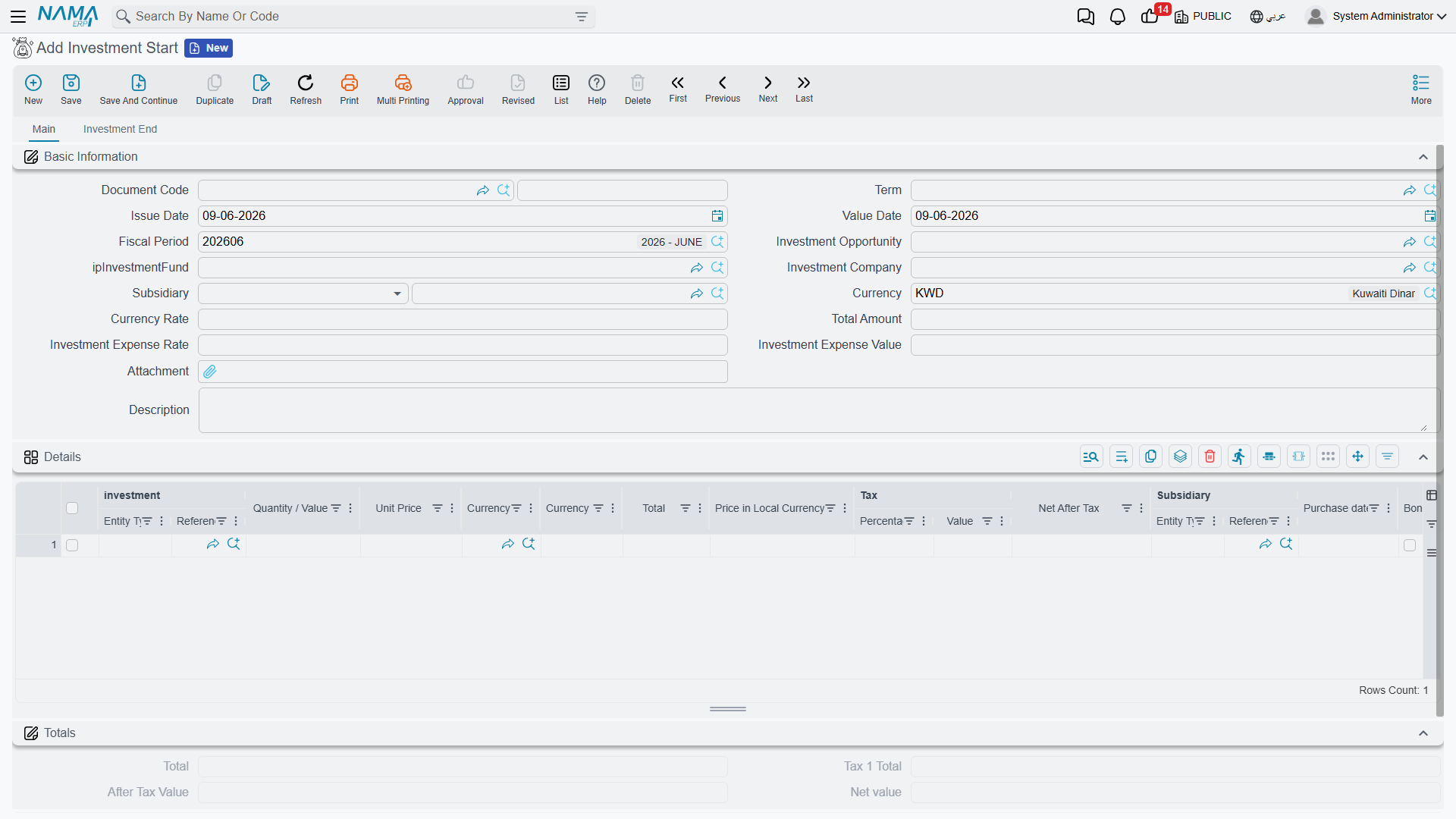
Investment Update (
Accounting > Investment Portfolios > Investment update) and Investment Capital Increase (… > Investment Capital Increase) — revalue the investment or inject more capital while it's running.Investment Profit Distribution (
Accounting > Investment Portfolios > Investment Profit Distribution) — books the profit the investment yields and distributes it.Investment End (
Accounting > Investment Portfolios > Investment End) — winds the investment down and sets the portfolio to Closed.
Alongside these, Investment Allocation and Refund Investment Allocation (… > Investment Allocation / Refund Investment Allocation) move capital to and back from investment projects, and the Investment Budget (… > Investment Budget) plans figures for those projects.
Reports
The Investment Projects Balance Sheet (SYSR-IVS001) summarizes the standing of the investment projects.
For Support
- "The portfolio is stuck at Initial" — it only moves to Ongoing when an Investment Start is committed against it; check that document.
- "I can't close the investment" — closing is done by an Investment End document, not by editing the portfolio.
- "Profit isn't showing" — profit is booked by Investment Profit Distribution; the portfolio's profit amount reflects those documents.
- "Which investment system do I use?" — portfolios (here) track investment assets over their life; for bonds and fund certificates use investment documents.
- "Where do the investment / expense / tax accounts come from?" — from the Investment Start term; see Document terms.