
Misc Purchasing & Machine Rent
Not every purchase flows through the inventory module. Buying a service, paying for a one-off expense, renting equipment — these don't add stock, so handling them as stock purchases would be overkill. The miscellaneous purchasing documents live inside accounting and let you run a lightweight purchase cycle for non-stock items, ending in an invoice that posts straight to an expense account.
Required license
Misc purchasing is part of the core accounting license. Its documents are under Accounting > Documents.
The cycle: request → order → invoice
The flow mirrors a normal purchase cycle, minus the warehouse:
- Misc Purchase Request (
Accounting > Documents > Misc Purchase Request) — someone asks to buy a service or non-stock item. - Misc Purchase Order (
Accounting > Documents > Misc purchase Order) — the order placed with the supplier. Like its inventory cousin, the order doesn't touch the ledger; it's a commitment, not an expense yet. - Miscellaneous Invoice (
Accounting > Documents > Miscellaneous Invoice) — the supplier's bill. This is the document that posts: it debits the expense and credits the supplier.
The Purchase Element (Accounting > Master Files > Purchase Element) is the master file behind it all — it describes a purchasable thing (a service, a category of expense) and carries its default account, so an invoice line just picks the element and the account follows.

The invoice
On the Miscellaneous Invoice each details line carries the purchase element and the account it expenses to, the supplier (with its commercial-registration and tax-registration numbers for e-invoicing), the quantity and unit price, a full ladder of discounts and taxes (sales tax 1 and 2, plus additional/discount taxes), and the line dimensions. The invoice also has a payment lines / scheduled payments section so you can settle it — in cash, by payment method, or by external vouchers — and a purchase terms grid.

How it posts
When the invoice is committed, its effect runs through the term's sides: the line accounts are debited for the goods/services value, the supplier (or cash) is credited, and the tax, discount and service-fees sides carry their respective amounts. Because it's a tax document, it's integrated with e-invoicing (ZATCA) through the supplier's registration fields. Exactly which account each side resolves to comes from the invoice's document term — see the Document terms reference.
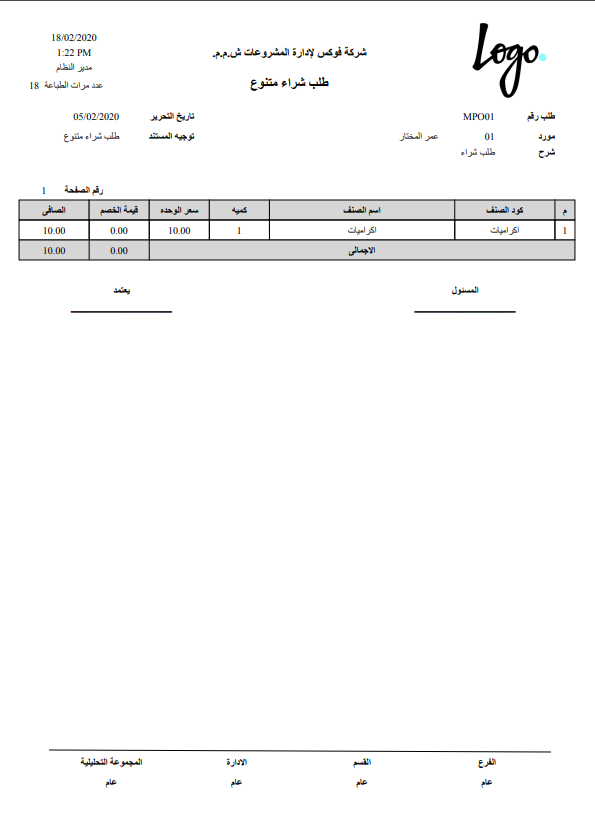
Printed form: the misc purchase order prints as SYSF-ACC015, and the misc purchase invoice as SYSF-ACC006.
Machine Rent Invoice
A close variant is the Machine Rent Invoice (Accounting > Documents > Machine Rent Invoice) — for billing the operation or rental of equipment. It works like the misc invoice (lines, supplier, tax, posting to an expense account) but is tailored to equipment-operation costs.

For Support
- "The order created a journal entry" — it shouldn't; only the invoice posts. The request and order are pre-accounting steps.
- "The wrong expense account was used" — check the line's purchase element default account and the line account override.
- "The invoice wasn't submitted to the authority" — review the supplier's commercial-registration and tax-registration fields; e-invoicing is a separate topic from the accounting effect.
- "Where do the supplier / tax / discount accounts come from?" — from the Miscellaneous Invoice document term; see Document terms.
- Processing and reprocessing a stuck invoice are in How documents are processed into accounting effects.