
Account Statements, Trial Balance & Analysis
Once transactions are recorded, the moment of questions arrives: What is this account's balance? What moved on this customer's subsidiary? Are my books balanced? The account reports family (SYSR-ACC*) answers that — ready-made system reports invoked from the reports menu. This page is their guide: what each report answers and its key parameters.
Required license
These reports are part of the core accounting license.
Financial statements have their own page
The formal financial statements (balance sheet, income statement, cash flow, SYSR-FNS*) aren't here — they're the output of the financial-statements engine and are documented with it. This page is for the ledger statements, trial balances, and analysis that aren't tied to a particular document type.
About the report samples
The sample images below are the reports' Arabic-rendered output; they illustrate the report layout and are reused on this English page.
Chart of accounts
The Accounts Chart report (SYSR-ACC001) prints the full tree with its levels and classifications — a quick reference to your account structure (see Chart of Accounts).
Account statements
An account statement shows an account's movements over a period with the running balance (locally, and in foreign currency when needed). The variants differ by level of detail and angle:
- General account statement (
SYSR-ACC002,ACC029) and its variants: by currency (ACC030), in detail (ACC035), by second side (ACC037), by exchange rate (ACC038), with revise capability (ACC039), by capabilities (ACC040). - Subsidiary account statement (
SYSR-ACC003,ACC031) and by currency (ACC032) — to show a specific party's movements. - Detail account statement (
SYSR-ACC004,ACC033), by analysis set (ACC021), by currency (ACC034).
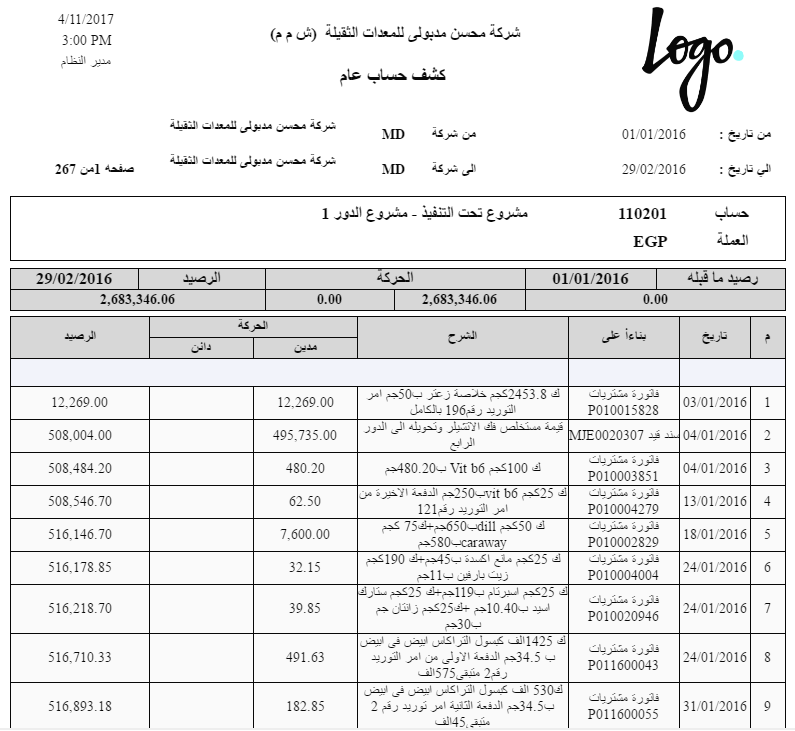
The key parameters in these statements: date/period range, the account or subsidiary, currency, and dimensions (branch/sector/department). The running balance is computed by ordering movements chronologically.
Trial balances
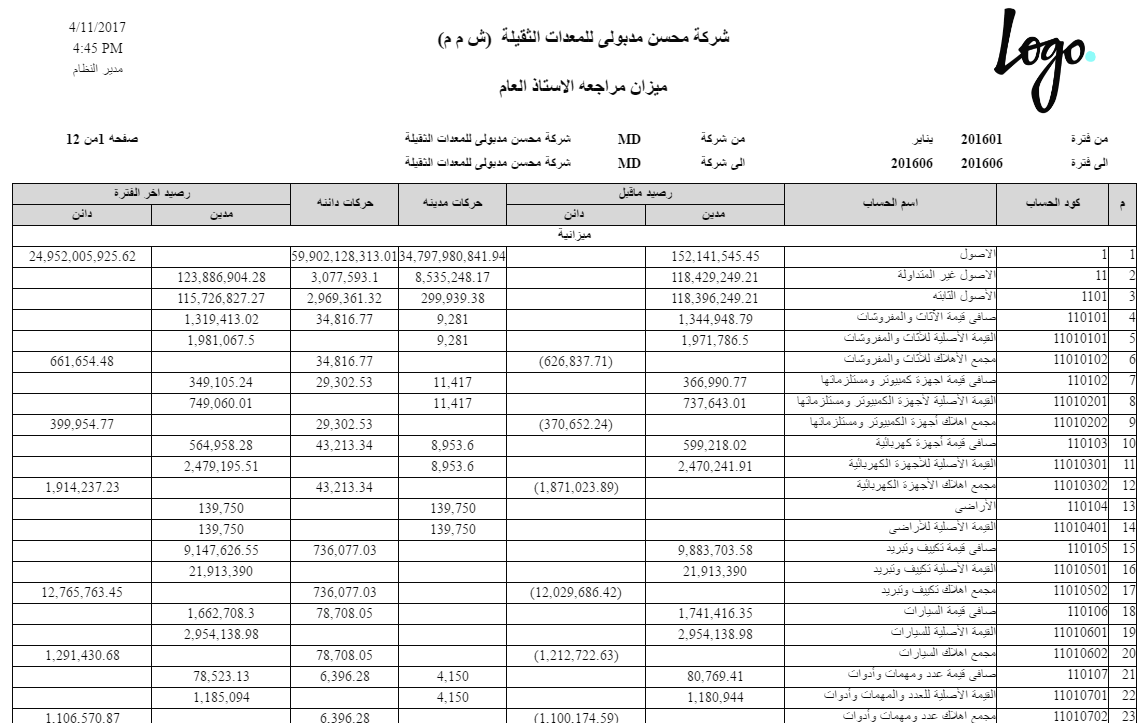
A trial balance summarizes account balances (debit/credit) to verify the books are balanced:
- General trial balance (
SYSR-ACC005), by total balance (ACC026), by date (ACC036), and including subsidiaries (ACC044). - Subsidiary trial balance (
SYSR-ACC006), by total balance (ACC027), by date (ACC042). - Trial balance for an account (
SYSR-ACC007) for a specific account.
Account analysis
- Accounts analysis monthly (
SYSR-ACC012) — distributing account balances across the year's months. - Accounts analysis by branch (
SYSR-ACC013) and by branch and sector (SYSR-ACC028).
Debt ages
These reports reveal how aged receivables are (they rely on the Track Debt Ages flag on the account — see Accounts):
- Debt ages (
SYSR-ACC024), its document details (ACC025), by invoice (ACC045), and all manual debt lines (ACC041).

Voucher and entry statements
Statements dedicated to receipt/payment and journal documents (also linked from the Receipt & payment vouchers and Journal entries pages):
- Receipt voucher requests statement (
SYSR-ACC015), receipt vouchers (ACC016,ACC046). - Payment voucher requests statement (
SYSR-ACC017), payment vouchers (ACC018,ACC047). - Journal entries statement (
SYSR-ACC019).
Tax rebate analysis
Tax rebate analysis (SYSR-ACC014) for tax-claim and refund purposes.
Ledger transaction form
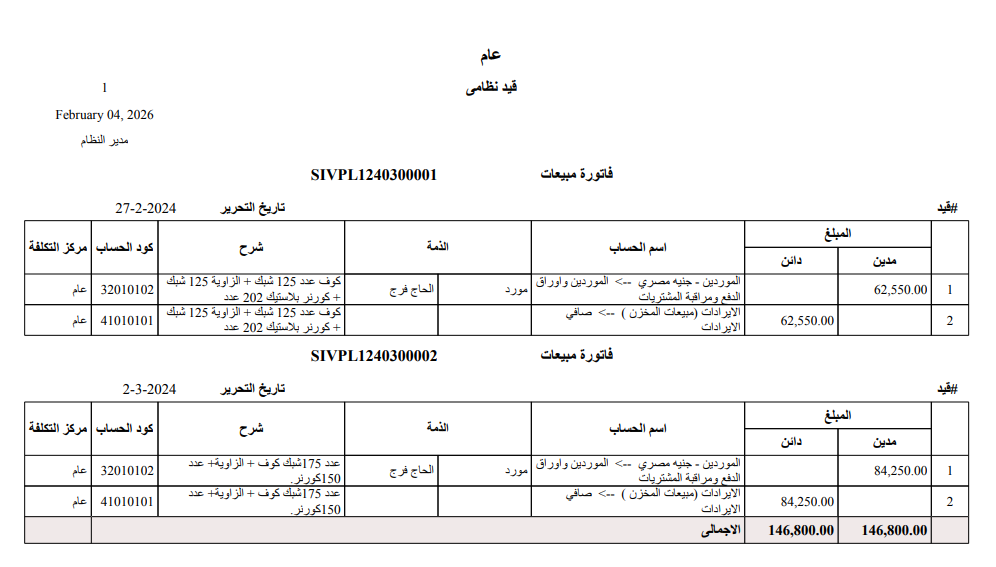
The Ledger Trans Form (SYSR-ACC048) prints the single accounting movement with its details.
On-screen inquiries
Beyond the printed reports, there are live inquiries on screen that need no printing: the Ledger Transactions list and the account/dimension balance screens. You browse them directly on screen for a real-time view of balances.
For Support
- "The report balance doesn't match expectations" — check the date/period range and the selected dimensions; most discrepancies are caused by an unintended filter.
- "An account doesn't appear in debt ages" — the Track Debt Ages flag isn't enabled on the account.
- "The foreign-currency balance isn't shown" — use the appropriate by currency statement variant (
ACC030/ACC032/ACC034).