
Credit & Debit Notes
Sometimes you need to adjust a customer's or supplier's balance without any cash receipt or payment: a settlement discount for a customer, a sales return, or an extra charge on a supplier. That's the role of the Credit Note and the Debit Note — two opposite documents that move the party's balance in opposite directions.
Required license
Credit and debit notes are part of the core accounting license.
The idea: adjusting a party's balance in two directions
- Credit Note (
Accounting > Documents > CreditNote) — makes the party's account credit: it reduces what a customer owes us (a return/discount in their favor), or increases what we owe a supplier. - Debit Note (
Accounting > Documents > DebitNote) — makes the party's account debit: it increases what a customer owes (a fee/extra cost), or reduces what we owe a supplier.
The two screens are identical in structure and differ only in the direction of the effect, so explaining one is enough.
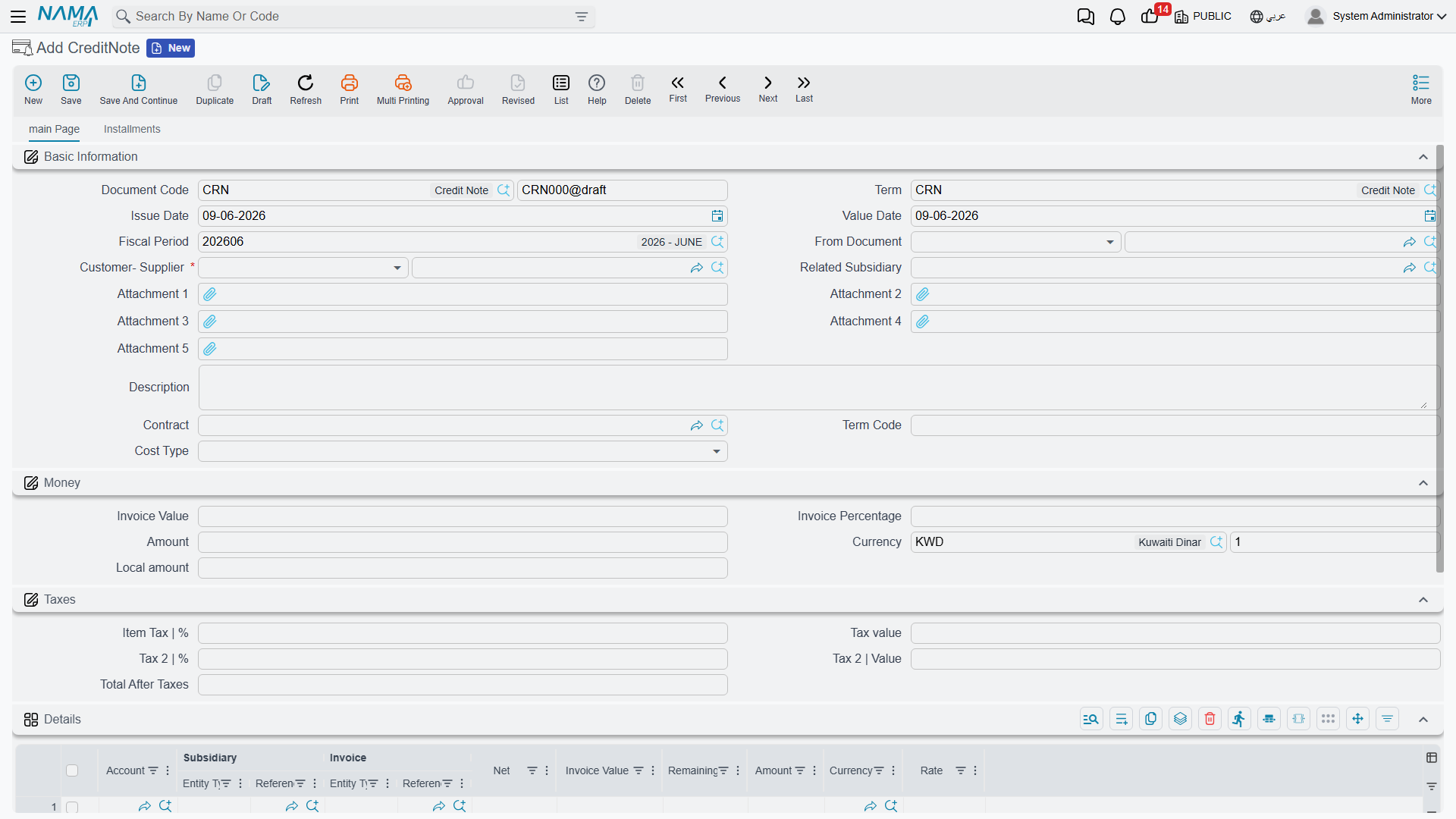
Anatomy of a note
In the header you set the Document Term and Value Date (which determines the Period), the Customer-Supplier (the party concerned), and the Related Subsidiary, Contract, and Cost Type as needed.
In the Amount block you enter the Amount and Currency (with the corresponding local value shown), and the value can be computed as a percentage of the linked invoice's amount.
The Taxes block carries the sales tax (percentage and value) and a second tax if needed, plus the net after tax. And because the note is an official tax document, it's integrated with the e-invoicing (ZATCA) system: it carries the Zakat and Tax Authority fields (submission identifiers and approval status) that track its submission to the authority.
In the Details tab you match the note's value against specific invoices (each line shows the invoice value, net, and remaining), so the note's effect is deducted directly from the invoice balance. The document also provides an installments grid and a Payments tab.
The accounting effect
The counter-side to the party's account — as well as the two tax sides — comes from the document term (see the Document terms reference). A credit note makes the party credit and the counter-side (revenue/return/discount) debit; a debit note reverses them.
Reports and forms
- Party movements resulting from the notes appear in the party's account statement under Account statements & trial balance.
- Printed forms: debit note
SYSF-ACC004, credit noteSYSF-ACC005.
For Support
- "The note didn't reduce/increase the invoice balance" — make sure it's matched to the invoice in the Details tab, not just entered as an amount in the header.
- "The direction is reversed" — make sure you're using the right type: credit to reduce a customer's receivable, debit to increase it.
- "The note wasn't submitted to the authority / its status is pending" — review the Zakat and Tax Authority fields and the approval status; e-invoicing integration is a topic separate from accounting.
- "The wrong revenue/return or tax account" — their source is the document term.
- Processing and reprocessing a stuck document are in How documents are processed into accounting effects.