Freight Document Terms
Every freight and postal document is saved under a document term, and the term is where the document's behaviour is decided: which accounts it books to, which status it stamps on the operation order, which postal event it reports, whether it fills or empties a storage location. Two users can type the same invoice and get different results because they picked different terms.
Terms are opened from Basic → Settings → Document Term; pick the freight document type and the term-specific settings appear on the term's own tabs. The freight module has eight term shapes, shared by twenty document types. The Bill of Lading and the Edit Purchase Price List have no freight settings on their terms.
A term with empty accounting sides books nothing
A freight invoice, return, operation order or delivery document whose term has no debit and credit sides is still saved normally, and its business request is still processed — but it produces no journal lines. Terms created by the setup wizard for the freight module are often in that state. If a freight invoice shows no accounting effect, open its term before anything else.
The invoice terms
Sales Invoice, Sales Return and Sales Order share one term shape; Purchase Invoice and Purchase Return share a second; the Operation Order has a third. On screen the three look alike — the same tabs in the same order — and differ in a handful of fields.
Settings tab
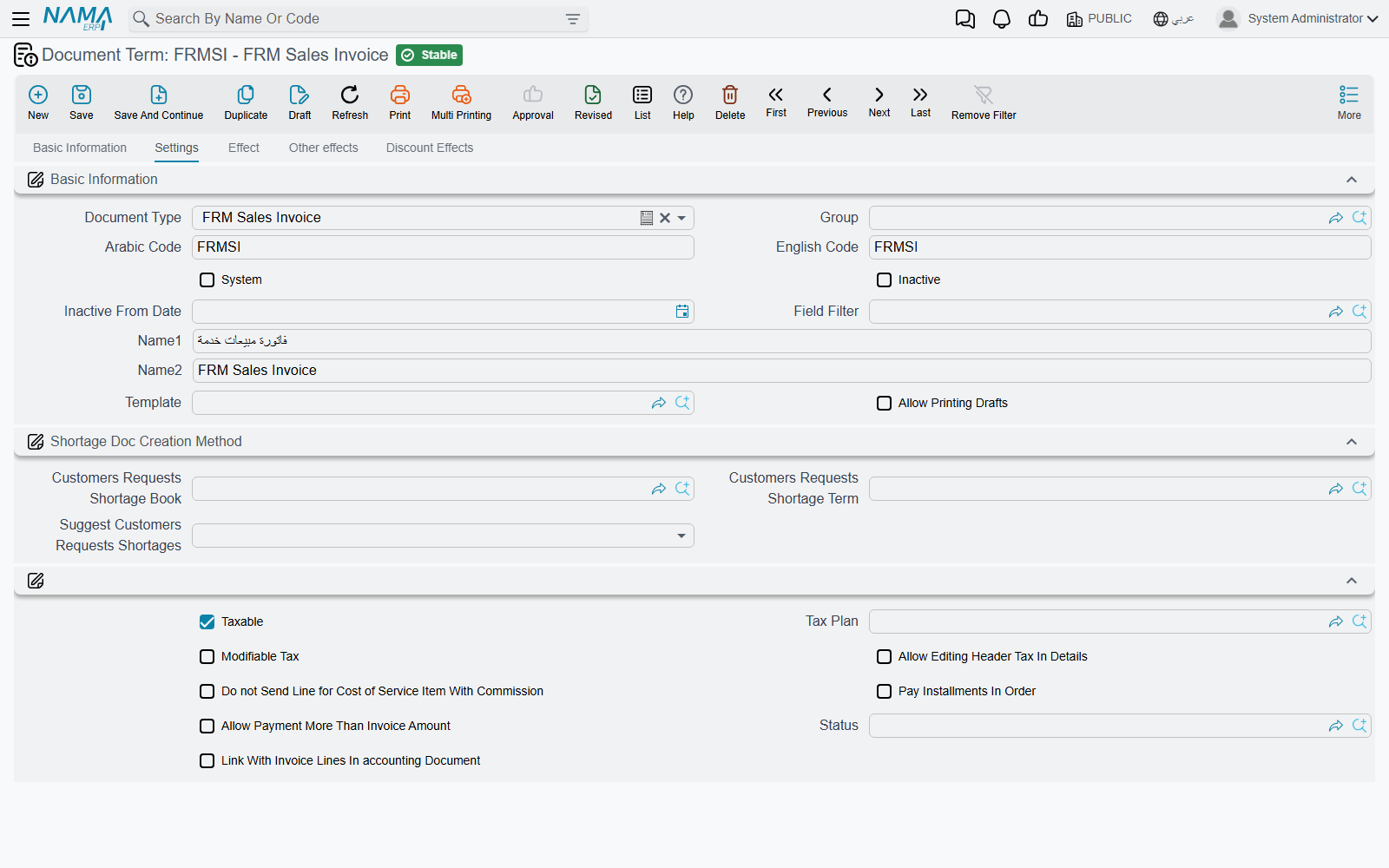
After the usual book-and-term information, the tax group:
| Option | Field | What it does |
|---|---|---|
| Taxable | termConfig.taxable | Ticked by default. Copied to the document header; untick it for a term that never carries tax. |
| Tax Plan | termConfig.taxPlan | The header tax plan of documents on this term. |
| Modifiable Tax | termConfig.modifiableTax | Lets the user override the computed tax on the document. |
| Allow Editing Header Tax In Details | termConfig.allowEditingHdrTaxInDetails | Lets a line carry a different tax from the header. Off by default. |
| Pay Installments In Order | termConfig.payInstallmentsInOrder | The document's instalments must be paid in their sequence, earliest first. |
| Allow Payment More Than Invoice Amount | termConfig.allowPaymentMoreThanInvoiceAmount | Accepts payment lines that add up to more than the document total. |
Three more options matter to the sales family — Sales Invoice, Sales Return and Sales Order. The first is shown on every invoice term but only the sales family uses it; the other two appear on the sales terms only:
- Do not Send Line for Cost of Service Item With Commission
termConfig.doNotSendLineForCostOfItemsWithCommission— the agent-model switch for e-invoicing. With it ticked, only the commission part of a service that has a commission item is sent to the tax authority. See E-Invoicing. - Status
termConfig.status— an FRM Operation Order Status. When a document on this term is saved, it records this status against its operation order, and the operation order shows the most recent status recorded for it. A term for final invoices can carry "Invoiced", so the operation-order list tells you at a glance which shipments are billed. - Link With Invoice Lines In accounting Document
termConfig.linkWithInvoiceLinesInAccountingDocument— the invoice is linked line by line in the invoices grid of the receipt and payment vouchers that settle it.
Effect tab
Is Sales Not Purchase termConfig.isSalesNotPurchase appears on every invoice term but only the Purchase Invoice reads it. A purchase invoice on such a term is processed the way a sales invoice is: the debit side becomes the party's side and the credit side the company's, and it is settled by receipt vouchers instead of payment vouchers. Use it for the rare purchase document that is really an amount you collect.
Below it, the Debit and Credit groups — the main accounting sides of the document — and Shorten Ledger under the credit side.
Other effects and Discount Effects tabs
Cash, Tax 1 to Tax 4, Discount 1 to Discount 8, Invoice Discount and the External Effects grid work exactly as they do on the supply-chain invoice terms. How an account side is built, what the tax "other side" is and how discounts are booked is explained once, on Accounting Effects Configuration.
The operation order term
The Operation Order term carries the same tabs, without the sales-only fields. Note what it means: the operation order is processed through the same accounting engine as an outgoing invoice, using the sides on its own term. If you want the money to be booked by the invoices only — which is the normal freight cycle — leave the operation-order term's debit and credit sides empty; otherwise the same revenue is booked once by the order and again by its sales invoice.
The operation-order processing terms
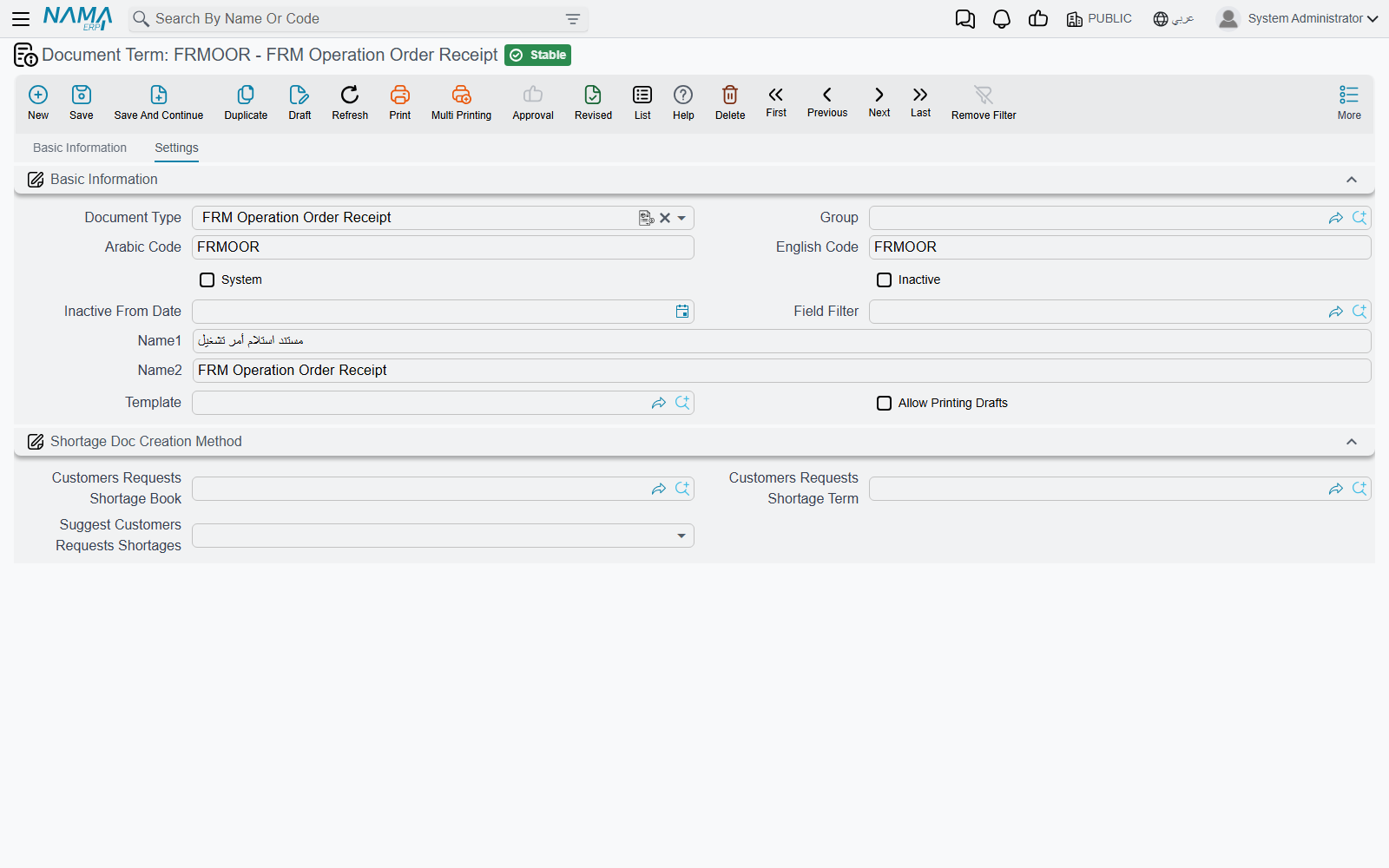
FRM Operation Order Receipt, FRM Operation Order Transfer and FRM Operation Order Delivery — the three documents that move a shipment in and out of storage locations — share a term with one setting on its Settings tab:
Status termConfig.status. Each document saved on the term records this status against the operation order it handles (a transfer records it against every operation order on its lines). So a receipt term can say "In Warehouse" and a delivery term "Delivered", and the operation order's status follows the shipment through the yard without anybody typing it.
The postal delivery terms
Delivery Request and Delivery Invoice share one term. Its Effect tab begins with the usual invoice options — Expand Payment Method Effect termConfig.expandPaymentMethodEffect (payment-method fee entries are not shortened), Taxable, Modifiable Tax, Tax Plan, Allow Editing Header Tax In Details, Pay Installments In Order, Allow Payment More Than Invoice Amount and Link With Invoice Lines In accounting Document — then Debit and Credit.
The Delivery Request term adds a group that turns the request into an invoice by itself:
| Option | Field | What it does |
|---|---|---|
| Auto Generate Delivery Invoice | termConfig.autoGenDeliveryInvoice | When a delivery document reports the outcome of the request's items, the system creates — or updates — a Delivery Invoice from the request. |
| Generated Invoice Book / Generated Invoice Term | termConfig.generatedInvoiceBook, termConfig.generatedInvoiceTerm | The book and term the generated invoice is saved under. |
| Delivery Invoice Payment Method | termConfig.deliveryInvoicePaymentMethod | The payment method of the single payment line put on the generated invoice, carrying the amount the delivery document collected. |
The Serivce Fees group (the label is misspelt on screen) handles the fees a payment method charges: Service Fees 1 Deduction to Service Fees 4 Deduction treat a fee as a deduction rather than an added charge, the Service Fees N Debit / Credit sides book it, and Do Not Add Service Fees Effect Without Account Side skips a fee whose sides are empty instead of booking it to the main sides. The Other effects and Discount Effects tabs are the same as on the invoice terms.
The whole delivery cycle is on Delivery Service.
The postal movement terms
The remaining ten postal documents have small terms, and most of what they do is reported to the external IPS server.
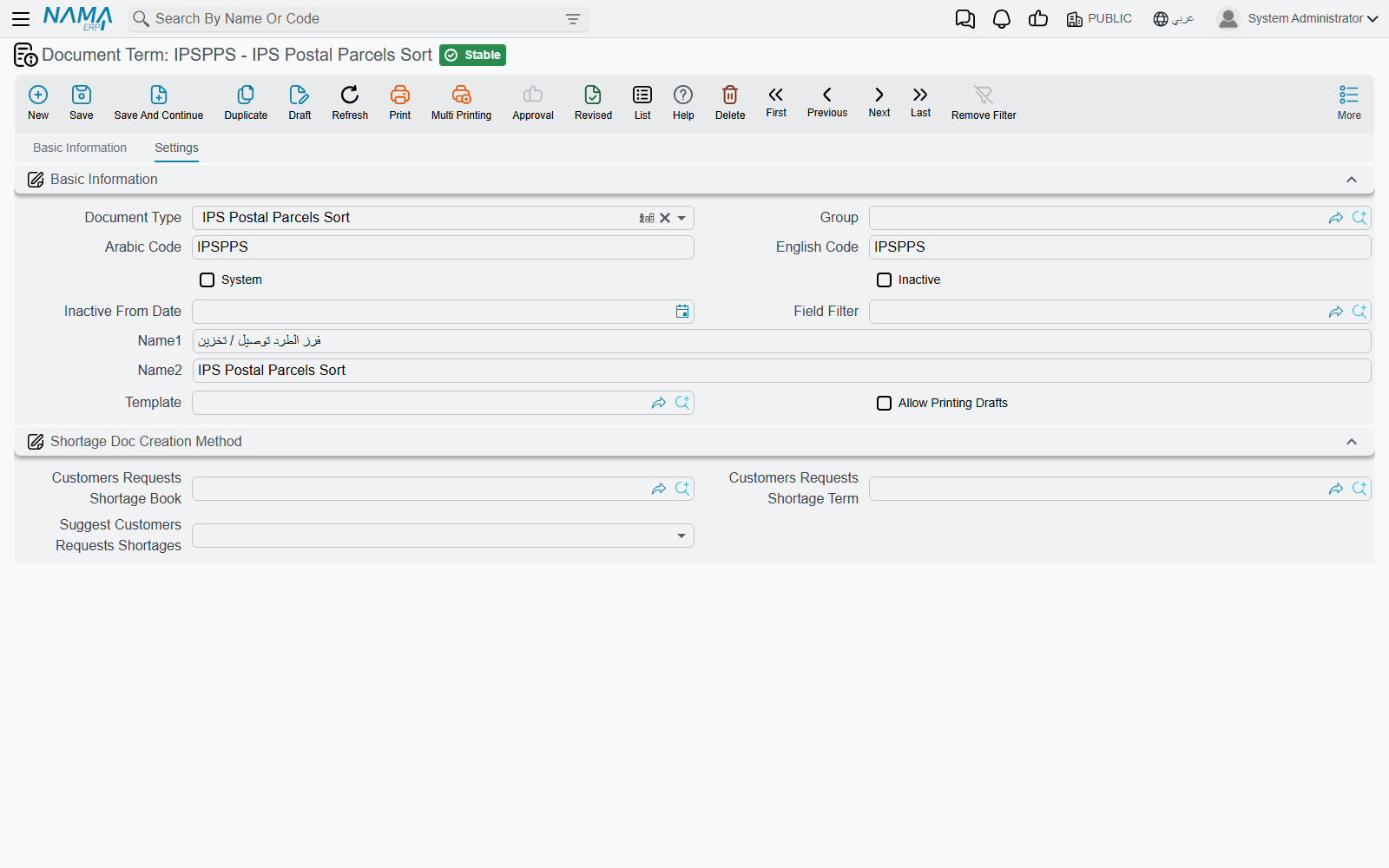
Event termConfig.event is required on all of them. It names an IPS Event — a master file under Freight Management System → Master Files whose code is the postal event code the IPS server expects. When a document on the term is saved, every mail item (or receptacle) on it is queued to be reported to IPS with that event. The Arabic screen shows this field's label as "event". How the reporting works, and how to resend, is on IPS Integration.
Receptacle events need a numeric code
The Receptacles Receipt and Transfer Receptacles report the receptacle's event using the event's code as a number, so the IPS Events used on their terms must have purely numeric codes.
What else each term carries:
| Documents | Settings on the term |
|---|---|
| Receptacles Receipt, Transfer Receptacles | Event only. |
| Manifest for Custody, Mail Retention Document | Event only. |
| Mail Item Manifest, Mail Item Transfer, Mail Item Stock Taking, Mail Item Adjustment | Event and Component Effect Type. |
| IPS Postal Parcels Sort | Event, Component Effect Type, Delivery Request Book and Delivery Request Term, and a Details grid. |
Component Effect Type termConfig.effectType decides what the document does to the storage locations named on its lines:
- In — each mail item occupies one unit of its line's location. An empty field behaves as In.
- Out — each mail item frees one unit.
- None — the document does not touch storage at all.
So a manifest term set to In shelves the arriving items, a transfer term set to Out takes them off the shelf, and a stock-taking term set to None only counts.
Delivery Request Book and Delivery Request Term on the Postal Parcels Sort term make the sort create delivery requests by itself. When the sort is saved, its lines whose Receiver Response is still Initial are grouped by the receiver's mobile number, and one Delivery Request is created for each number, under this book and term. Fill at least one of the two to switch it on. The pricing of those requests is described on Delivery Service.