
Account Statements, Trial Balance & Analysis
Once transactions are recorded, the moment of questions arrives: What is this account's balance? What moved on this customer's subsidiary? Are my books balanced? The account reports family (SYSR-ACC*) answers that — ready-made system reports invoked from the reports menu. This page is their guide: what each report answers and its key parameters.
Required license
These reports are part of the core accounting license.
Financial statements have their own page
The formal financial statements (balance sheet, income statement, cash flow, SYSR-FNS*) aren't here — they're the output of the financial-statements engine and are documented with it. This page is for the ledger statements, trial balances, and analysis that aren't tied to a particular document type.
Chart of accounts
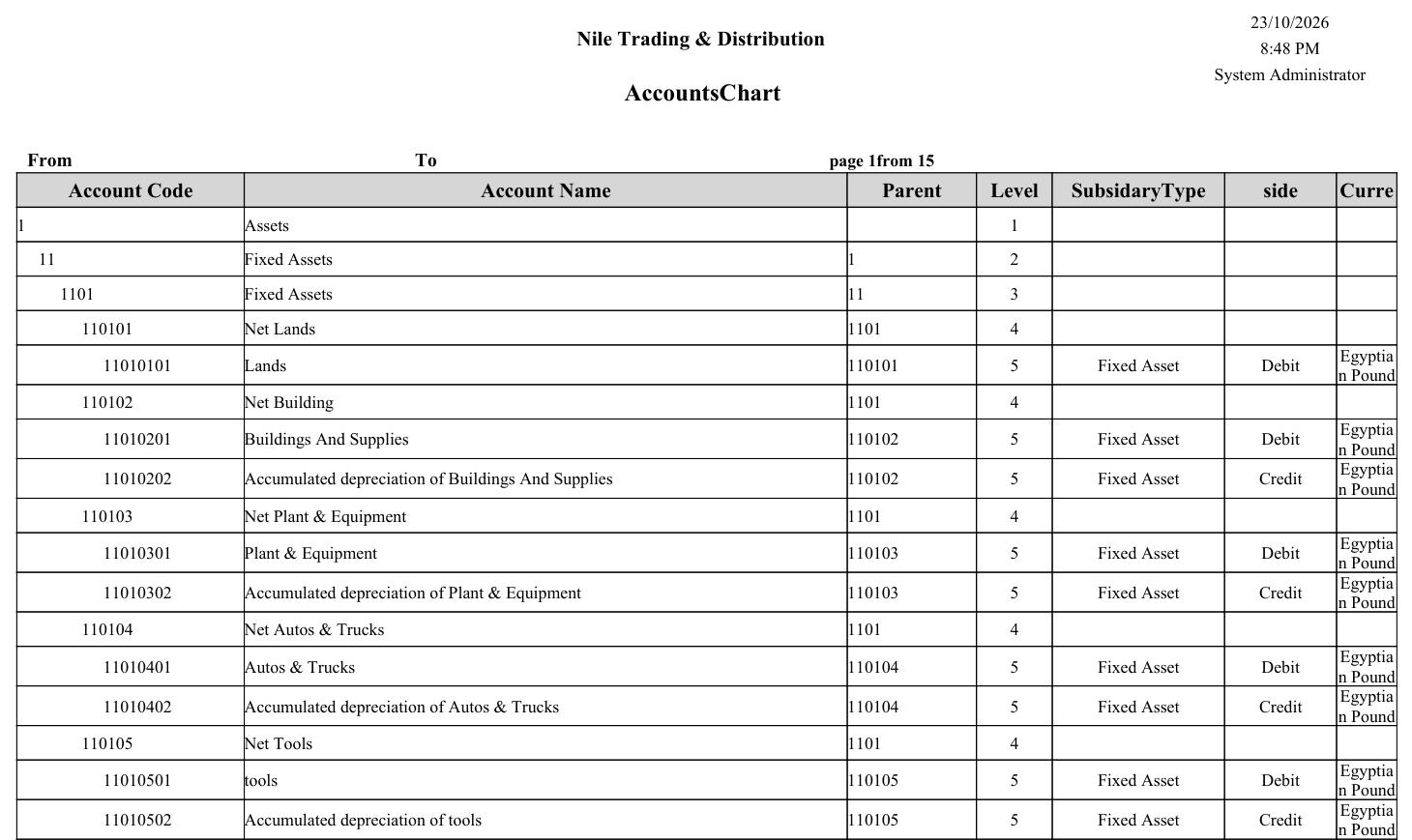
The Accounts Chart report (SYSR-ACC001) prints the full tree with its levels and classifications — a quick reference to your account structure (see Chart of Accounts).
Account statements
An account statement shows an account's movements over a period with the running balance (locally, and in foreign currency when needed). The variants differ by level of detail and angle:
- General account statement (
SYSR-ACC002,ACC029) and its variants: by currency (ACC030), in detail (ACC035), by second side (ACC037), by exchange rate (ACC038), with revise capability (ACC039), by capabilities (ACC040). - Subsidiary account statement (
SYSR-ACC003,ACC031) and by currency (ACC032) — to show a specific party's movements. - Detail account statement (
SYSR-ACC004,ACC033), by analysis set (ACC021), by currency (ACC034).
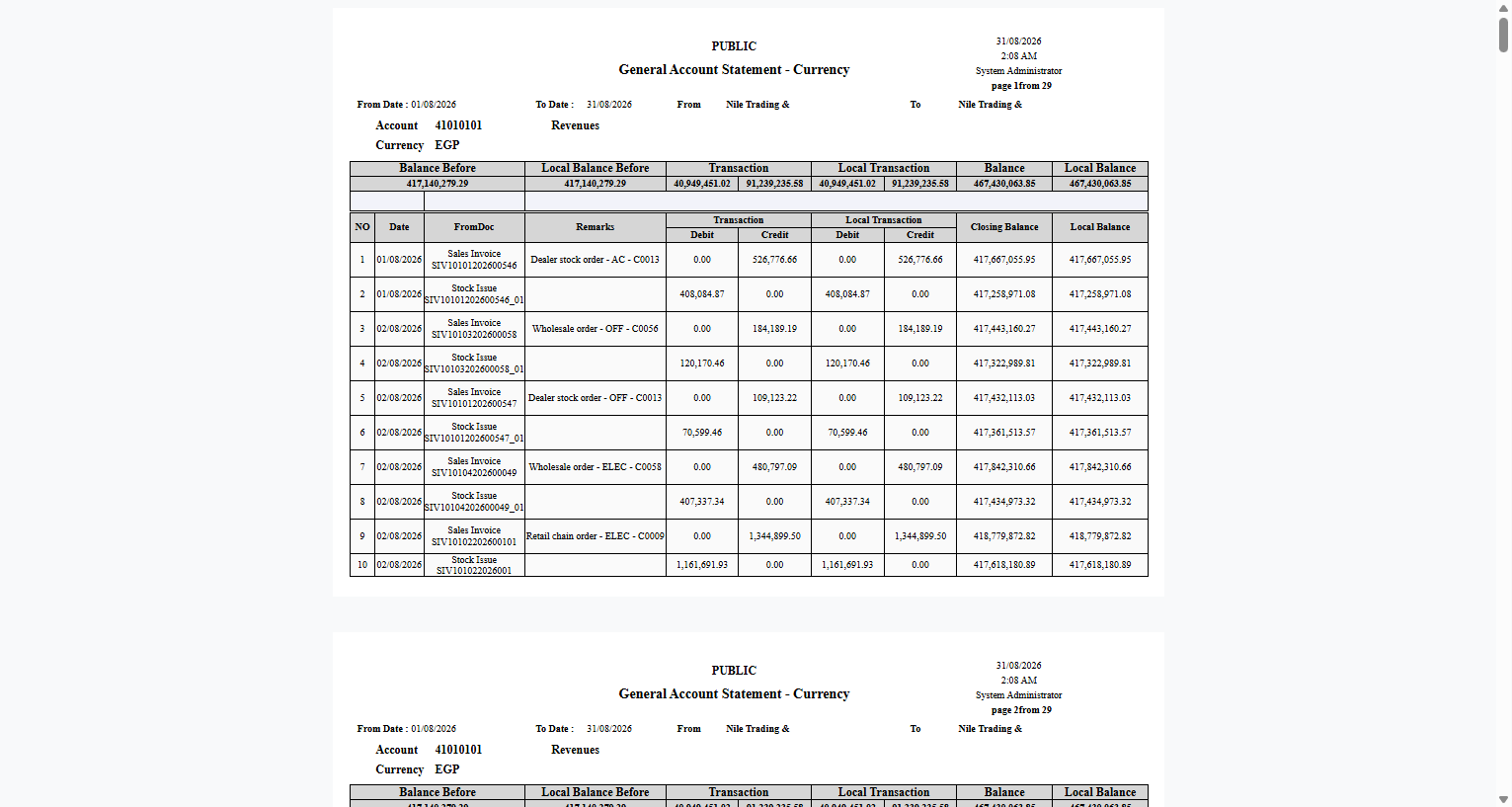
More samples: general, subsidiary and detail statements
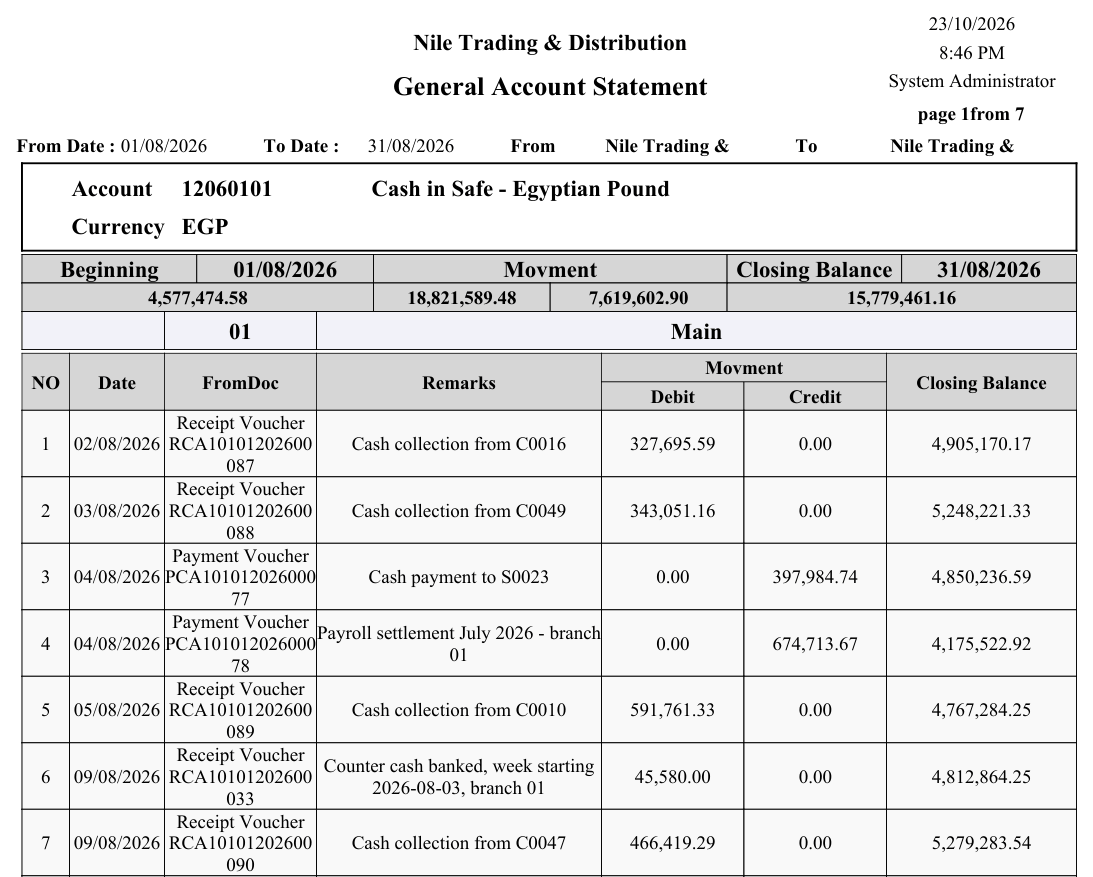
General account statement (SYSR-ACC029) — the cash account for one month, grouped by safe:
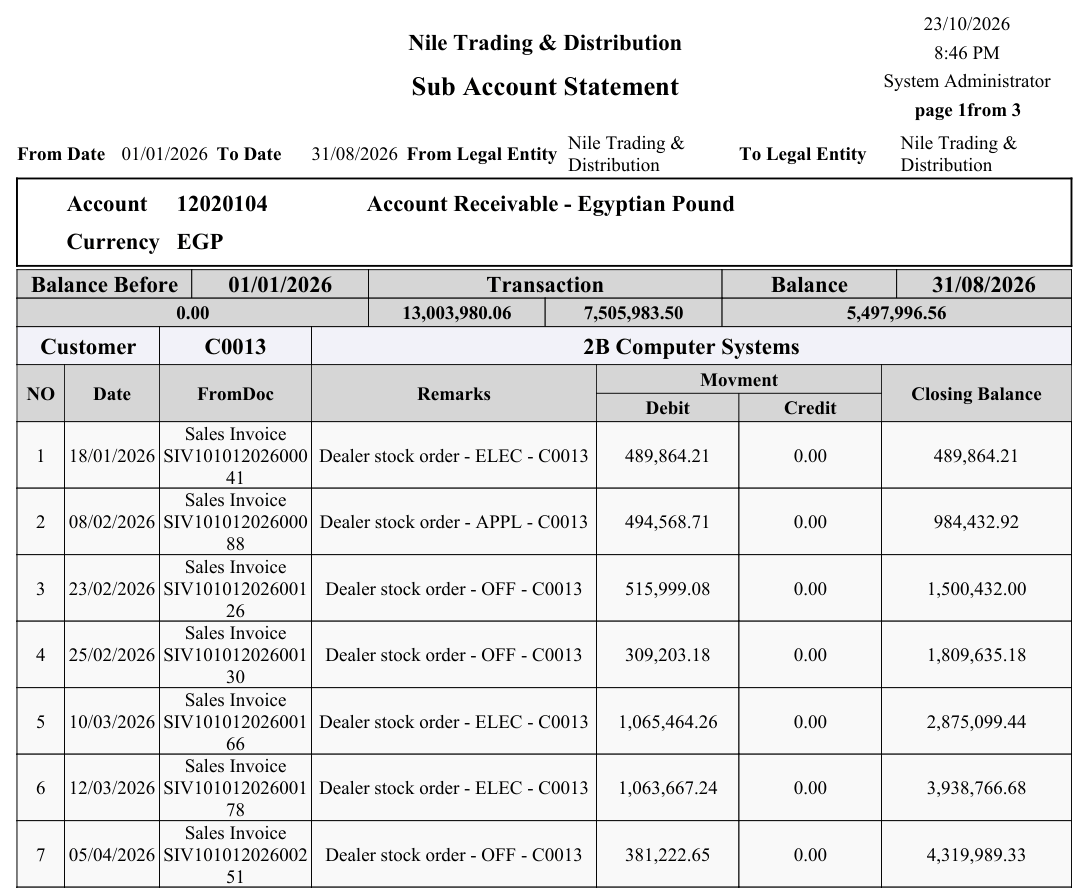
Subsidiary account statement (SYSR-ACC031) — one customer's movements on the receivables account:
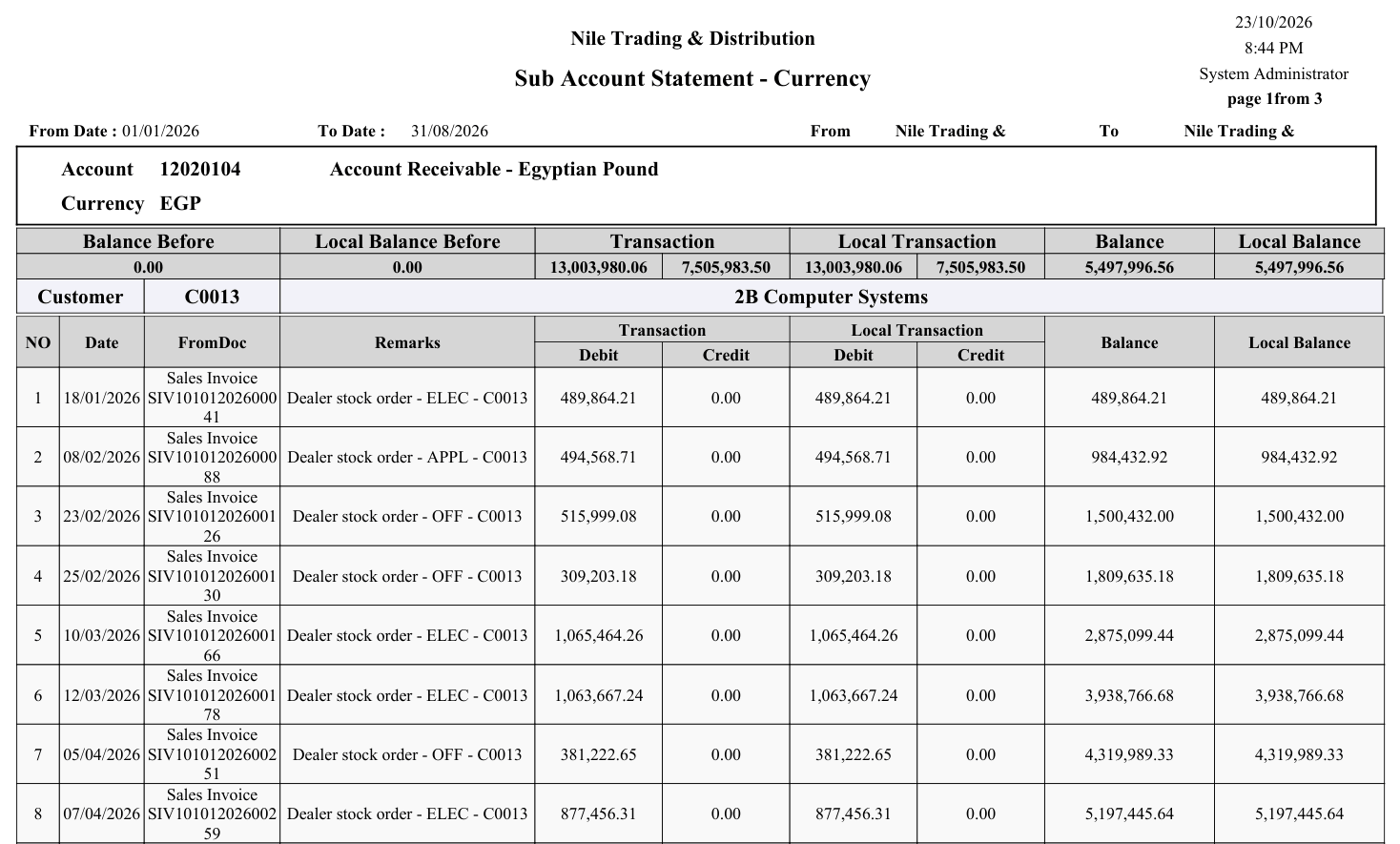
Subsidiary account statement in local and foreign currency (SYSR-ACC003) — the same customer, with the transaction-currency and local columns side by side:
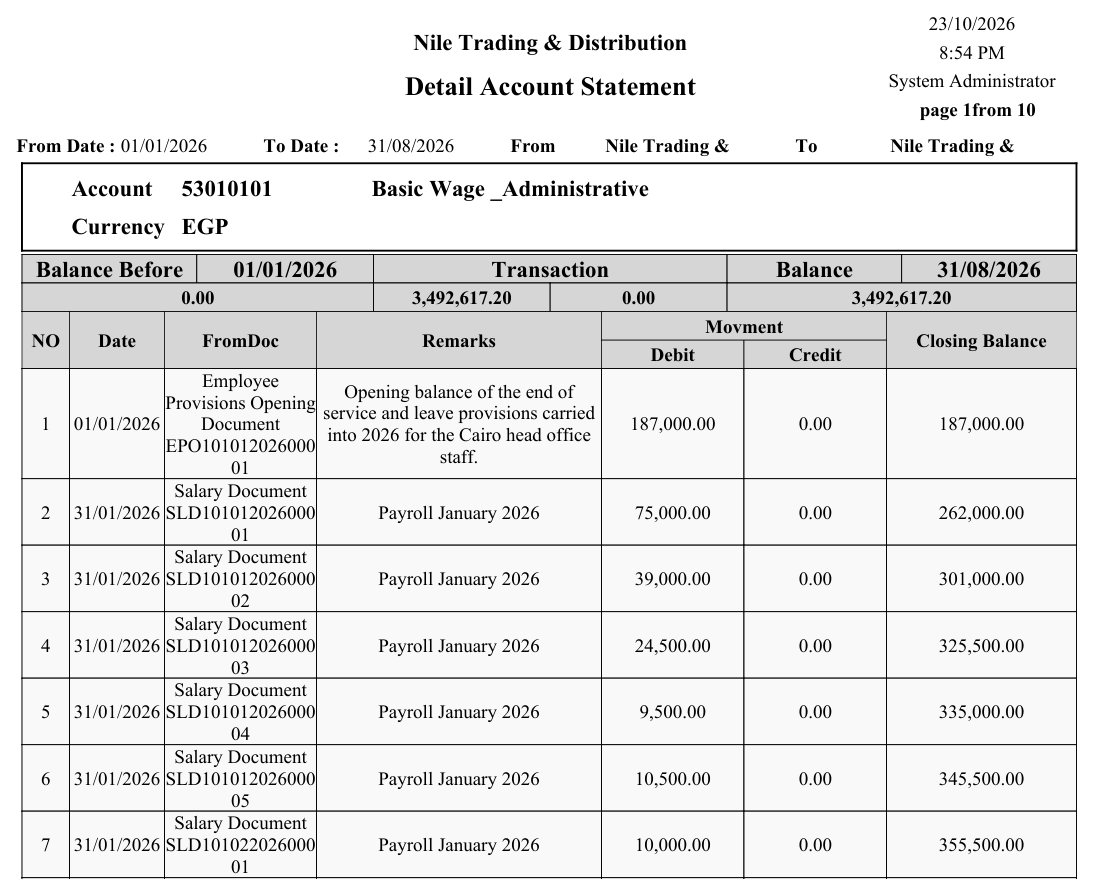
Detail account statement (SYSR-ACC033) — an expense account that carries no subsidiary:
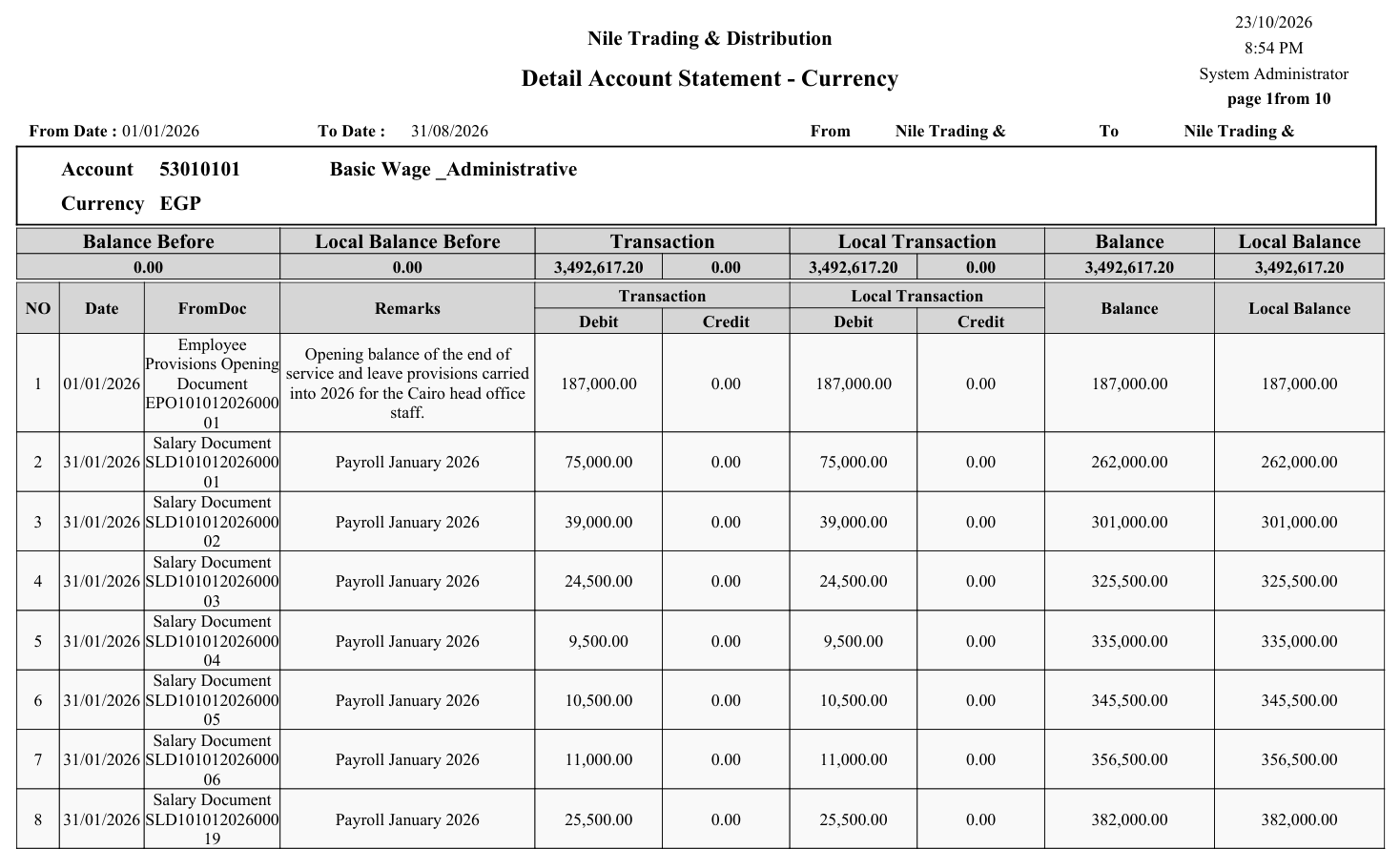
Detail account statement in local and foreign currency (SYSR-ACC004):
The key parameters in these statements: date/period range, the account or subsidiary, currency, and dimensions (branch/sector/department). The running balance is computed by ordering movements chronologically.
Trial balances
A trial balance summarizes account balances (debit/credit) to verify the books are balanced:
- General trial balance (
SYSR-ACC005), by total balance (ACC026), by date (ACC036), and including subsidiaries (ACC044). - Subsidiary trial balance (
SYSR-ACC006), by total balance (ACC027), by date (ACC042). - Trial balance with account category (
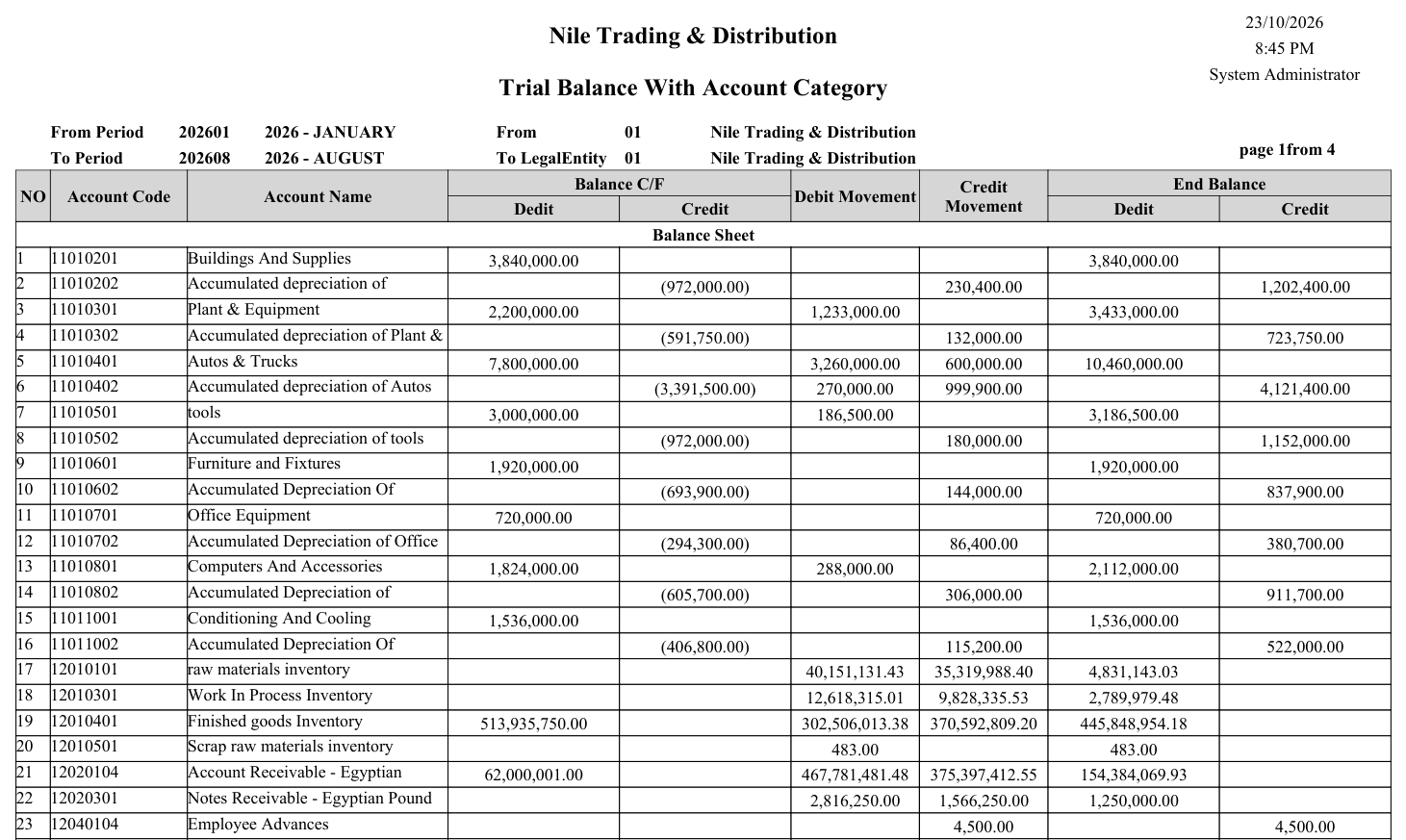
SYSR-ACC007) — the balances grouped under the account categories, with a range of categories and a level limit as parameters.
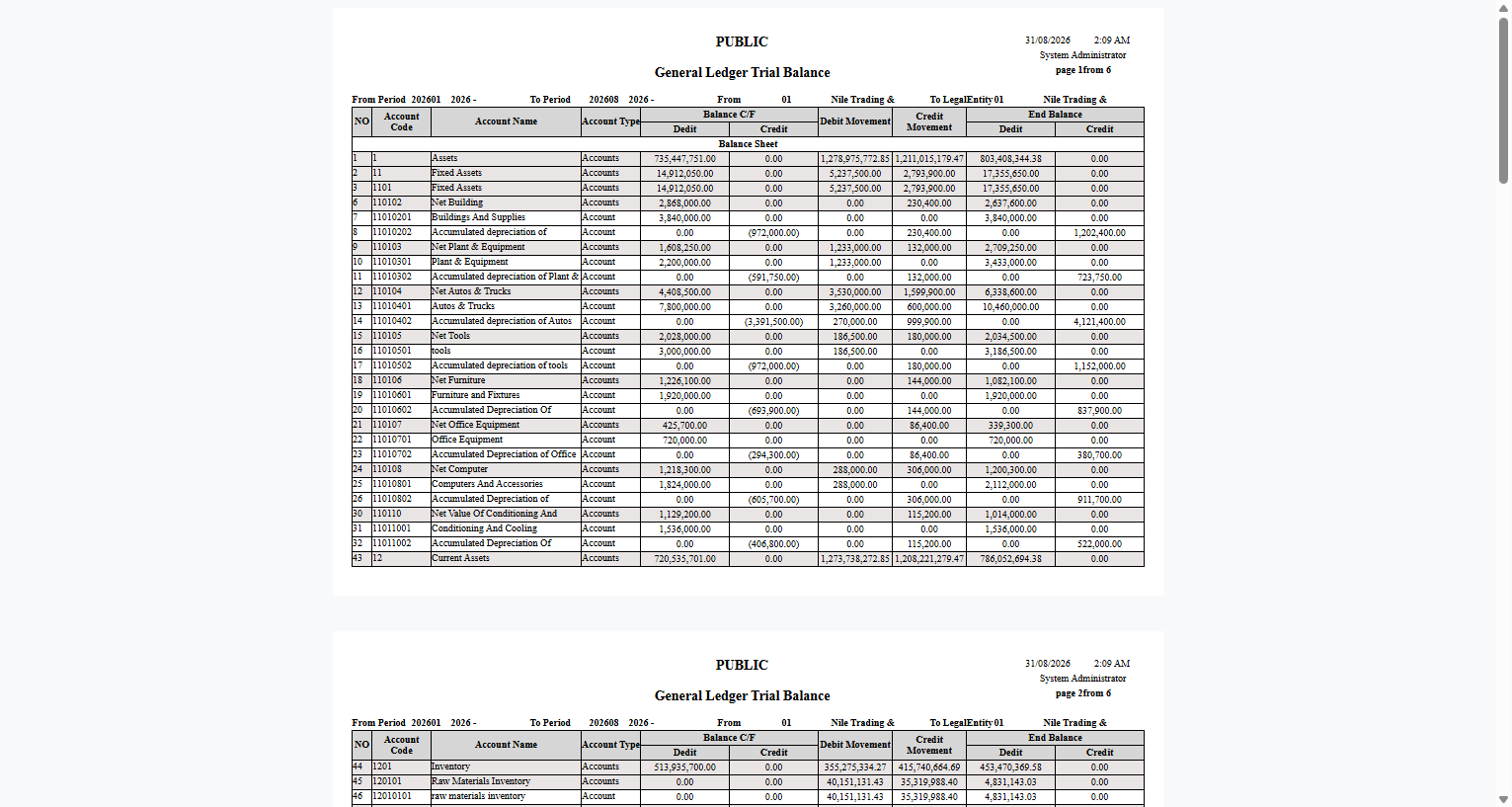
More samples: subsidiary trial balance and trial balance with account category
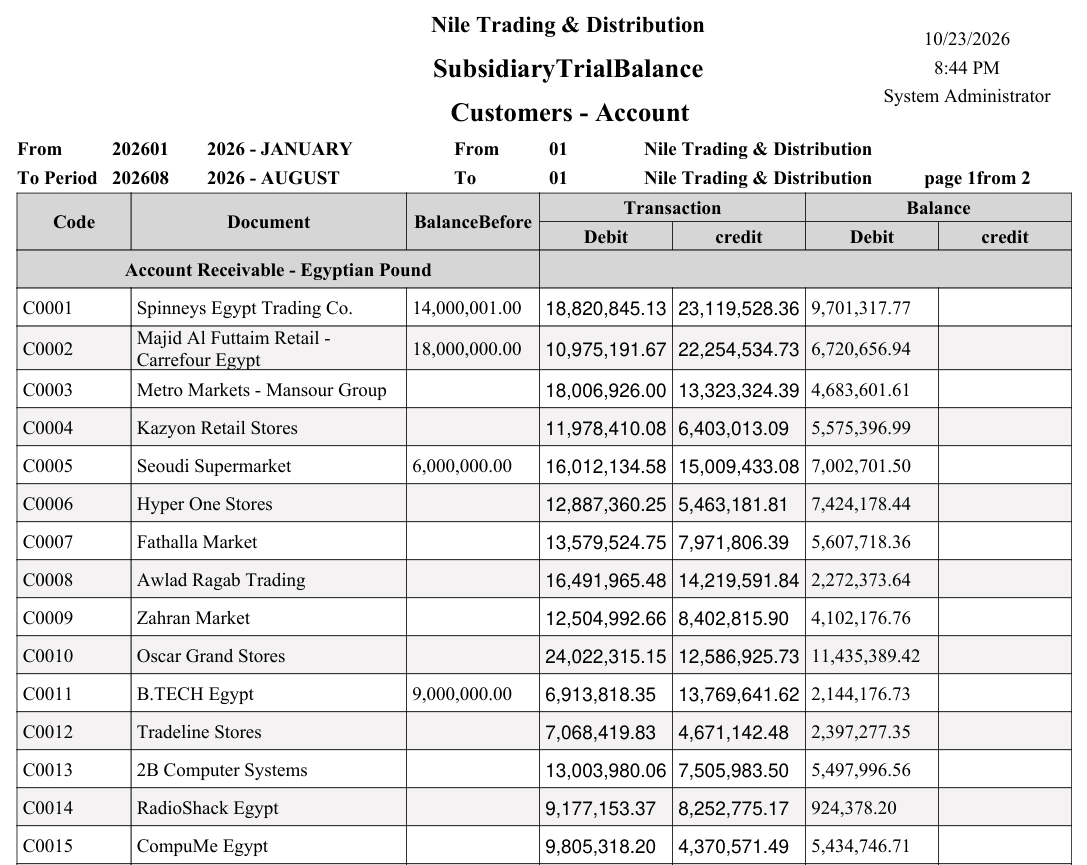
Subsidiary trial balance (SYSR-ACC006) — every customer on the receivables account, with the balance before the period, the movement and the closing balance:
Trial balance with account category (SYSR-ACC007):
Account analysis
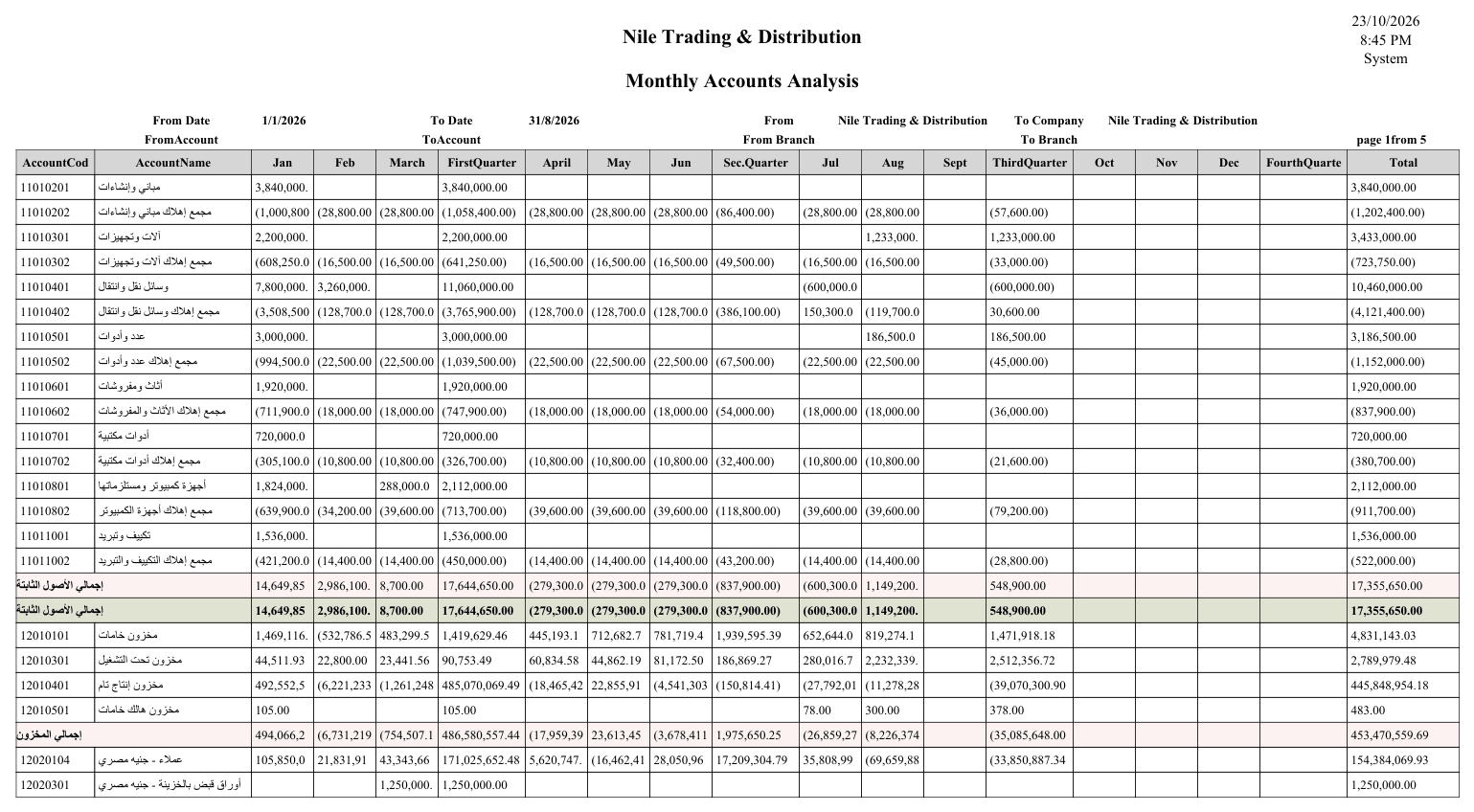
- Accounts analysis monthly (
SYSR-ACC012) — distributing account balances across the year's months. - Accounts analysis by branch (
SYSR-ACC013) and by branch and sector (SYSR-ACC028).
Debt ages
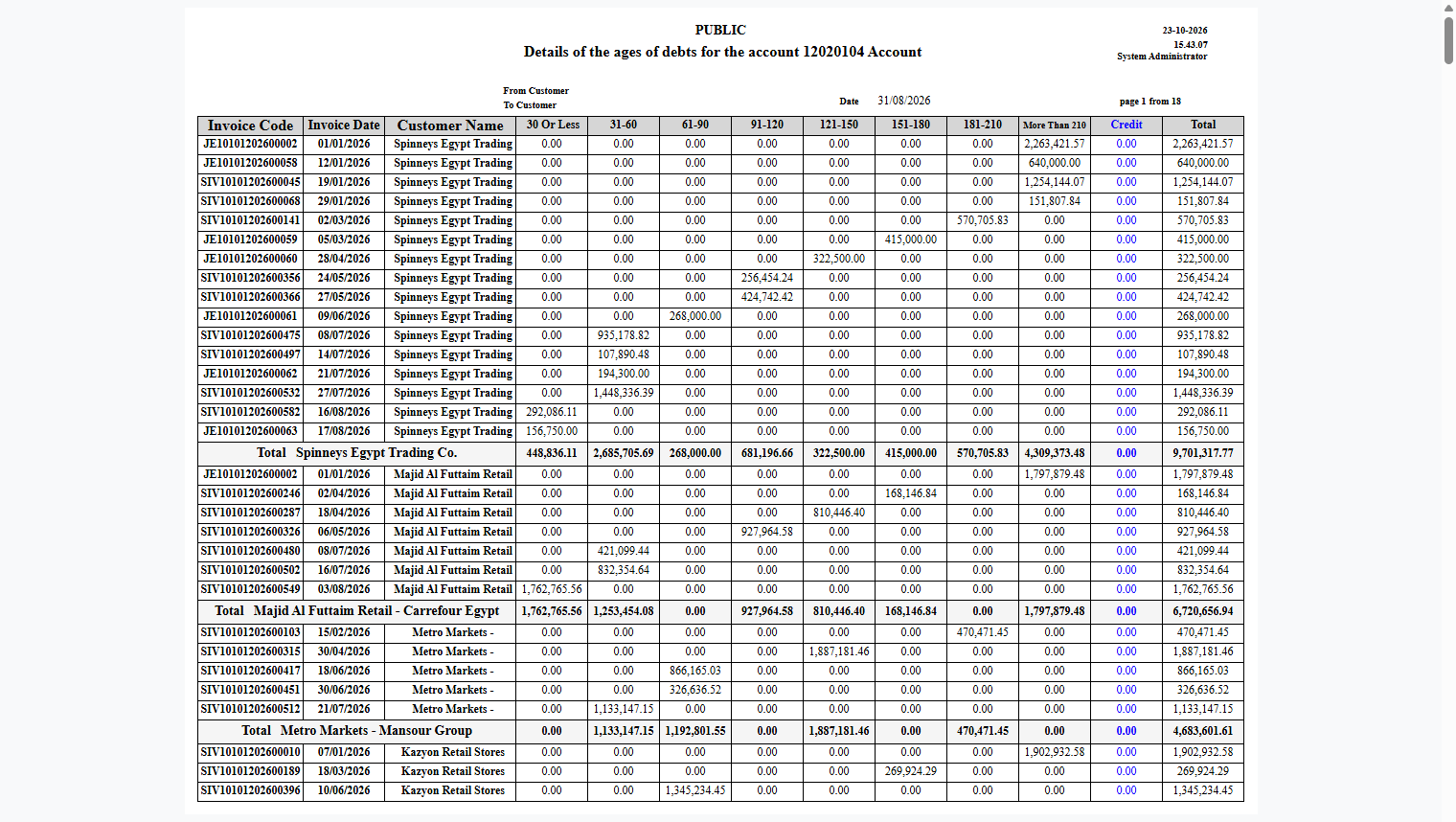
These reports reveal how aged receivables are (they rely on the Track Debt Ages flag on the account — see Accounts):
- Debt ages (
SYSR-ACC024), its document details (ACC025), by invoice (ACC045), and all manual debt lines (ACC041).
Copying one of these into a custom report?
The outstanding amount at the report's date is rebuilt from the dated matches every time — it is never read from the item's stored remaining figure, which carries no date and describes today only. Keep that part of the query when you adapt one of these reports, or the aging will be wrong at any date but today: see writing your own aging report.
Voucher and entry statements
Statements dedicated to receipt/payment and journal documents (also linked from the Receipt & payment vouchers and Journal entries pages):
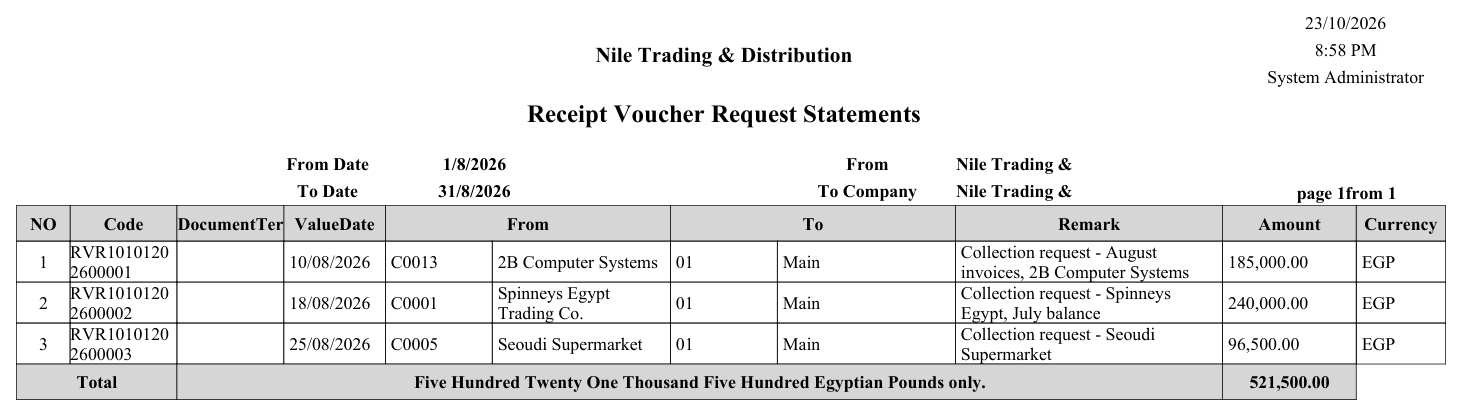
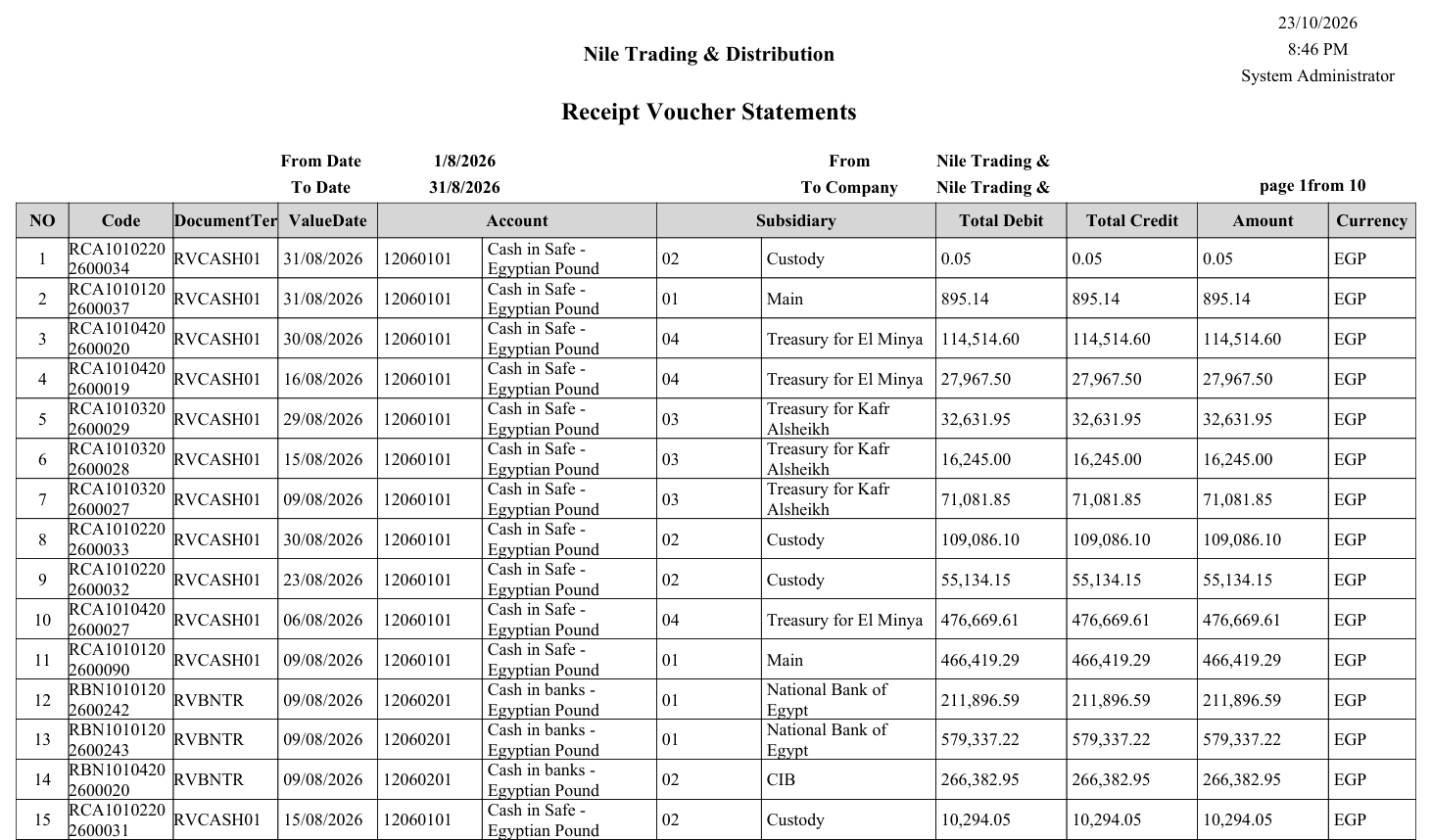
- Receipt voucher requests statement (
SYSR-ACC015), receipt vouchers (ACC016,ACC046). - Payment voucher requests statement (
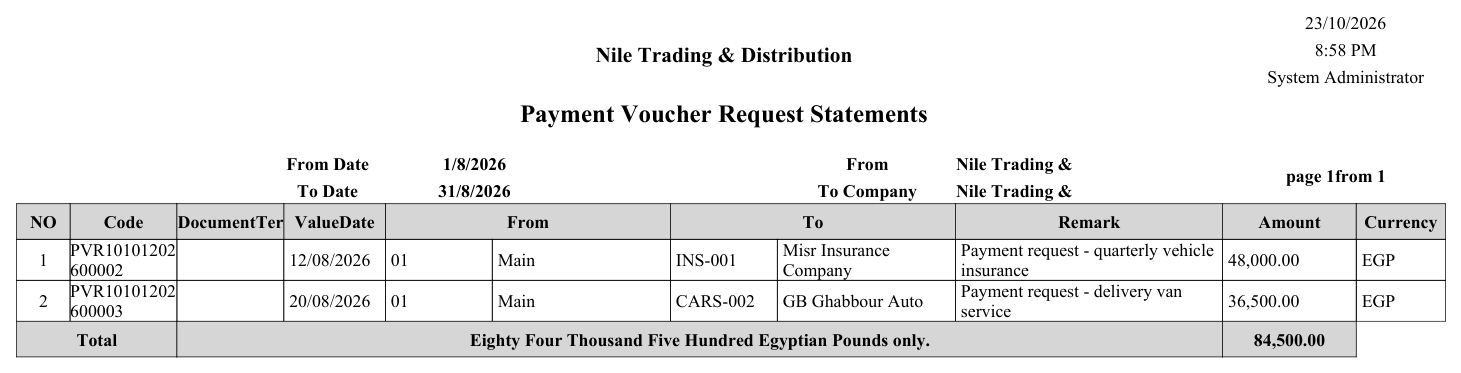
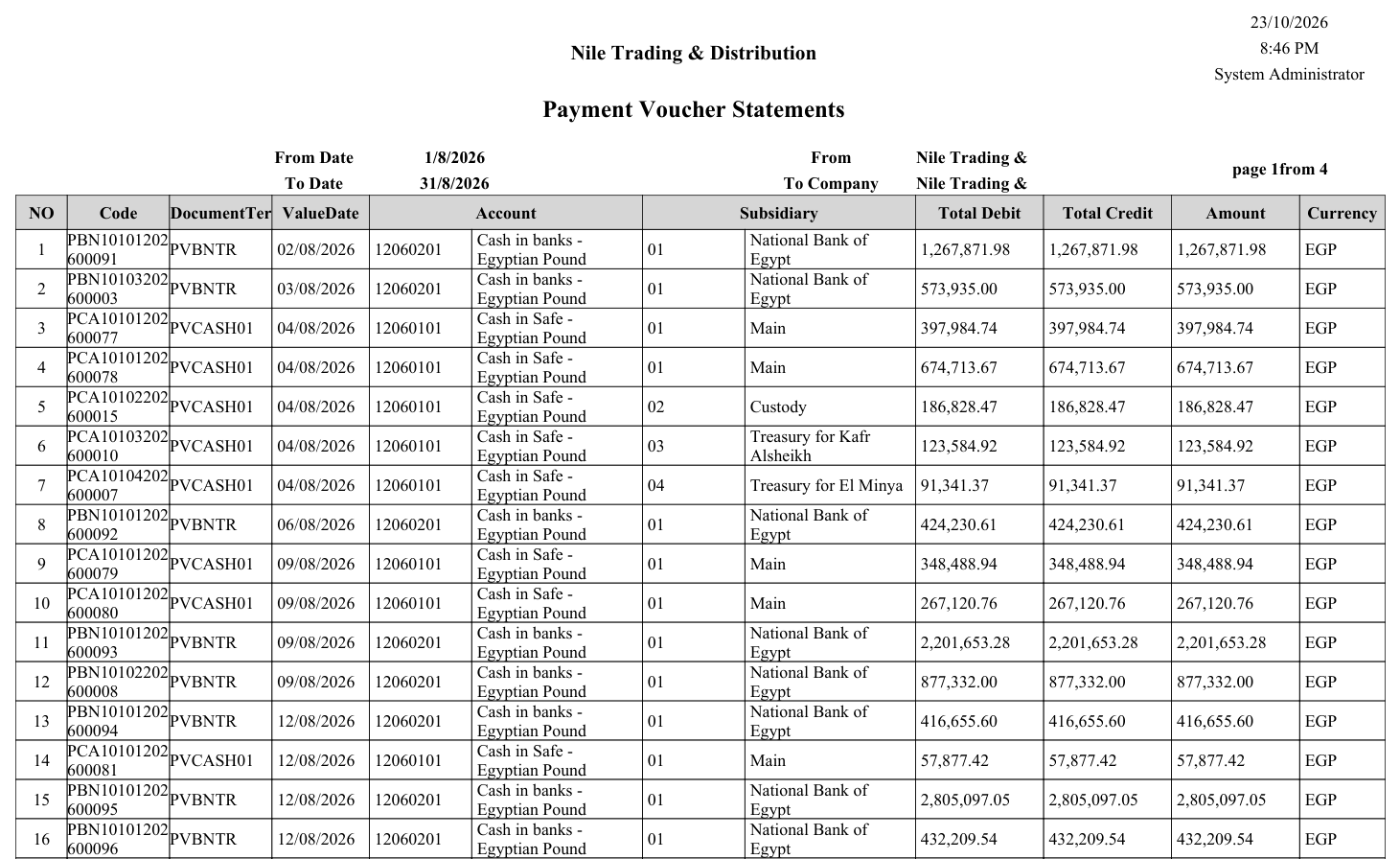
SYSR-ACC017), payment vouchers (ACC018,ACC047). - Journal entries statement (
SYSR-ACC019).
Samples: request, voucher and journal statements
Receipt voucher requests (SYSR-ACC015):
Receipt vouchers (SYSR-ACC016):
Payment voucher requests (SYSR-ACC017):
Payment vouchers (SYSR-ACC018):
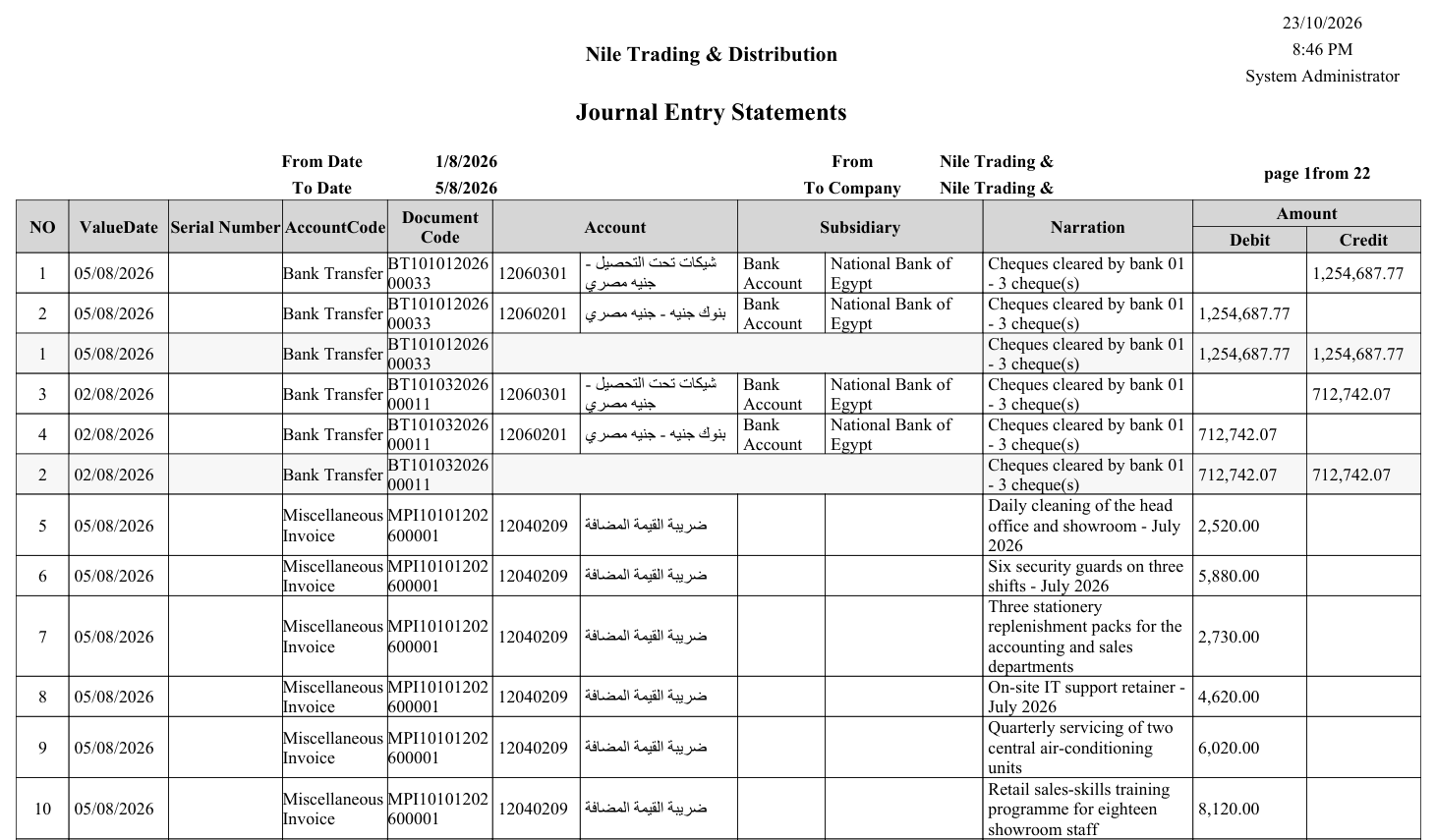
Journal entries (SYSR-ACC019) — every ledger line of the documents in the date range, with its account, subsidiary and narration:
Tax rebate analysis
Tax rebate analysis (SYSR-ACC014) for tax-claim and refund purposes.
Ledger transaction form
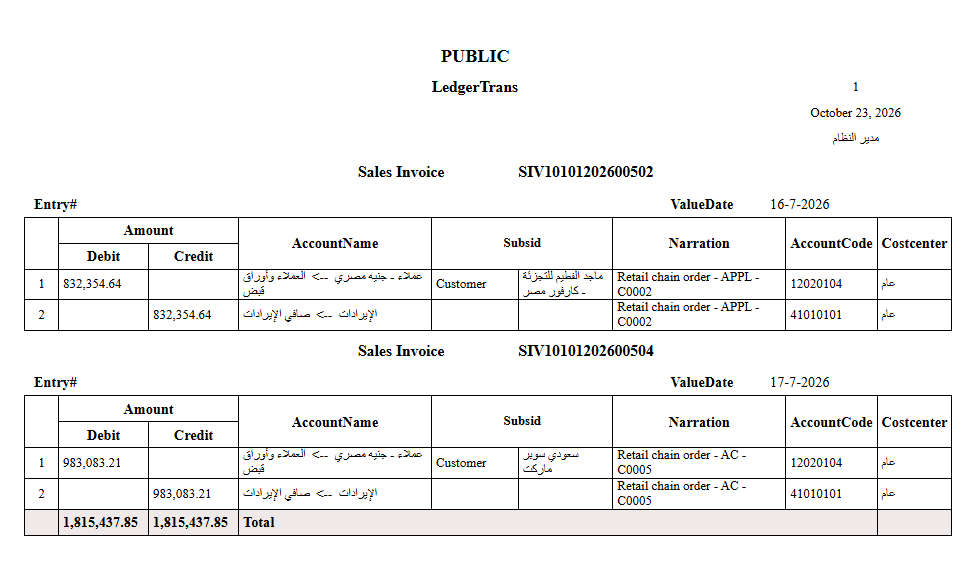
The Ledger Trans Form (SYSR-ACC048) prints the single accounting movement with its details.
On-screen inquiries
Beyond the printed reports, there are live inquiries on screen that need no printing: the Ledger Transactions list and the account/dimension balance screens. You browse them directly on screen for a real-time view of balances.
For Support
- "The report balance doesn't match expectations" — check the date/period range and the selected dimensions; most discrepancies are caused by an unintended filter.
- "An account doesn't appear in debt ages" — the Track Debt Ages flag isn't enabled on the account.
- "The foreign-currency balance isn't shown" — use the appropriate by currency statement variant (
ACC030/ACC032/ACC034).