
Investment Portfolios
When a company puts money into ventures — a stake in another business, a project, a managed fund — it needs to track each investment as an asset in its own right: how much capital went in, what it's worth now, what profit it threw off, and when it was wound down. The investment-portfolios sub-system is built for exactly this: it follows an investment asset from a first opportunity, through deploying the capital, to distributing profits and finally closing it out.
Required license
Investment portfolios are part of the accounting-investment license. Most screens are under Accounting > Investment Portfolios.
Two investment systems, side by side
Nama has two parallel investment sub-systems. This page covers investment portfolios — tracking investment assets (stakes, projects, funds) over their life. The other, investment documents & fund certificates, covers bond-like instruments and unit-based fund certificates. They solve different problems; pick the one that matches what you hold.
The master files
Before recording activity you set up the players and the asset:
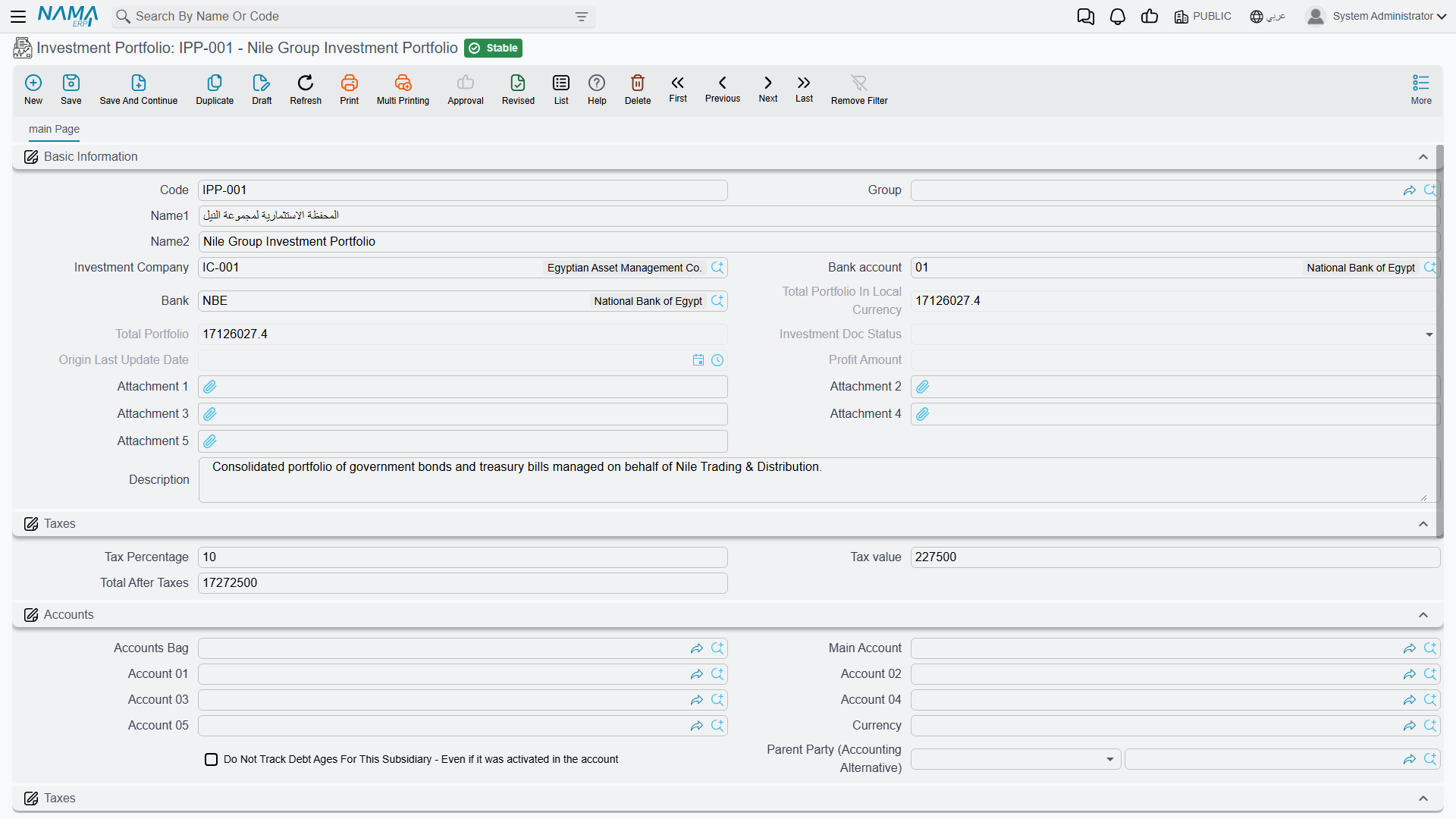
- Investment Portfolio (
Accounting > Investment Portfolios > Investment Portfolio) — the investment asset itself. It carries the investment company, the bank / bank account funding it, the running total portfolio value (in document and local currency), the profit amount, and any tax. Its status moves Initial → Ongoing → Closed as the lifecycle documents act on it. - Investor (
Accounting > Investment Portfolios > Investor) — a party that invests. - Investment Project (
Accounting > Investment Portfolios > Investment Project) — a project that capital is allocated to.
There are also building-block files — shares, stakes, cash deposits, investment funds and fund types — that describe the make-up of what's held.
Share types and stake types
A portfolio that holds listed shares in a dozen companies soon needs to tell ordinary shares from preferred ones, or local from foreign. Share Type (Banks > Investment Documents > Share Type) is that classification list: each type has a code, Arabic and English names and a free-text Description. You pick one in the Share Type field of each Share (Banks > Investment Documents > Share), next to its investment company, purchase price and purchase date.
Stake Type (Banks > Investment Documents > Stake Type) is the same list for Stakes — partnership interests that are not shares — and is picked in the stake's Stake Type field.
Both are labels only: they change no amount, account or status, and no document reads them while processing. Their use is to sort, filter and group shares and stakes in list views and in the reports you build.
The lifecycle
The portfolio's life is driven by a sequence of documents:
Investment Opportunity (
Banks > Investment Documents > Investment Opportunity) — the planning stage: a candidate investment being studied before any money moves.Investment Start (
Accounting > Investment Portfolios > Investment Start) — deploys the capital. This is the document that starts the investment: it moves the portfolio to Ongoing and records the investment. Its effect runs through the Debit / Credit sides (the investment asset against the funding bank/cash), the Investment Expense sides for any acquisition costs, and the Tax sides.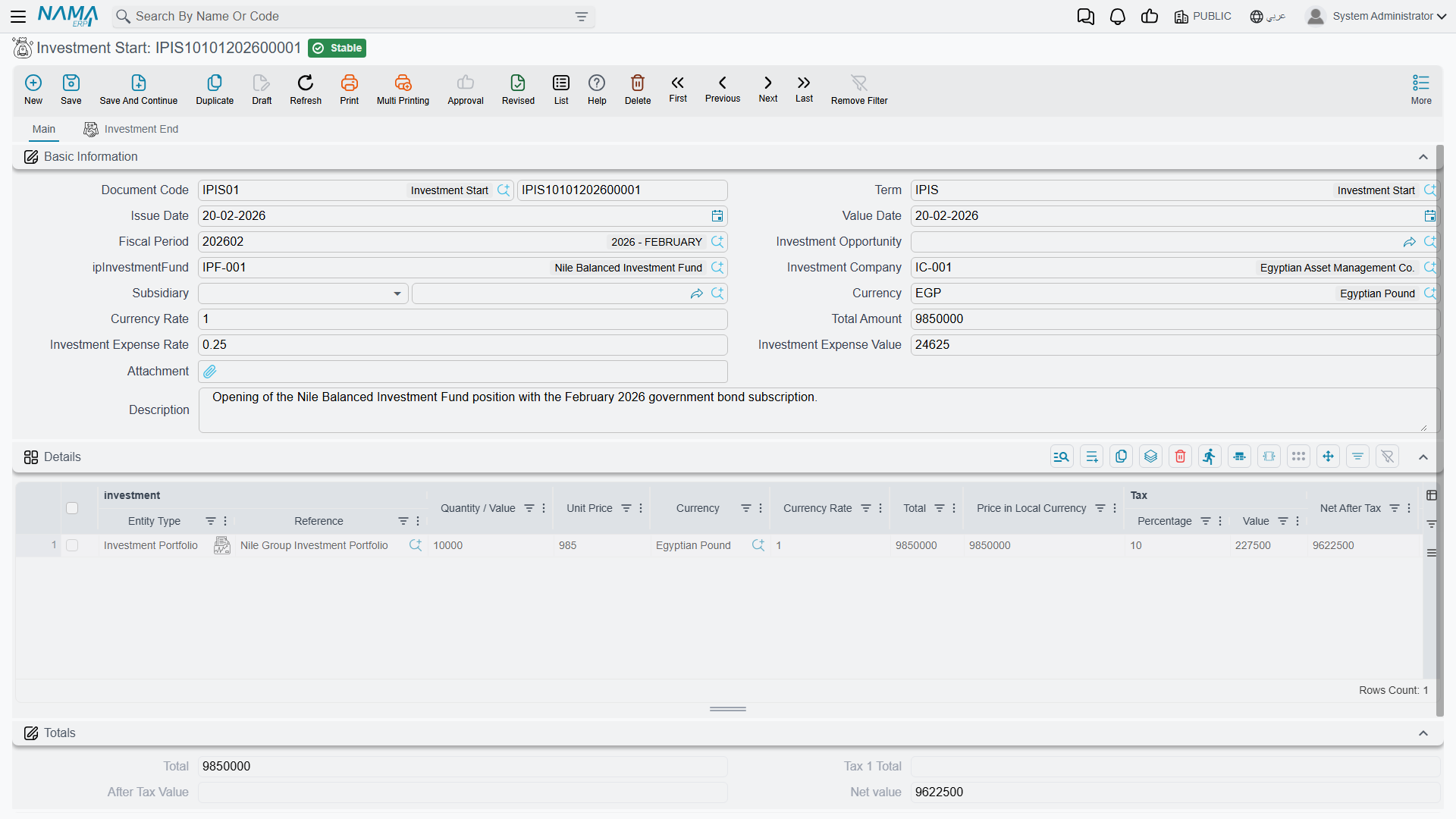
Investment Update (
Accounting > Investment Portfolios > Investment update) and Investment Capital Increase (… > Investment Capital Increase) — revalue the investment or inject more capital while it's running.Investment Profit Distribution (
Accounting > Investment Portfolios > Investment Profit Distribution) — books the profit the investment yields and distributes it.Investment End (
Accounting > Investment Portfolios > Investment End) — winds the investment down and sets the portfolio to Closed.
Alongside these, Investment Allocation and Refund Investment Allocation (… > Investment Allocation / Refund Investment Allocation) move capital to and back from investment projects, and the Investment Budget (… > Investment Budget) plans figures for those projects.
Reports
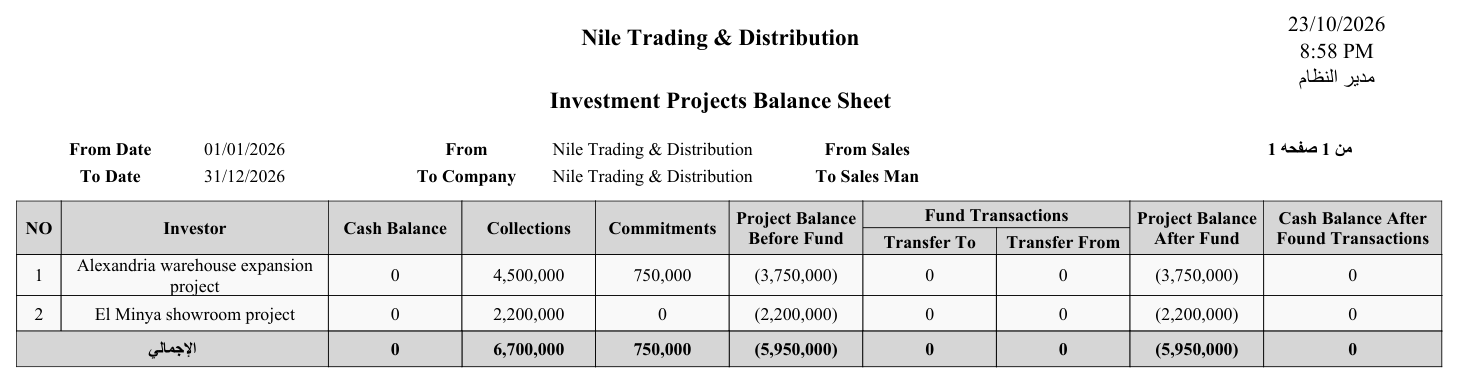
The Investment Projects Balance Sheet (SYSR-IVS001) summarizes the standing of the investment projects.
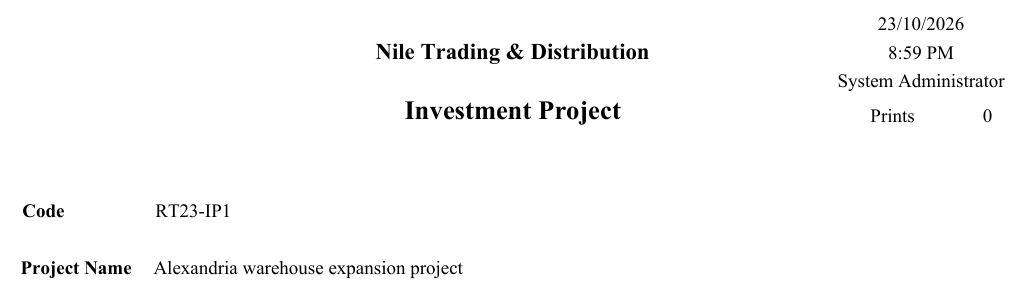
The Investment Project's printed form is SYSF-ACC024:
For Support
- "The portfolio is stuck at Initial" — it only moves to Ongoing when an Investment Start is committed against it; check that document.
- "I can't close the investment" — closing is done by an Investment End document, not by editing the portfolio.
- "Profit isn't showing" — profit is booked by Investment Profit Distribution; the portfolio's profit amount reflects those documents.
- "Which investment system do I use?" — portfolios (here) track investment assets over their life; for bonds and fund certificates use investment documents.
- "Where do the investment / expense / tax accounts come from?" — from the Investment Start term; see Document terms.