
Checklists and Checklist Items
Ask a technician to "service the CNC machine" and you will get a different job every quarter, depending on who turns up. Hand him a sheet with four questions on it and you get the same job every quarter, plus a written answer to each question that is still there in two years' time when somebody asks whether the coolant was ever actually changed.
That sheet is a Maintenance CheckList, and the questions on it are CheckList Items. Both are master files under Assets > Fixed Asset Maintenance, both need the fixedassets-maintenance licence, and the relationship between them is simply that a checklist is a named bundle of items.
CheckList Items — one question each
A checklist item is a single reusable inspection point. It is deliberately tiny, because the whole point is that the same question is reused on every sheet that needs it: "Are the guards and way covers intact?" belongs on the routine inspection, on the annual overhaul, and on the post-repair sign-off, and you want to write it once.
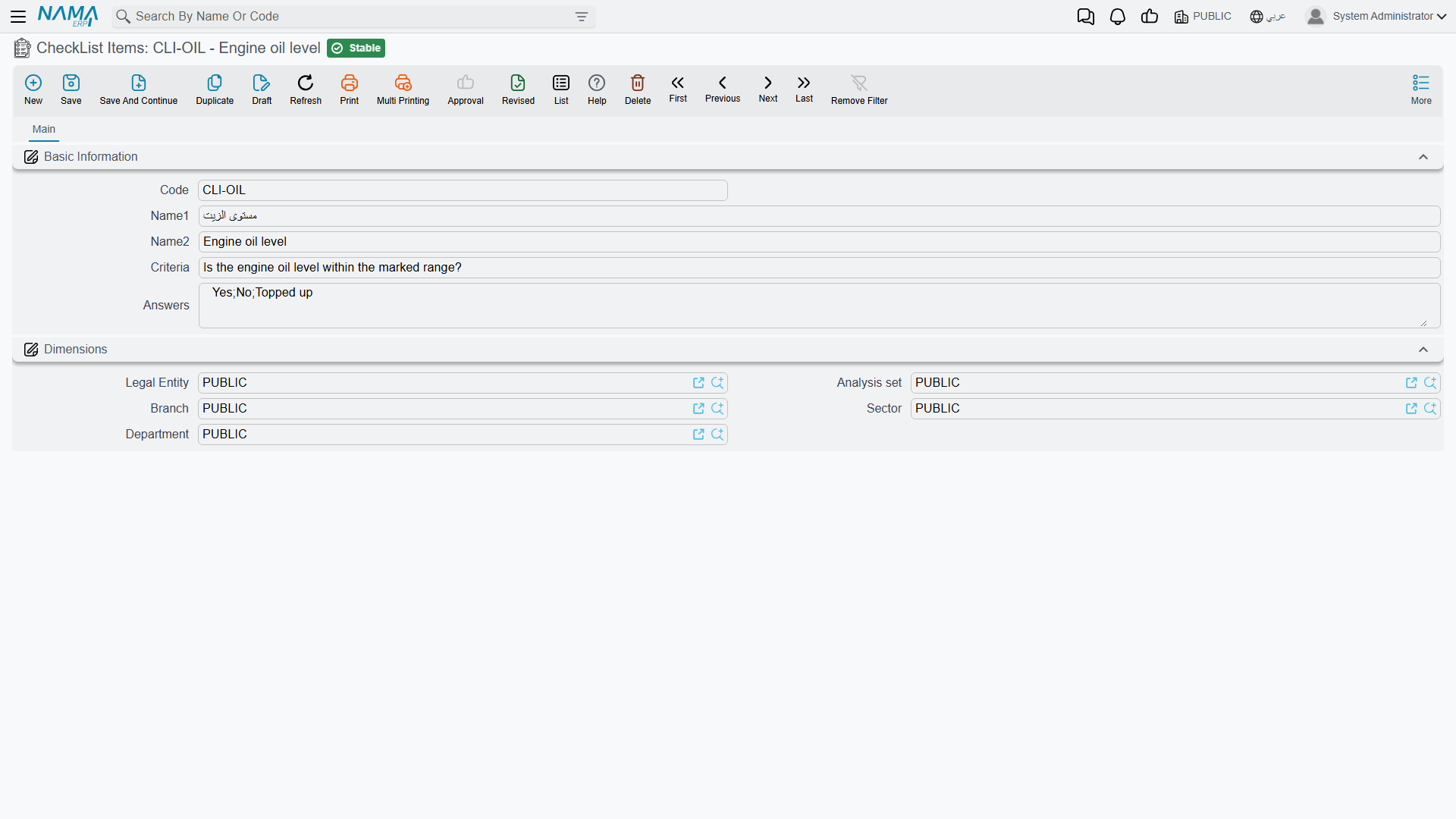
Find them at Assets > Fixed Asset Maintenance > CheckList Items.
| Field | What it is for |
|---|---|
| Code | Your identifier, e.g. CLI-01. |
| Name1 / Name2 | The Arabic name and the English name — a short handle for the item, e.g. "Spindle vibration". |
| Criteria (السؤال) | The question itself, as the technician will read it on the record. |
| Answers (الاجابات) | The answers you expect, written as one line separated by commas. |
How the answers behave
This is worth being exact about, because the field looks more restrictive than it is.
The Answers field is a list of suggestions, not a list of permitted values. When a technician fills in a maintenance record, the Result column on the checklist grid is an ordinary text box with a type-ahead: as he starts typing, the values you listed here are offered to him. He can pick one, or he can type something entirely different — "spindle bearing noisy on the X axis, flagged for the annual overhaul" — and that text is saved exactly as typed.
There is no pass/fail model behind it. Nothing scores the answers, nothing totals them, nothing raises a flag or blocks a commit because an answer came back the wrong way. The value of the field is consistency of wording: give the technicians OK,Marginal,Out of range and next year's report is readable, because four different people wrote the same three words.
Write the answers so they read well in a search
Because answers end up as free text, the words you suggest become the words you will later search for. Short, distinct and consistent beats descriptive — Replaced is easier to find in a year's records than Was replaced during the visit.
Maintenance CheckLists — the sheet
A checklist gathers items into the inspection sheet for one kind of job. Find it at Assets > Fixed Asset Maintenance > Maintenance CheckList.
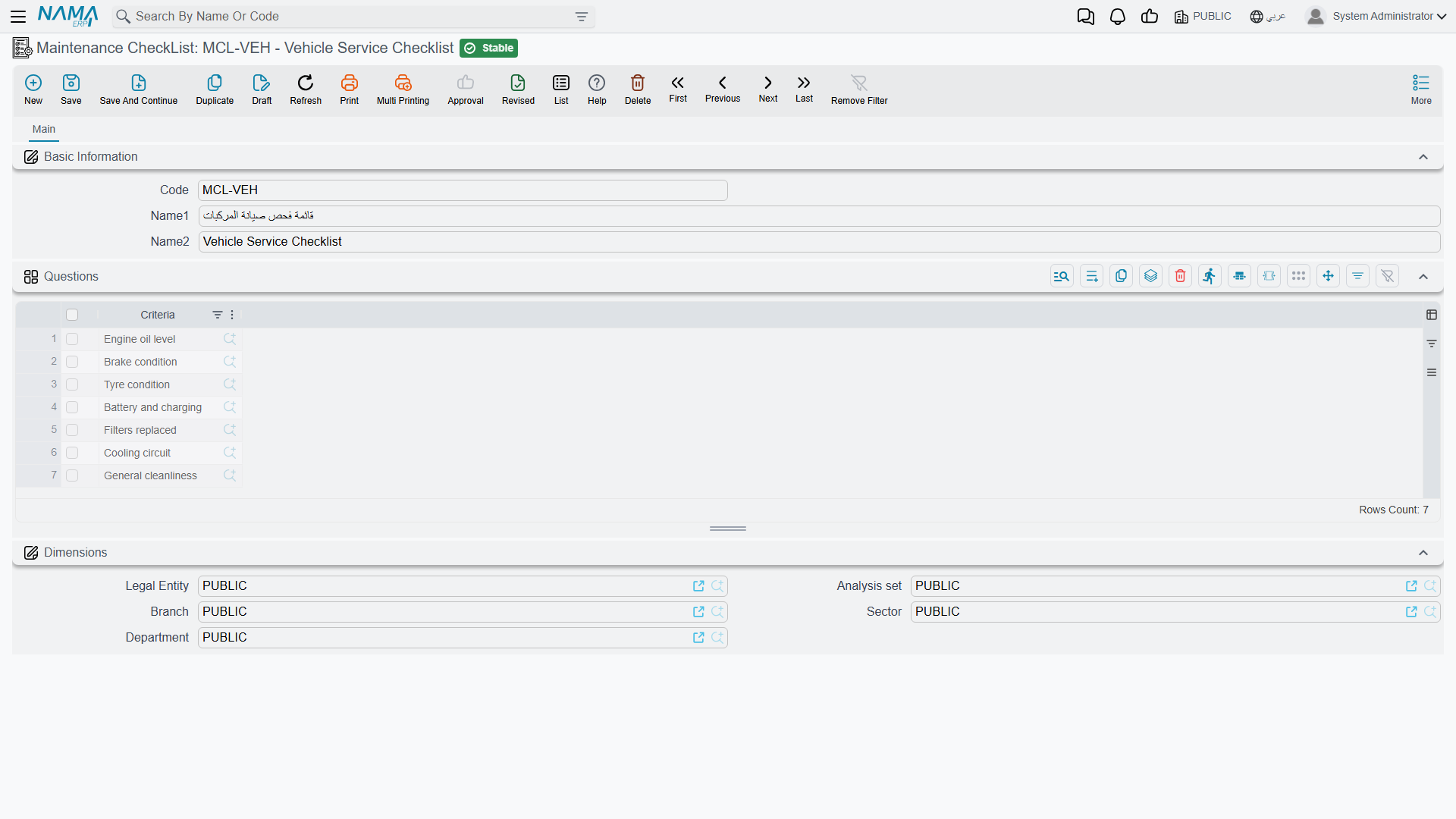
The screen is a code, an Arabic and an English name, and a grid called Questions whose single column picks a checklist item. Order the lines the way you want the technician to work through them — top to bottom is how they will land on the record.
That is the whole master file. It has no validation, no options and no effects of its own; it exists to be pulled onto documents.
How a checklist reaches a document
Three routes, all ending in the same place — the checkList Items grid on a maintenance record or a maintenance record request, one line per question with the Result column blank and waiting.
- You pick the checklist directly. The Maintenance CheckList field in the record's header explodes its questions onto the grid the moment you choose it.
- The maintenance type brings it. A maintenance type names a default checklist; choosing a plan line whose maintenance type carries one fills the grid without your having to name the checklist at all.
- The request brings it. When a record is raised from a maintenance record request, the whole grid comes across with it — questions and any answers already recorded on the request.
The questions are copied, not linked
The grid on the document holds its own copy of each question. Edit the master checklist next month — add a question, remove one, reword one — and records already created keep exactly the sheet they were filled in against. That is the behaviour you want from a service history: the record shows what was actually asked on the day.
Actions on these screens
Neither the checklist item nor the checklist itself carries a button of its own. Both are catalogues: you type them, save them, and they are read later by the maintenance type and the maintenance record. The copying you may be expecting — the checklist's questions appearing on a record — is not something you press for; it happens as the record picks up its maintenance type.
Al-Waha's CNC inspection sheet
The four items behind the MCH-0007 example:
| Code | Criteria | Answers |
|---|---|---|
CLI-01 | Is the spindle vibration within tolerance? | OK,Marginal,Out of range |
CLI-02 | Coolant level and condition | OK,Topped up,Replaced |
CLI-03 | Are the guards and way covers intact? | Yes,No |
CLI-04 | Control-unit error log reviewed and cleared? | Yes,No |
They are bundled into checklist CL-CNC — CNC Routine Inspection, in that order — and CL-CNC is set as the default checklist on maintenance type MT-90D — Periodic Maintenance.
The consequence is that nobody at Al-Waha ever builds an inspection sheet by hand. The plan line says Periodic Maintenance; the record picks the plan line up; the four questions arrive; the technician answers OK, Replaced, Yes, Yes on 1 April; and that quartet is still readable on the record years later, next to the contractor's name and the 1,800 the visit cost. What that 1,800 does — and does not do — to the machine's value is covered on the maintenance records page.