
Fixed Assets Maintenance Overview
A CNC machine that cost 240,000 does not survive five years on its own. Somebody greases it, changes its coolant, checks the spindle for vibration and replaces the filters — and somebody else, two years later, wants to know whether any of that actually happened, who did it, and what it cost.
That second question is what the Maintenance area answers. It is the service history of the register: a permanent, searchable log of what was done to each machine, against which part of it, by which contractor, on which date, with the inspection sheet the technician filled in on the day.
What it is, and what it is not
It is worth being precise about the shape of this feature before you set it up, because it decides how you will use it.
Scheduling is by calendar dates that you type. You build a plan and write in it that the CNC machine is due on 1 April, 30 June, 28 September and 27 December. There is no meter reading, no running-hours counter and no usage trigger anywhere in the module — an asset has no odometer field, and nothing counts cycles.
Nothing generates a maintenance record for you. No background job watches due dates, sends a reminder or creates a document when a date arrives. The plan is a worklist a human works through: you open it, look for lines still marked Planned whose date has passed, and raise the records yourself. What the system does give you is a next expected maintenance date stamped onto the asset's own component line, so that anyone opening the machine's record can see when it is next due without going to the plan at all.
Maintenance cost is recorded for history. The Maintenance Value field on a record is a fact about the job — useful in a search, useful when you compare contractors, useful when you argue about a service contract. It does not reach the general ledger, and it does not change the machine's cost, book value or depreciation instalment by so much as one unit. When money spent on an asset genuinely belongs in its cost — a rebuilt control unit that extends the machine's life, not an oil change — that is capitalised with the addition and deduction document, which is a different document with its own accounting.
So: maintenance here is a log with a calendar, and it is very good at being that.
The five pieces and the order to build them
Everything in this area lives under Assets > Fixed Asset Maintenance, and it all needs the fixedassets-maintenance licence — without it the whole folder disappears from the menu.
The pieces stack, smallest first:
- CheckList Items — one reusable inspection question each. "Is the spindle vibration within tolerance?" Each item also carries the answers you expect to hear.
- Maintenance CheckList — a named bundle of those questions. The inspection sheet for one kind of job.
- Maintenance Type — the kind of maintenance: routine periodic service, preventive overhaul, emergency repair. A type points at the checklist that goes with it, and carries the interval at which it recurs.
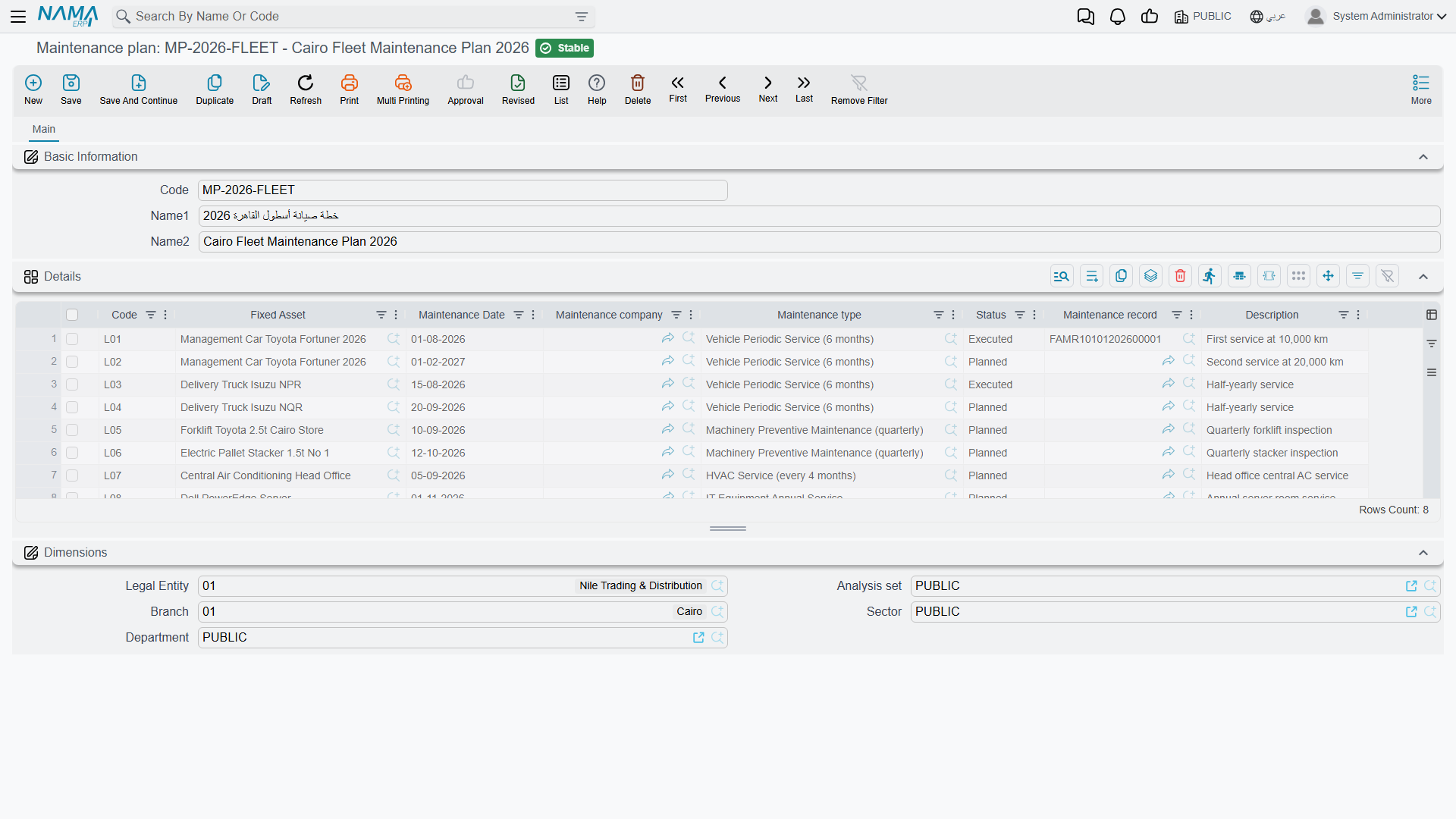
- Maintenance plan — the calendar. One plan holds many planned visits, each a line saying which asset, which type of maintenance, on what date, by which contractor.
- Maintenance Record (and the Maintenance Record Request that can precede it) — the job itself, closed off at the end of the visit with the checklist filled in.
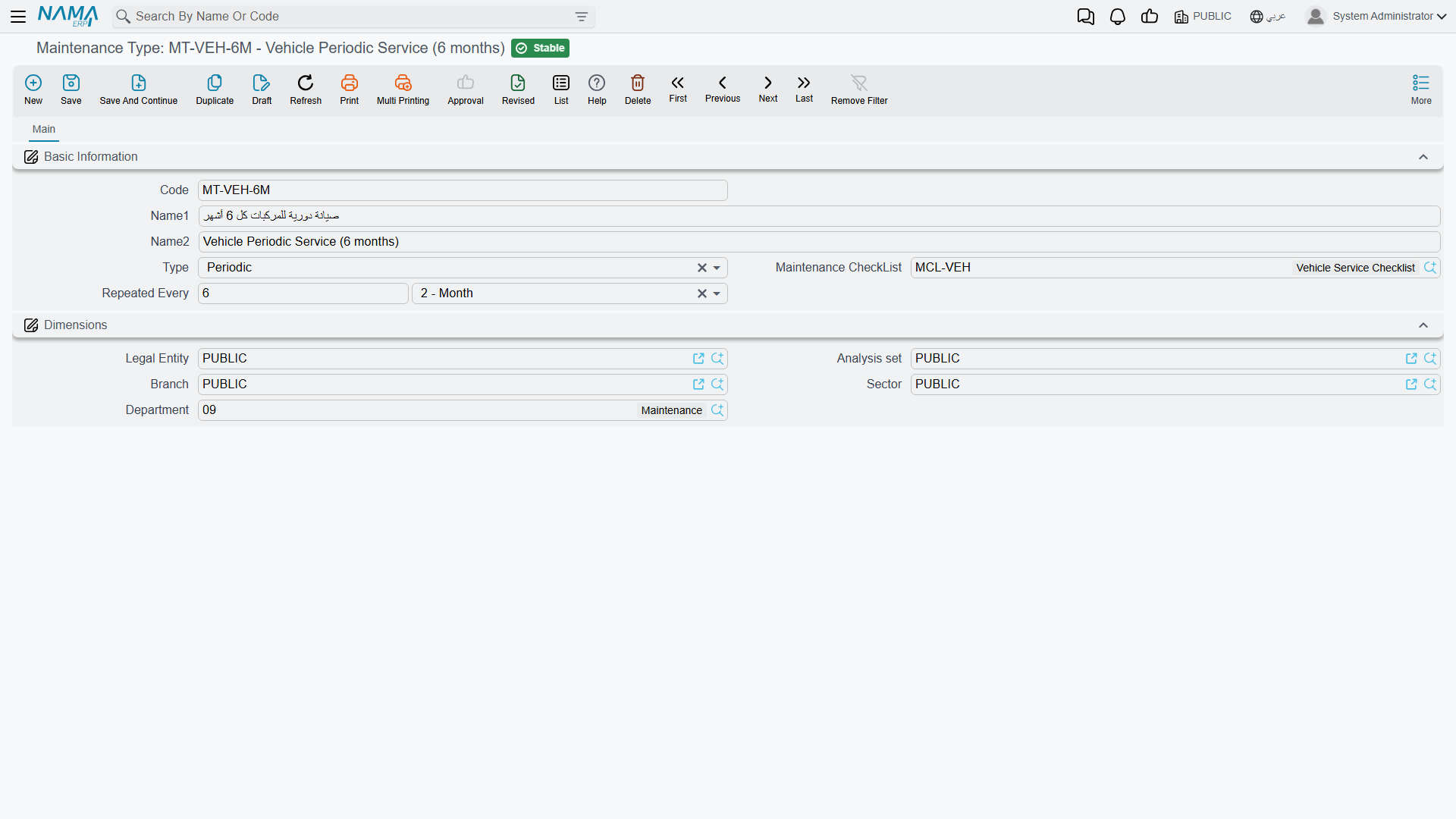
Maintenance always targets a component, never the whole asset
This is the one structural rule that catches people out, and it is better learned here than at the moment a commit is refused.
Maintenance is not filed against "the CNC machine". It is filed against a component of the CNC machine — its spindle, its control unit, its coolant pump. Components are listed in the Asset Components grid on the asset itself, and they exist purely for this: they carry no cost, no value and no depreciation of their own. See components for how they are set up and how an asset type can seed them automatically.
Two consequences follow, and both are enforced when you commit a record:
- The Component Type on the record must be one of the components listed on the asset. An asset with no components at all cannot take a maintenance record — set its components up first.
- The Maintenance Type on the record must be one that the component type allows. Each component type carries its own list of permitted maintenance types; if that list is empty, anything is allowed.
The pay-off is that history lands in a useful place. When the record commits, the machine's spindle line — not the machine as a whole — is stamped with the dates of the visit and the date the next one is expected.
The life of one plan: MCH-0007 in 2026
Al-Waha Industries runs the CNC cutting machine MCH-0007 at the Riyadh plant. Here is the whole area working, once.
Setup, done once. Four checklist items are written — spindle vibration, coolant level and condition, guards and way covers, control-unit error log. They are bundled into a checklist called CNC Routine Inspection. A maintenance type Periodic Maintenance is created, its nature set to Periodic, its default checklist set to CNC Routine Inspection, and its interval set to 90 days. On the asset, the spindle component line already names Periodic Maintenance as its maintenance type.
The calendar. A plan MP-CNC-2026 is created with four lines, one per quarter — 1 April, 30 June, 28 September and 27 December — each naming MCH-0007, Periodic Maintenance, and Gulf Machinery Trading as the contractor. All four lines start life as Planned.
The first visit. In late March the plant engineer raises a Maintenance Record Request for the April visit: the asset, the spindle, Periodic Maintenance, the contractor, an estimated 1,800. Choosing the checklist fills the request's grid with the four questions, unanswered. The request records the ask and nothing more — it books nothing and changes nothing.
On 1 April the contractor comes. A Maintenance Record is raised from the request, which copies everything across including the four questions. The technician types the results, records that work ran from 09:00 to 13:30, and confirms the cost at 1,800. Because the maintenance type repeats every 90 days, the record proposes 30 June 2026 as the next expected date — matching the second line of the plan.
What commit does. Plan line one flips from Planned to Executed and is stamped with the record that closed it. On the asset, the spindle component line now carries 1 April as both the maintenance start and end date, 30 June as the next expected date, and a link back to the record. No journal entry is produced, and the machine's 3,600 monthly depreciation instalment is exactly what it was the day before.
Three more visits follow the same path, and by the end of the year the plan reads as a completed year of service and the asset carries the full history.
No buttons in this area either
None of the maintenance screens — component type, checklist item, checklist, maintenance type, plan, request or record — carries a button of its own. In particular there is no button that turns a plan into records: a plan line is closed by somebody raising a maintenance record for that visit, by hand. What does happen for you is the copying: the checklist you pick on a record brings its questions across, the asset you pick narrows the component-type lookup, and the maintenance type fills in the next expected date from its repeat interval.
Reading the history back
Two places show it, and they answer different questions.
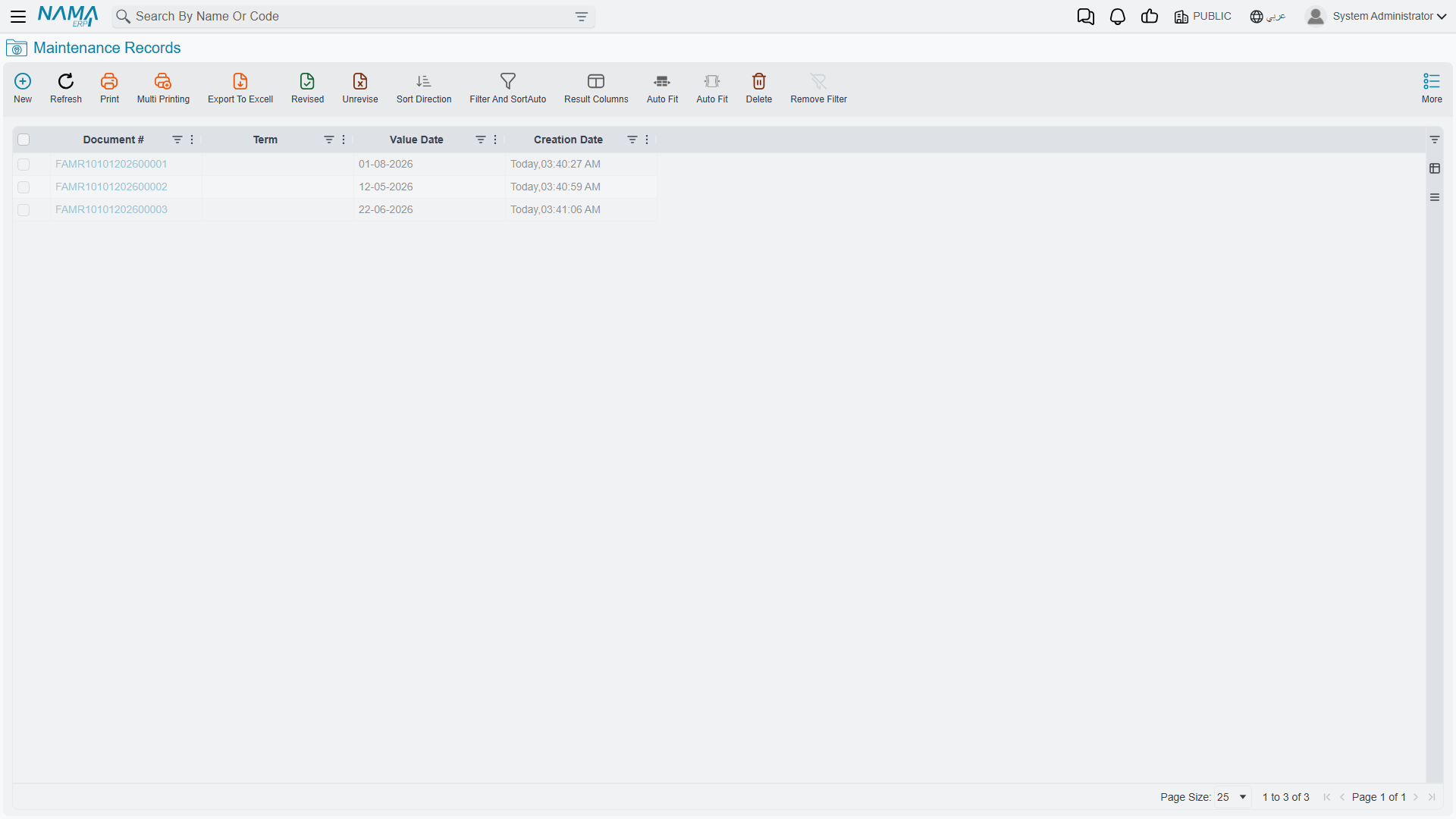
The Maintenance Records list is the cross-asset view: filter by contractor, by date range, by maintenance type, by asset, and read costs across the whole register.
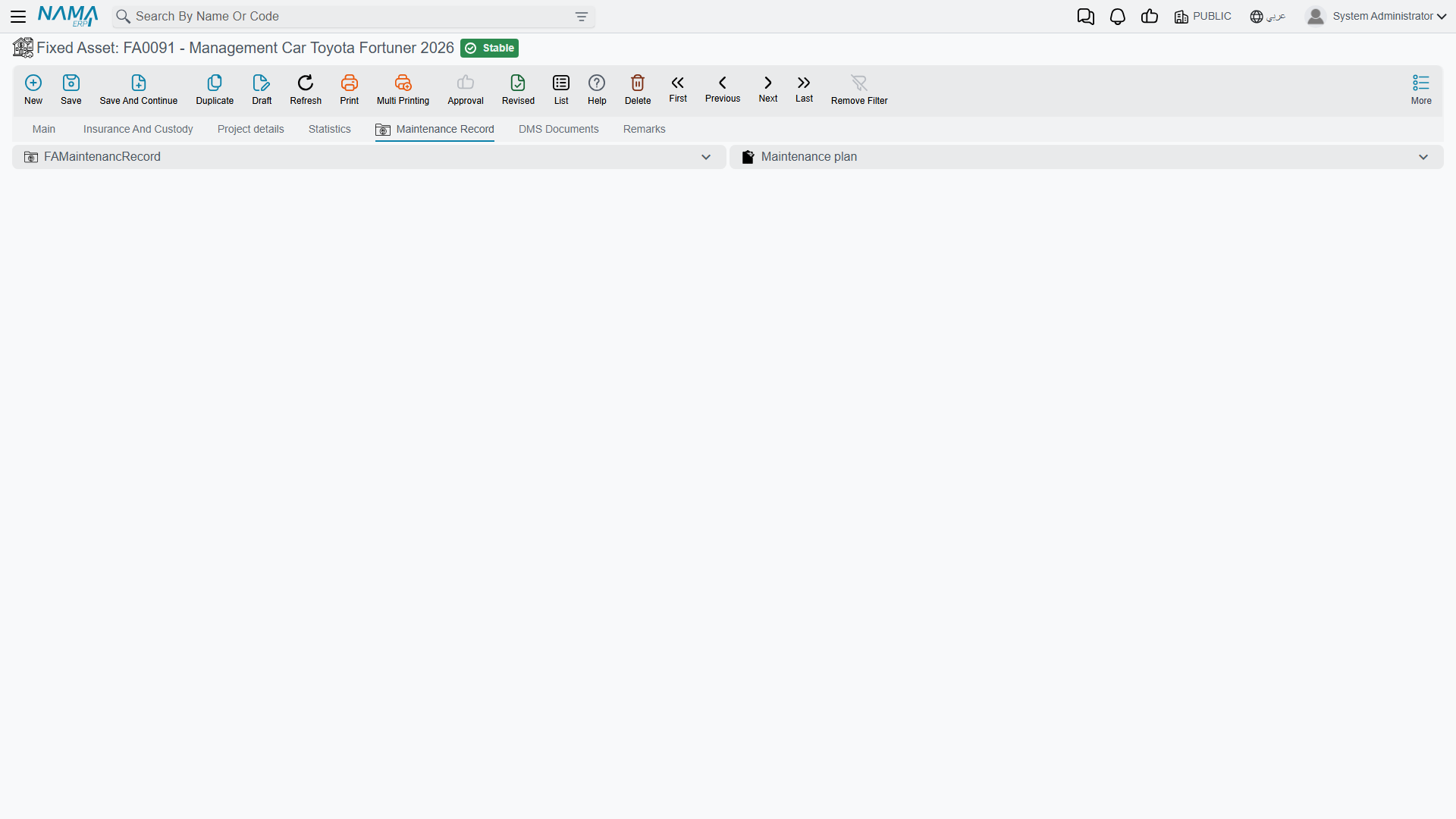
The asset's own Maintenance Record page is the per-machine view: every record raised against that asset, plus the maintenance plans it appears in.
And the component grid on the asset's main page is the "when is this next due" view — one line per maintainable part, each carrying the dates its last record wrote.
Where to go next
- Maintenance types — the kinds of maintenance and the repeat interval behind the next-due date.
- Checklists — the inspection questions and how answers are recorded.
- Maintenance plans — the calendar of visits and how a record closes a line.
- Maintenance records — the request, the record, the checklist and the dates written back.