
Tags and Classification Files
Two small master files sit in the Service Center menu, and their job is to classify. They appear as columns in list views and they group things for reporting. One of them, the visit type, also decides whether a booking is checked against the day's capacity.
This page covers both.
Required licence
srvcenter
Visit Type
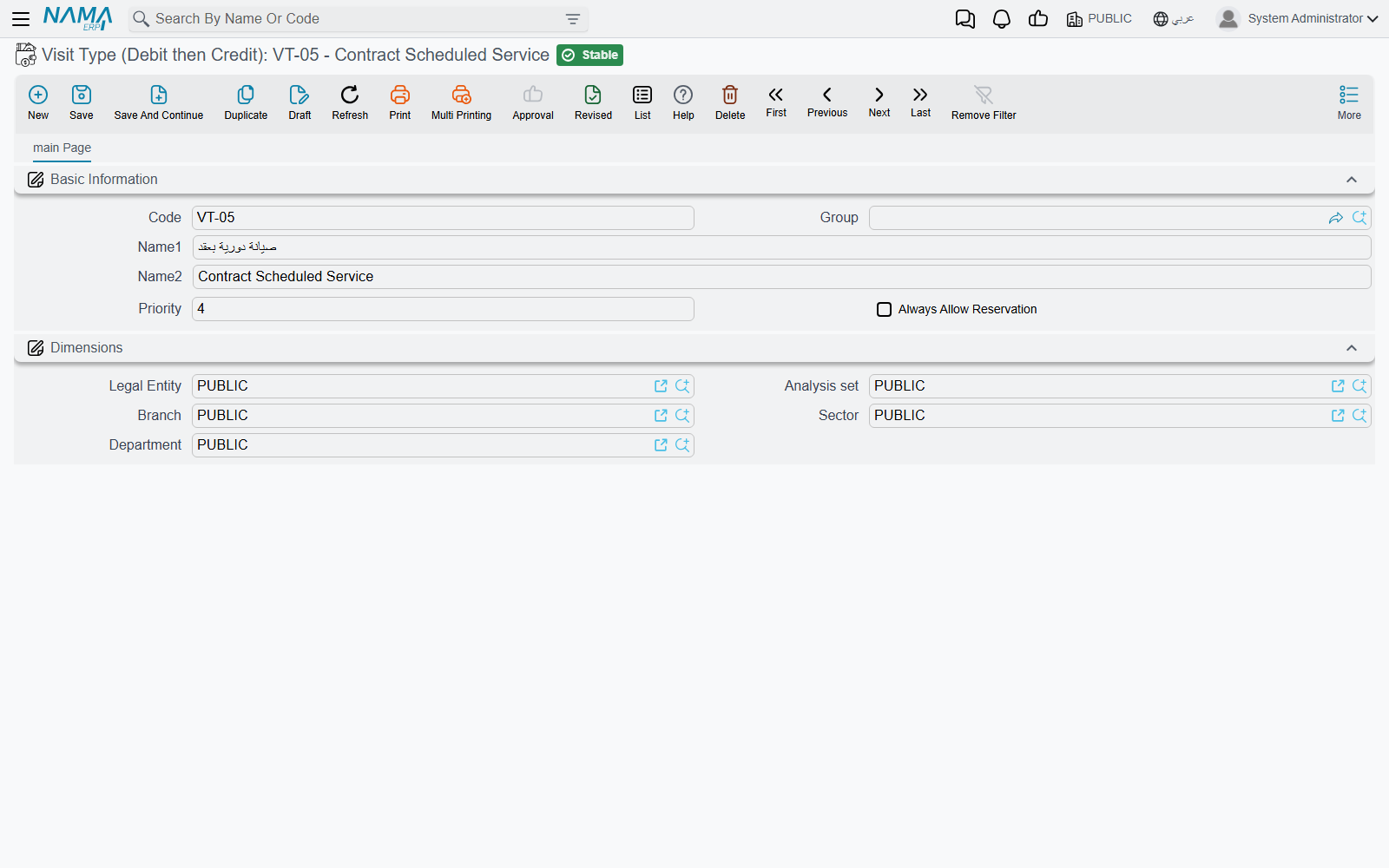
Visit Type (نوع الزيارة) classifies why the car came in — scheduled service, warranty claim, accident repair, complaint. Al-Sahra uses VT-SRV Scheduled Service / صيانة دورية for VEH-2031's March visit.
It lives under Service Center → Settings, and it is carried on the service request, the job order, the estimation, the inspection sheet and a gate pass line, plus the expected next visit type fields that project the vehicle's next appointment.
The screen holds code, group, the two names, and two settings:
| Field | Arabic label |
|---|---|
| Priority | الأولوية |
| Always Allow Reservation | السماح بالحجز دائما |
- Priority is a number you can sort, filter and report visit types by; it shows as a column in the visit type list.
- Always Allow Reservation exempts service requests of this visit type from the booking checks — the appointment capacity of the day and the reception window. Tick it on an emergency or recovery visit type so such a car can always be booked in; leave it off on scheduled service, so routine bookings stay inside the capacity you published.
How the menu labels read
The English menu entry reads "Visit Type (Debit then Credit)"; in Arabic it reads نوع الزيارة. The Settings folder label begins with a space in both languages ( الإعدادات / Settings).
Standard Operation Classification
Standard Operation Classification (تصنيف خدمة), under Service Center → Master Files, holds code, both names, attachments and dimensions — nothing more.
It is used in the classification field (التصنيف) on the service task screen.
A free tag on the task
It is a column you can search and filter a task list by. "Mechanical", "electrical", "body", "valeting" makes a catalogue of two hundred tasks navigable.
Why Fill Them In At All
Because list views, search criteria, custom reports and imports all read whatever you put in these fields. A workshop that tags its tasks by discipline and its visits by reason can answer "how many warranty visits did we take in March" from a list view; a workshop that leaves them empty cannot. Size the effort to what it buys — description and reporting.
The third small classification file, the product model category, is covered on the brands and models page, where it belongs to the same hierarchy as the brand and the model.