
Offers and Purchase Orders
Between "we need a CNC machine" and "here is the supplier's invoice" sit the two documents where purchasing does its work: the Fixed Asset Offer (عرض سعر أصل), which records what a supplier is willing to sell for, and the Fixed Asset Purchase Order (أمر شراء أصل), which records what you have agreed to buy.
They are almost the same screen, and for a good reason: an order is usually the winning offer with a signature on it. Both carry full pricing — unit price, up to eight discount levels, four taxes, instalment schedules and shipping terms — because a machine costing a quarter of a million is negotiated in exactly those terms.
Both live under Assets > Documents and need only the fixedassets licence.
Neither of them costs anything
This is the first thing to say, because the money on these screens looks so convincing.
An offer and an order produce no journal entry. Nothing is owed to the supplier, nothing is capitalised, nothing appears in the general ledger. The totals, discounts and taxes are computed so that you can compare quotations, obtain an approval and negotiate — they are decision support, not accounting. Commitment in the ledger begins with the purchase document.
The same goes for the asset register. Neither document creates, touches or reserves a fixed asset record. Both name the wanted asset as free text, exactly like the request does.
What the taxes on these screens are for
If you pick a term with a tax plan, the tax columns fill in and the totals include tax. Treat those figures as informational — they let you compare a quotation inclusive of VAT against one that is not. The tax that is actually recorded and claimed is the tax on the purchase document.
The offer
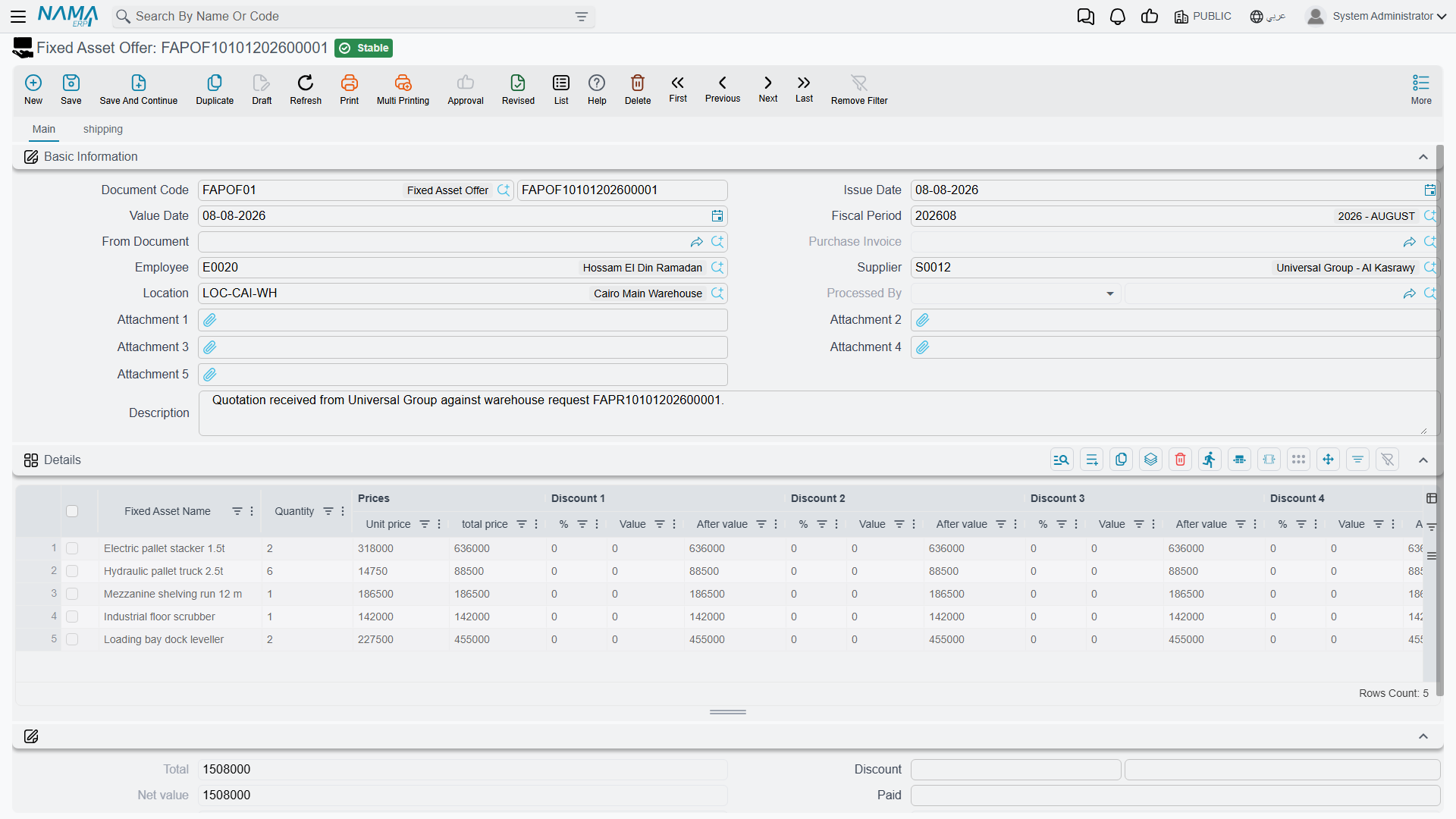
The header carries the document book and code, issue and value dates, the requesting Employee, the Supplier who is quoting, the Asset Location the equipment is wanted at, up to five attachments for the quotation PDF itself, and a From Document (بناءا على) field for building the offer from the request that triggered it. Processed By and Purchase Document are filled in by the system when something downstream consumes the offer.
The Details grid is a price list:
| Column | Arabic label |
|---|---|
| Fixed Asset Name | أسم الأصل |
| Quantity | الكمية |
| Unit price / total price | سعر الوحدة / السعر الكلي |
| Discount 1 to 8 — percentage, value, after value | خصم 1 إلى 8 — % / قيمة / صافي |
| Item Tax and Tax 2 to 4 — percentage and value | ضريبة مبيعات وضرائب 2 إلى 4 |
| Net value | الصافي |
| Description | ملاحظات |
The second page, Shipping and payment (الشحن و الدفع), repeats the request's logistics block and adds the payment side: a payment schedule template, the GeneratePayments (إنشاء الدفعات) action that expands it into instalment lines, and the schedule grid itself. The schedule has to reconcile with the document's remaining amount before the offer can be committed — a quotation offering four instalments that do not add up to the price is rejected.
The purchase order
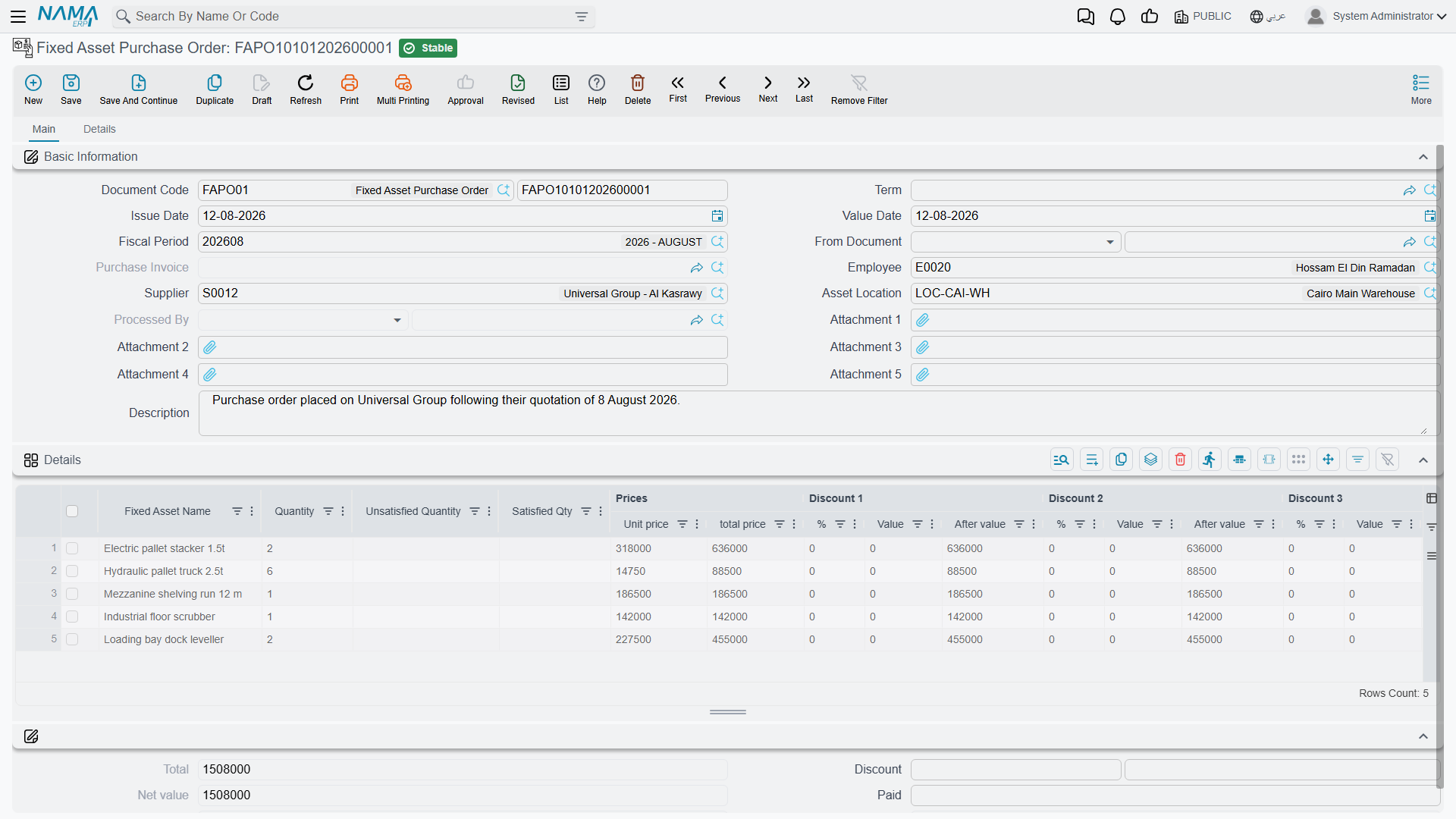
Everything the offer has, plus:
- a Term (توجيه المستند) field on the main page, which is where the tax plan and the tax behaviour come from;
- Satisfied Qty and Unsatisfied Quantity on the grid, so an order raised from a request shows what it consumed;
- a Payment Documents grid (سندات الدفع) on the second page — payment document, payment date, payment value and a flag for payments that should not reduce the remaining amount — for advances paid against the order;
- a standard-terms grid, for the contractual clauses that go with the order.
The second page also repeats the book, code and term, so an order can be completed entirely from there.
Consuming a request, and being consumed
The rule that governs the quantity counters is simple and worth stating precisely: the counters on a request move when a document is built directly from that request. An offer, an order or an initial receipt whose From Document points at a purchase request will, on commit, raise that request's Satisfied Qty, lower its Unsatisfied Quantity, refresh its Total Unsatisfied Qty and stamp Processed By. Cancelling or deleting it puts it all back.
An order built from an offer copies the offer's lines and prices happily, but it does not tick anything off — the offer was never a demand to be satisfied in the first place.
In the other direction, an order remembers what became of it. When a purchase document is committed against it, the order's Purchase Document field is filled in, and from then on that order stops appearing in the From Document picker of new purchase documents. One order, one invoice.
Gulf Machinery Trading wins the CNC machine
Al-Waha Industries has request FAPR-0004 open: one CNC cutting machine, two pallet trolleys. Purchasing invites two suppliers to quote for the machine.
| Offer | Supplier | Unit price | Discount | Net |
|---|---|---|---|---|
FAPOF-0011 | Gulf Machinery Trading | 250,000 | 4 % | 240,000 |
FAPOF-0012 | Riyadh Industrial Systems | 252,000 | — | 252,000 |
Both offers are built from the request, so both carry the line "CNC Cutting Machine, quantity 1" without anybody retyping it. Gulf Machinery Trading's quotation also proposes three instalments of 80,000; those are entered on the schedule grid and reconcile against the 240,000.
Purchasing takes the cheaper offer to the plant manager, gets the approval, and raises purchase order FAPO-0009 from the request — so that the request's counters move — with Gulf Machinery Trading as the supplier at the agreed 240,000, delivery to LOC-R2 — Riyadh Plant, Hall 2, three instalments and a 12-month warranty clause on the standard-terms grid.
On commit:
- request line 1 shows Satisfied 1, Unsatisfied 0; the header's Total Unsatisfied Qty falls from 3 to 2 (the trolleys are still outstanding);
- the request's Processed By shows
FAPO-0009; - nothing at all has reached the general ledger, and no asset record exists yet.
The machine is delivered five weeks later. When the invoice arrives, accounting raises the purchase document from FAPO-0009 — and that is the moment MCH-0007 becomes a live fixed asset carrying 240,000 of cost.