
Taking Delivery: Initial Receipt and Receipt Document
Two documents in this module have "receipt" in their name, they sit in different menu folders, they need different licences, and they do completely different jobs. Sorting them out takes one paragraph each.
Fixed Asset Initial Receipt (سند استلام أصل مبدئي) says: the equipment has arrived but the supplier has not invoiced us yet. It is a priced receiving note, and it is paperwork.
Fixed Asset Receipt Document (مستند استلام أصل) says: this asset is now standing here, and this person signed for it. It is a custody and location note, raised after the purchase, and it is also paperwork — but paperwork that writes on the asset record.
Neither of them books a journal entry, and neither of them creates or values an asset. Value comes from the purchase document.
Fixed Asset Initial Receipt
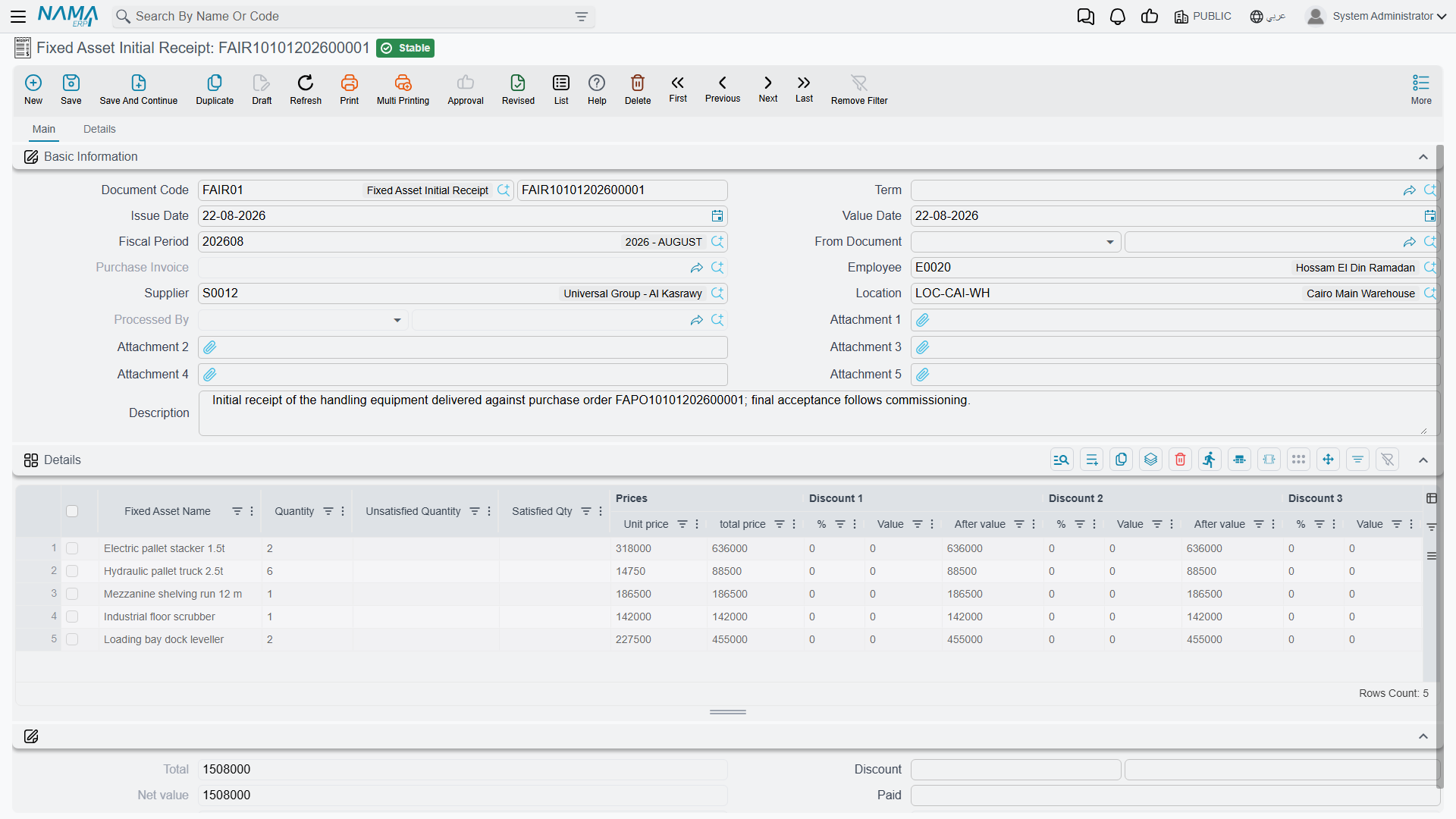
Menu: Assets > Documents > Fixed Asset Initial Receipt (الأصول > المستندات > سند استلام أصل مبدئي), licence fixedassets.
Think of it as the goods-received note for equipment: the crates are on site, the store has counted them, but nothing can be capitalised until the supplier's invoice arrives with a final price, a delivery charge and a tax treatment. Rather than leave the arrival unrecorded for three weeks, you enter an initial receipt.
The screen is the purchase order screen in every respect: the same header with supplier, employee, asset location and From Document; the same detail grid naming the asset in free text with a quantity and a price block of eight discount levels and four taxes; the same second page with shipping information, payment schedule template, payment documents grid and standard terms.
What follows from that shape is worth being explicit about:
- the lines name assets, they do not point at asset records — there is no Fixed Asset column;
- the asset register is untouched: nothing is created, no status changes, no location or custody is written;
- nothing reaches the general ledger, and the computed taxes are informational;
- if it was built from a purchase request, committing it does advance that request's satisfied quantities, the same as an offer or an order does.
Its real value comes later. When the invoice finally arrives, raise the purchase document with From Document pointing at the initial receipt, and the lines and prices come across ready to be matched against the asset records.
Which one do I raise?
If the invoice is in your hand, skip the initial receipt and raise the purchase document. The initial receipt earns its keep only when arrival and invoicing are separated in time — imports, staged deliveries, equipment released against an order while the paperwork travels.
Fixed Asset Receipt Document
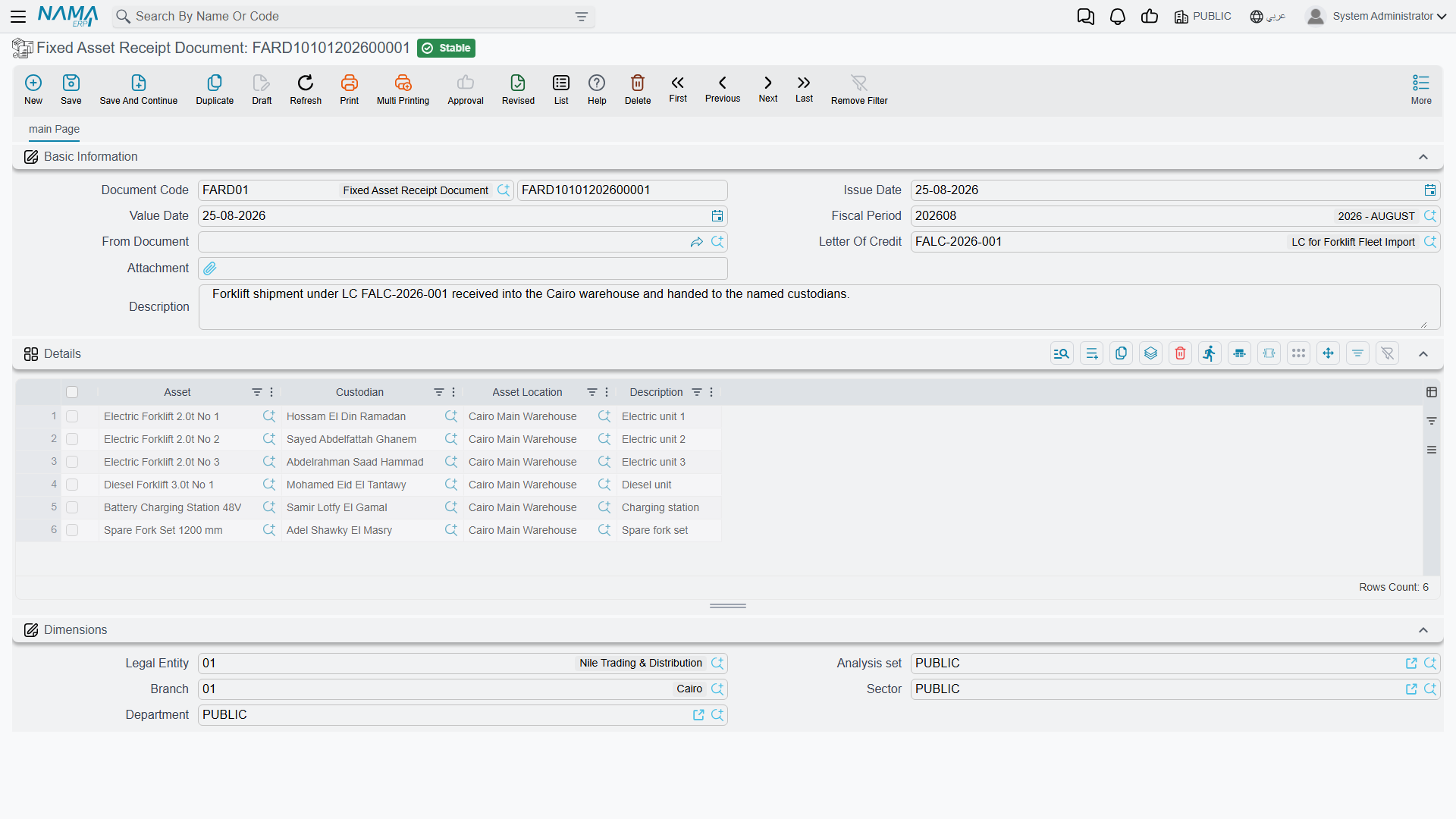
Menu: Assets > Custody Of Assets > Fixed Asset Receipt Document (الأصول > عهد الأصول > مستند أستلام أصل).
It needs the letter-of-credit licence
This document is gated behind the fixedassets-lc licence, not the base one and not the custody one — even though it sits in the Custody Of Assets menu folder. The reason is its header: the receipt document carries a Letter Of Credit reference, so it doubles as the document that signs for a shipment arriving against an asset letter of credit.
If a customer holding only fixedassets cannot find "Fixed Asset Receipt Document" in the menu, this is why. There is nothing to fix on the screen — it is a licensing question.
The screen is short, because it only answers two questions. The header carries the document book and code, issue date, value date, fiscal period, From Document (بناءا على), the Letter Of Credit reference, an attachment and a description. There is no Term field — this document has no accounting to wire.
The Details grid is four columns:
| Column | Arabic label | What it does |
|---|---|---|
| Asset | الأصل | The asset being received |
| Custodian | مسئول العهدة | The employee signing for it |
| Asset Location | موقع الأصل | Where it is being put |
| Description | ملاحظات | Per-line note |
Below the grid are the document's dimensions.
Two conveniences save typing. Picking From Document on a receipt raised from a purchase document builds one line per purchased asset, pre-filled with the asset, its location and its current custodian. And picking an asset directly on a line pulls in that asset's current custodian and location, so you only change what has actually changed.
What committing it writes
Committing the receipt document does exactly two things per line:
- the line's location becomes the asset's current location;
- a row is added to the asset's custody history — the employee, the date the document takes effect from, and the share of custody held.
That is all. No journal entry, no inventory movement, no status change, no effect on cost or depreciation. Nothing blocks the commit either — there are no validations of its own. Cancelling the document removes the custody history row again.
The custody history row, not the Custodian field
The receipt document adds to the asset's custody history grid; it does not change the Custodian field on the asset's main page. The document that sets that field is the Custodies Delivery Receipt, which is designed around handing things from one named employee to another. So after a receipt document, read the history grid — that is where the answer is.
Actions on these two screens
The Fixed Asset Initial Receipt borrows the purchase order's payments page, and with it the only button on either screen: GeneratePayments (إنشاء الدفعات). Choose a payment schedule template, press it, and answer what it asks — how many payments, how far apart, when the first falls due, any grace period, a down payment, named first, second and last amounts, and how to round — and it spreads what is still outstanding across the schedule grid. It is a typing convenience for the schedule and nothing more: no payment voucher is raised and nothing reaches the ledger.
The Fixed Asset Receipt Document has no buttons of its own. Its two conveniences — building the lines from the From Document, and pulling a custodian and location from an asset you pick — happen by themselves as you fill the fields in.
Al-Waha signs for the CNC machine
The CNC machine arrives at the Riyadh plant on 8 January 2026, a week after purchase document FAPD-0031 was committed and MCH-0007 became a live asset at 240,000.
The store raises receipt document FARD-0018 with From Document = FAPD-0031. One line appears automatically: MCH-0007. The storekeeper sets the custodian to Khaled Al-Mutairi and the location to LOC-R2 — Riyadh Plant, Hall 2, and commits.
MCH-0007 now shows Hall 2 as its location, and its custody history carries a row for Khaled from 8 January 2026. The machine's cost, instalment and status were all settled by the purchase document a week earlier and are entirely unaffected.
When the machine is later moved to Hall 3, that is a transfer document, not another receipt.