
Re-estimating an Asset's Life and Salvage Value
Useful life and salvage value are estimates, and estimates get revised. An engineering review says the machine has three more years in it, not five. A change of policy raises the scrap value the fleet is expected to fetch. A machine that was going to be worked hard is now on light duty.
The fixed asset properties document is where those revisions are recorded. One document, one asset, and a very short list of things it can change.
Assets → Documents → Fixed Asset Properties (الأصول > المستندات > خصائص أصل ثابت), licence fixedassets.
Exactly Three Things
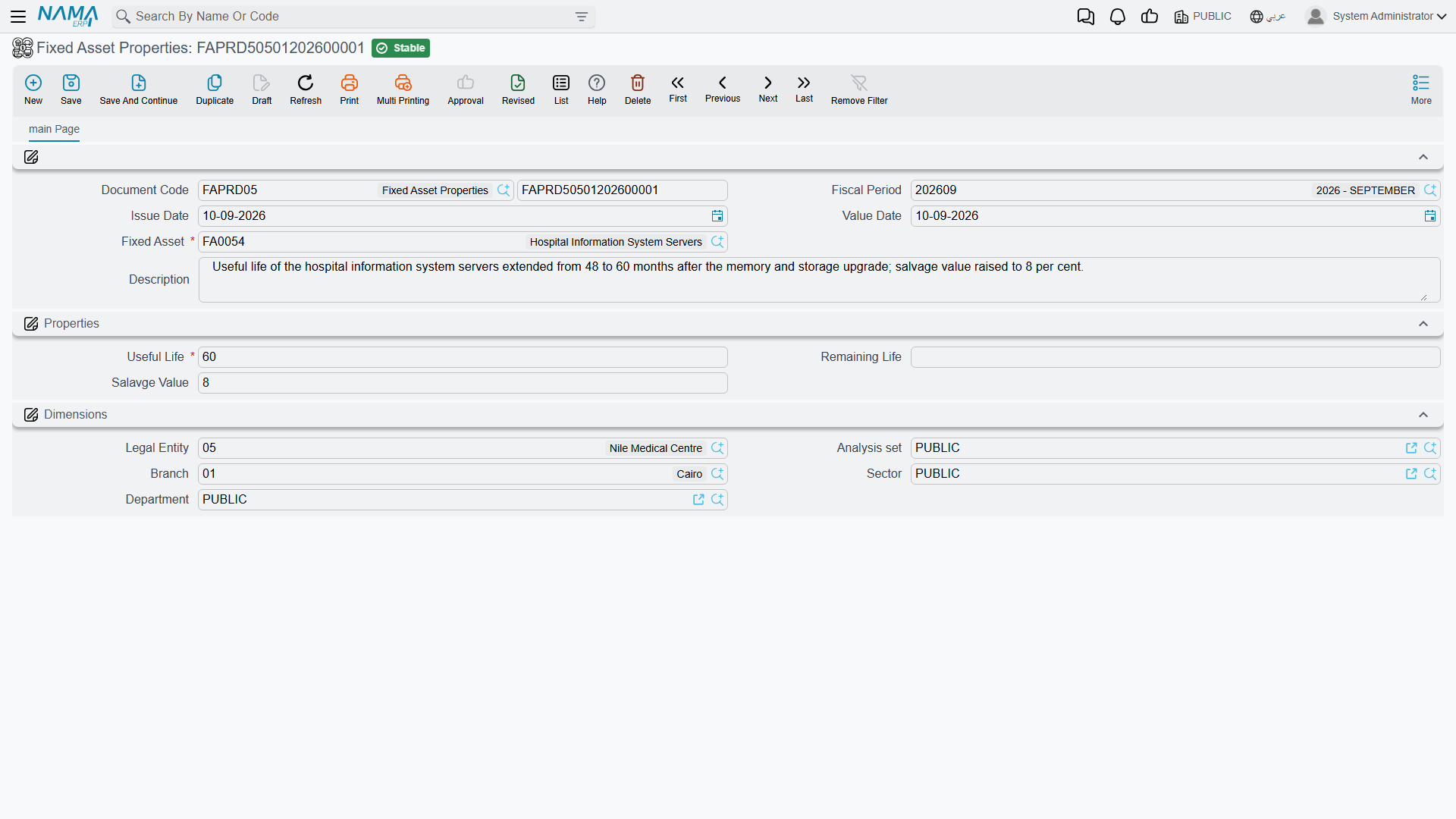
The screen is one page. The top block carries the document code and book, the fiscal period, the issue date, the value date, the Fixed Asset (الأصل الثابت) it applies to and a description. Then a Properties (الخصائص) group with three fields, and a Dimensions group at the bottom.
Those three fields are the entire reach of the document:
| Field | |
|---|---|
| Useful Life (العمر الإفتراضي) | the asset's total expected life, in periods. Required. |
| Remaining Life (العمر المتبقي) | how many periods it still has to run |
| Salvage Value (قيمة الأصل كخردة) | what it is expected to be worth at the end |
Everything else about the asset is out of reach here. This document cannot change the depreciation method, the accounts, the asset type, any classification, the location, the custodian, the dimensions, the acquisition cost or the accumulated depreciation. Those live on the asset's master file or are moved by the documents that own them — transfers for location and dimensions, additions and deductions for cost.
Remaining Life is the field that changes the money
The instalment is (current value − salvage) ÷ remaining life, so the two fields that move it are Remaining Life and Salvage Value. Useful Life is the asset's headline figure — it is consumed when the asset is first capitalised, to seed the remaining life — and changing it here on a running asset is a reference change, not an arithmetic one. If you want the charge to change, change the remaining life.
The Worked Example
MCH-0007 reaches the end of December 2026 having been depreciated twelve times:
| Cost | 240,000 |
| Accumulated depreciation | 43,200 |
| Book value | 196,800 |
| Salvage value | 24,000 |
| Remaining life | 48 periods |
| Instalment | 3,600 |
An engineering review on 1 January 2027 concludes the machine will only last another 30 months, and that the scrap market has moved — it should be carried at a salvage of 30,000, not 24,000.
- Create a properties document with value date 1 January 2027. It has to be dated after the asset's last depreciation entry of 31 December 2026 — more on that below.
- Asset
MCH-0007; Remaining Life 30; Salvage Value 30,000. (Useful Life, being required, is set to 42 to keep the master file coherent — 12 periods run plus 30 to go.) - Commit.
A dated entry goes onto the asset's value timeline, the asset's properties are updated, and the instalment is re-derived on the spot:
(196,800 − 30,000) ÷ 30 = 166,800 ÷ 30 = 5,560
From January 2027 every depreciation run books 5,560 instead of 3,600, and the machine finishes 18 periods earlier than it was going to. The twelve entries of 2026 stay exactly as they were.
It Is Not Retroactive — and It Cannot Be Made So
No entry is restated, no catch-up charge is created, and the system will not let you date the document into the past to fake one.
The rule that enforces it is the same one that governs the whole module: no entry may already exist for this asset after the document's value date. MCH-0007 has been depreciated up to 31 December, so the properties document goes after that — 1 January is the natural date. Try to date it into November and the commit is refused, naming the document that already sits on the later date. The same check runs again if you edit a committed document and move its value date back across other entries.
If you genuinely need the new life applied to periods that have already been run, there is only one route: cancel the depreciation runs concerned — newest first — enter the properties document at the date you want, and re-run them.
Two more checks apply on commit:
- The salvage value must be at least the module's minimum. The module configuration carries a minimum salvage value, and a lower figure is refused. Neither life figure may be negative.
- The asset's status must be Running or Not Depreciable. You cannot re-estimate an asset that is still in its initial state, one that has been disposed of, or one that is already fully depreciated. For a fully depreciated asset that is still in service, the way back is an addition that adds life, not this document.
No Term Settings, No Journal Entry
The properties document needs a book and nothing else. It does not require a term, it has no term options to configure, and it produces no accounting entry at all.
That is correct, not an omission. The document does not move any value — it changes the rate at which value will be charged in future, and the money is booked, period by period, by the depreciation runs that follow.
Cancelling it removes the dated entry, restores the properties the asset had before, and recomputes the instalment from those. As always, a later entry blocks the cancellation until it has been undone itself.
Re-estimating a Whole Fleet
Al-Waha's twelve delivery vans were all bought on a 60-month life. A policy review re-assesses the lot at 24 remaining months with a 5,000 salvage each. Twelve separate documents would be tedious and easy to get wrong.
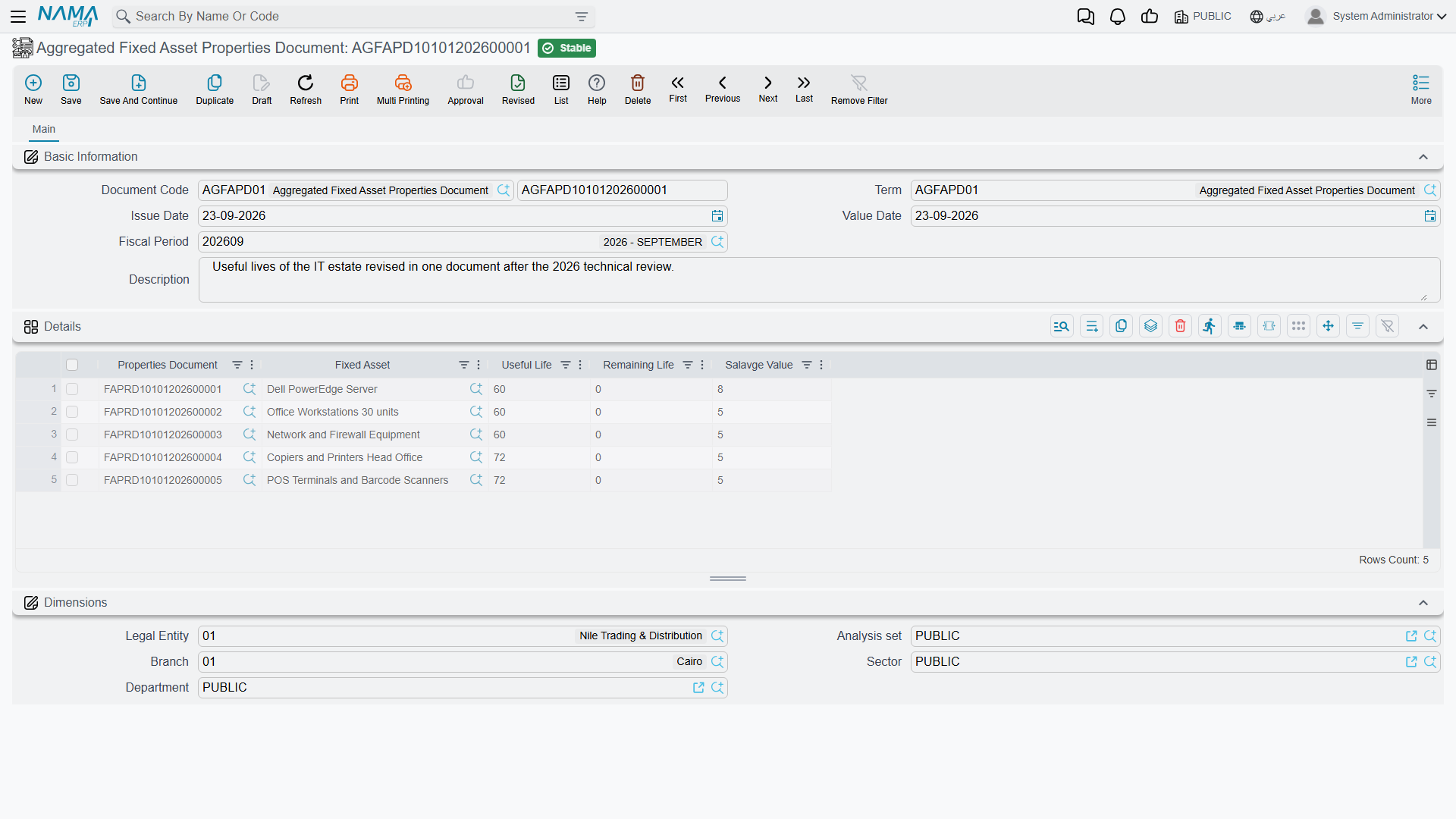
The aggregated fixed asset properties document (الأصول > المستندات > سند خصائص أصل مجمع) is one screen with one grid: asset, useful life, remaining life and salvage value per line, plus the generated document reference. On commit it creates one properties document per line and lets each of them do the real work — its own dated entry, its own instalment recalculation, its own validation.
It needs one piece of configuration first. Its term carries two fields:
| Term field | |
|---|---|
| Fixed Asset Properties Book (دفتر سند خصائص أصل ثابت) | the book the generated documents are written into. Required — without it the commit fails and says so. |
| Fixed Asset Properties Term (توجيه سند خصائص أصل ثابت) | the term applied to the generated documents. Optional, since the child needs no term. |
The aggregate itself validates only one thing: an asset may not appear twice in the grid. Everything else — the value-date ordering, the asset's status, the salvage floor, negative lives — is checked by each child as it is created.
That has one consequence worth planning for: the batch is all or nothing. If van number seven already has a depreciation entry dated after your value date, that child fails and the whole aggregated commit fails with it. Nothing is left half-applied, but you do have to fix the offending van before the other eleven will go through.
Removing a line and re-committing deletes that van's generated document and reverses its effect; cancelling the aggregate deletes all twelve.
Actions on These Screens
Neither the properties document nor its aggregated form carries a button of its own — there is no collect on either, so the lines of an aggregated re-estimate are typed or imported rather than pulled from a range. The recalculation you are after happens on commit: the new life and salvage value are written onto the assets, and the next depreciation run picks them up.