Pricing, Costing & Discounts
Every hospital service has a selling price and a cost. As a hospital grows, pricing each service individually becomes impractical, so lists gather prices, costs and discounts in one place. These lists all share a single structure, so learning it once is enough.
The shared structure: a tab per service type
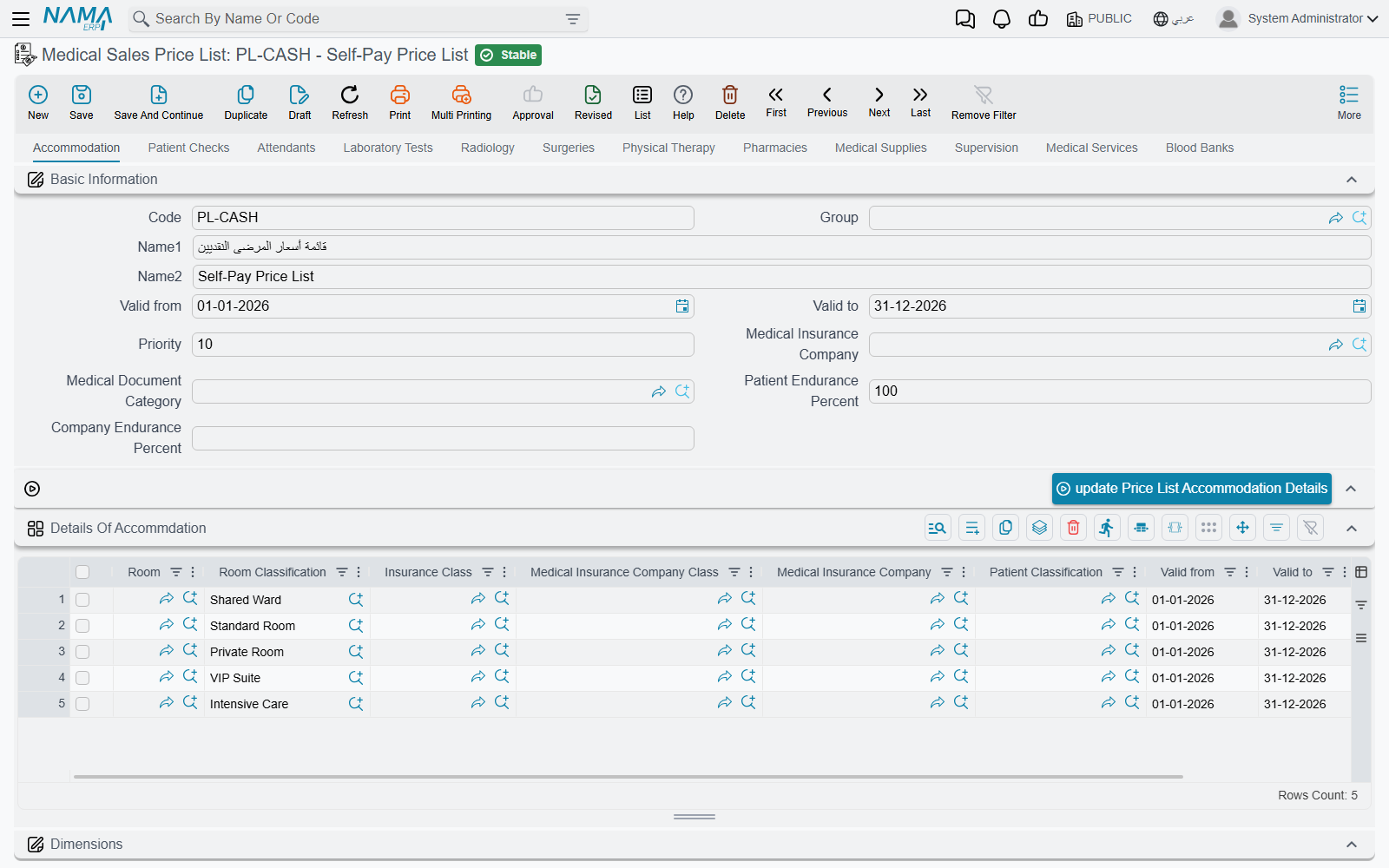
The sales price list, cost list, discount, and overhead list all follow the same pattern: a tab per service area (accommodation, check, attendants, lab, radiology, surgeries, physiotherapy, pharmacy, supplies, supervision, services, blood bank), and a grid of lines on each tab.
Each tab repeats a common header: code and name, valid from/to, priority, insurance company, document category, and patient/company endurance percent. And the lines on every grid share the same matching keys used to select a line at billing time: the relevant service reference (room / doctor / test type / radiology type / surgery type / item…), degree, insurance class, insurance company, insurance company class, patient class, the period, and priority to break ties. What differs between the lists is only the value columns.
The medical sales price list
Medical Sales Price List is the selling-price book — its core column is price. Certain tabs add their own columns (the surgeries tab breaks out standard hours and surgeon/assistant/anesthesia fees; the pharmacy, supplies and blood tabs add quantity and unit). This list determines what the patient is charged for each service, varied by doctor, insurer, patient class and period.
The medical cost list
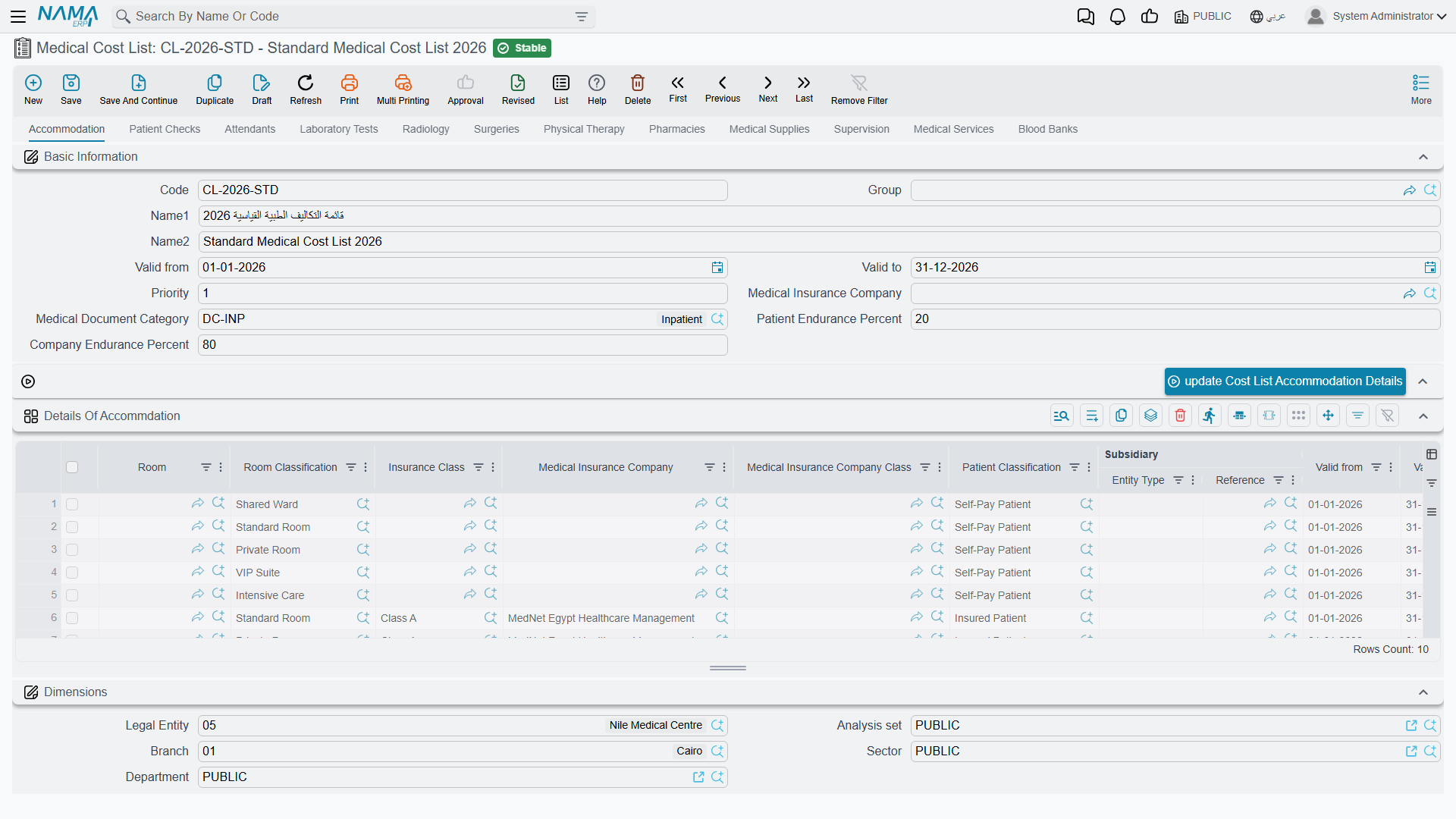
Medical Cost List has the same shape, but its columns capture cost rather than price: cost percentage and value, with up to three subsidiary splits per line (the doctor's/lab's/external party's share of the revenue). On the surgeries tab every fee component expands into percentage + value + an additional-time cost. This list is used for revenue-sharing with doctors and for profitability.
Medical discounts
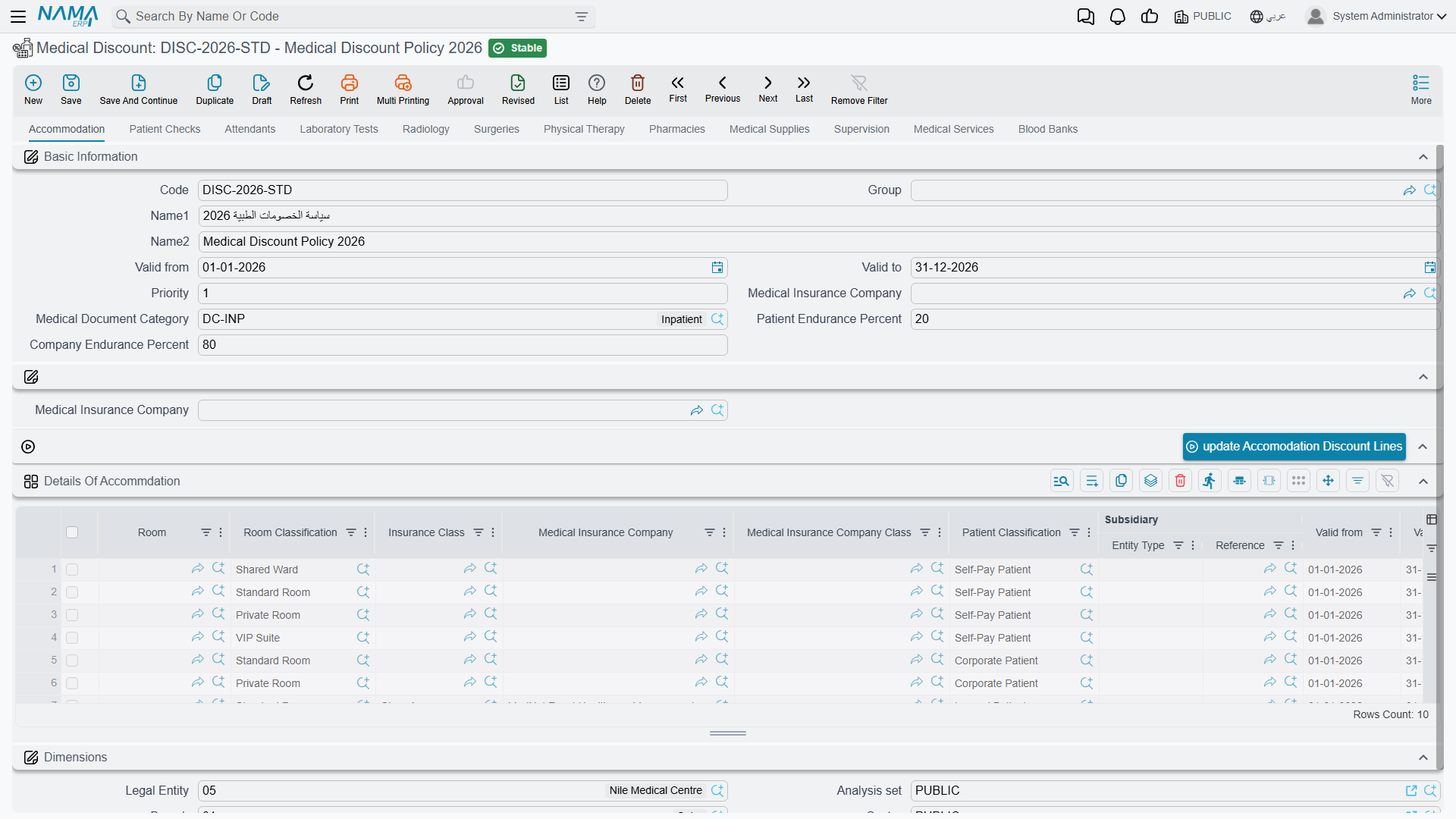
Medical Discount applies two stacked discounts per line: Discount 1 and Discount 2 (each a percent and a max value). Each tab has a button to bulk-update the discount lines at once for a given insurance company from the document header. It's used to apply patient- or insurer-specific discounts to services.
Indirect (overhead) costing
Not every cost is direct — there's electricity, cleaning, administration. The system allocates these onto services through a three-piece machinery:
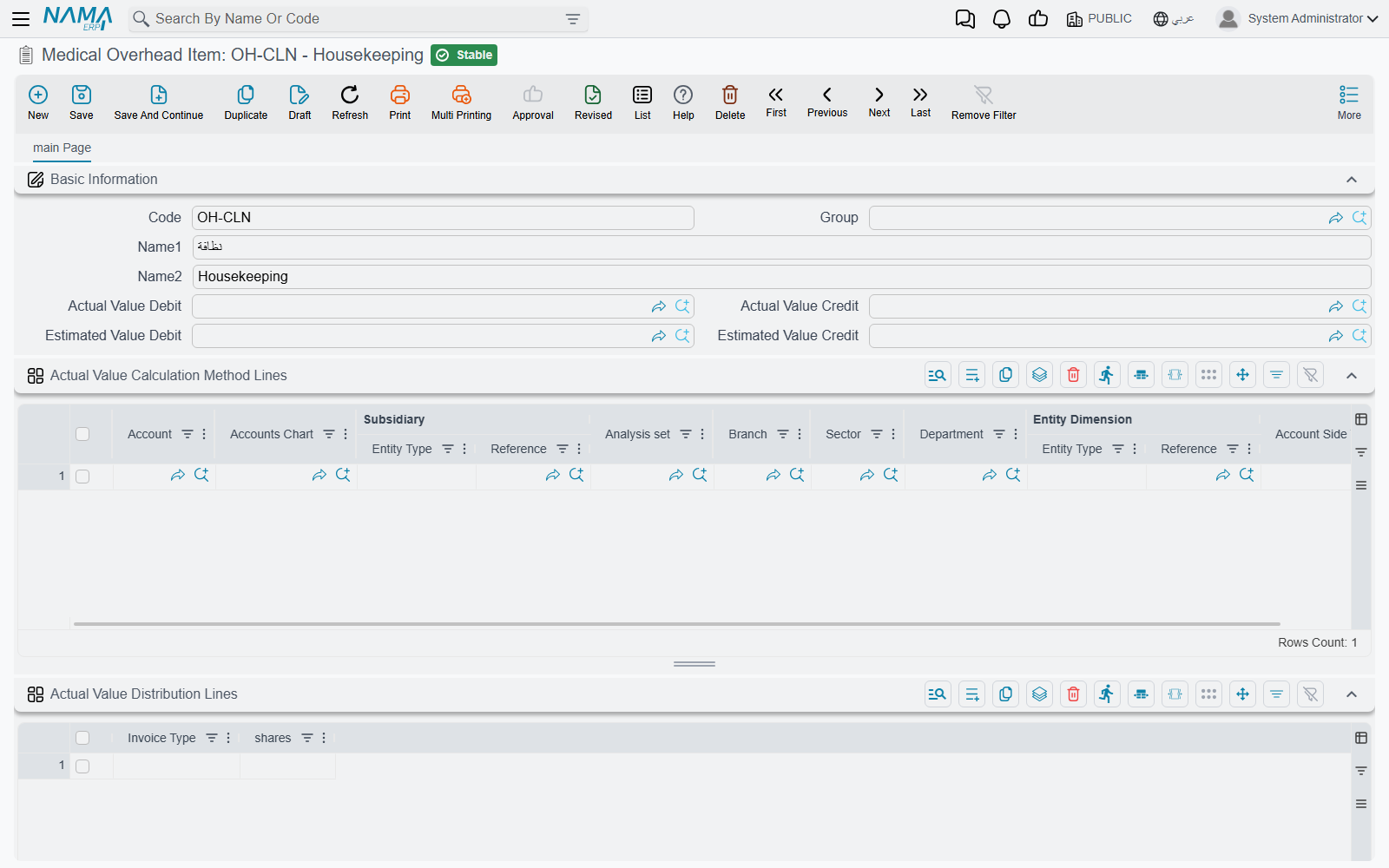
- Overhead Item — defines a single indirect-cost item (electricity, housekeeping…) and its accounts, how to read its actual value from the ledger, and how to distribute it across invoice types by weights (shares).
Overhead List — the estimated indirect cost loaded onto each service (it follows the shared tabbed structure), applied automatically to invoices.
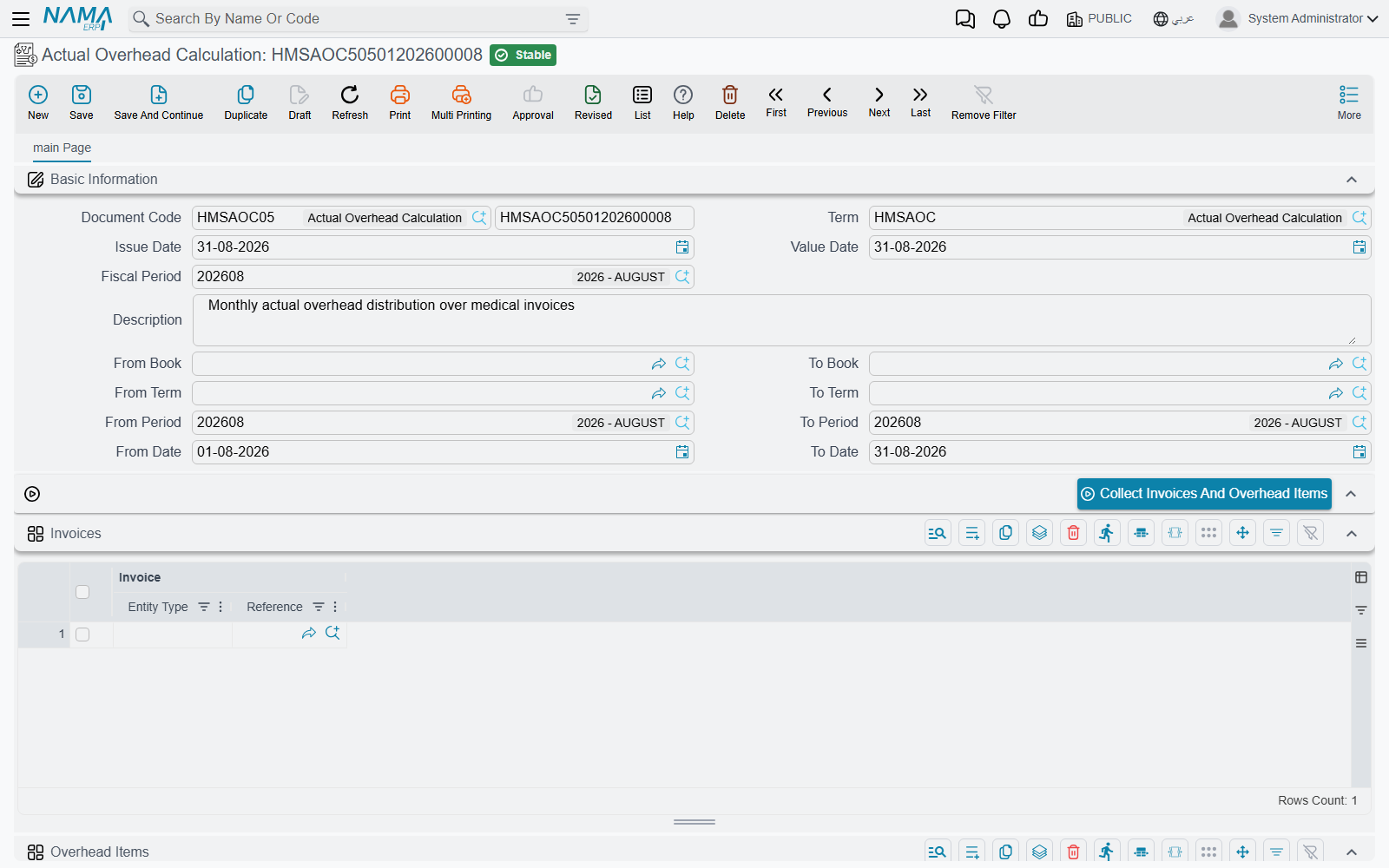
Actual Overhead Calculation — a period-end document that computes and distributes the actual indirect cost. Three buttons run in order: Collect Invoices and Overhead Items, then Calculate Overhead Value, then Distribute Actual Value — posting the variance between estimated and actual.
Changing a patient's price plan
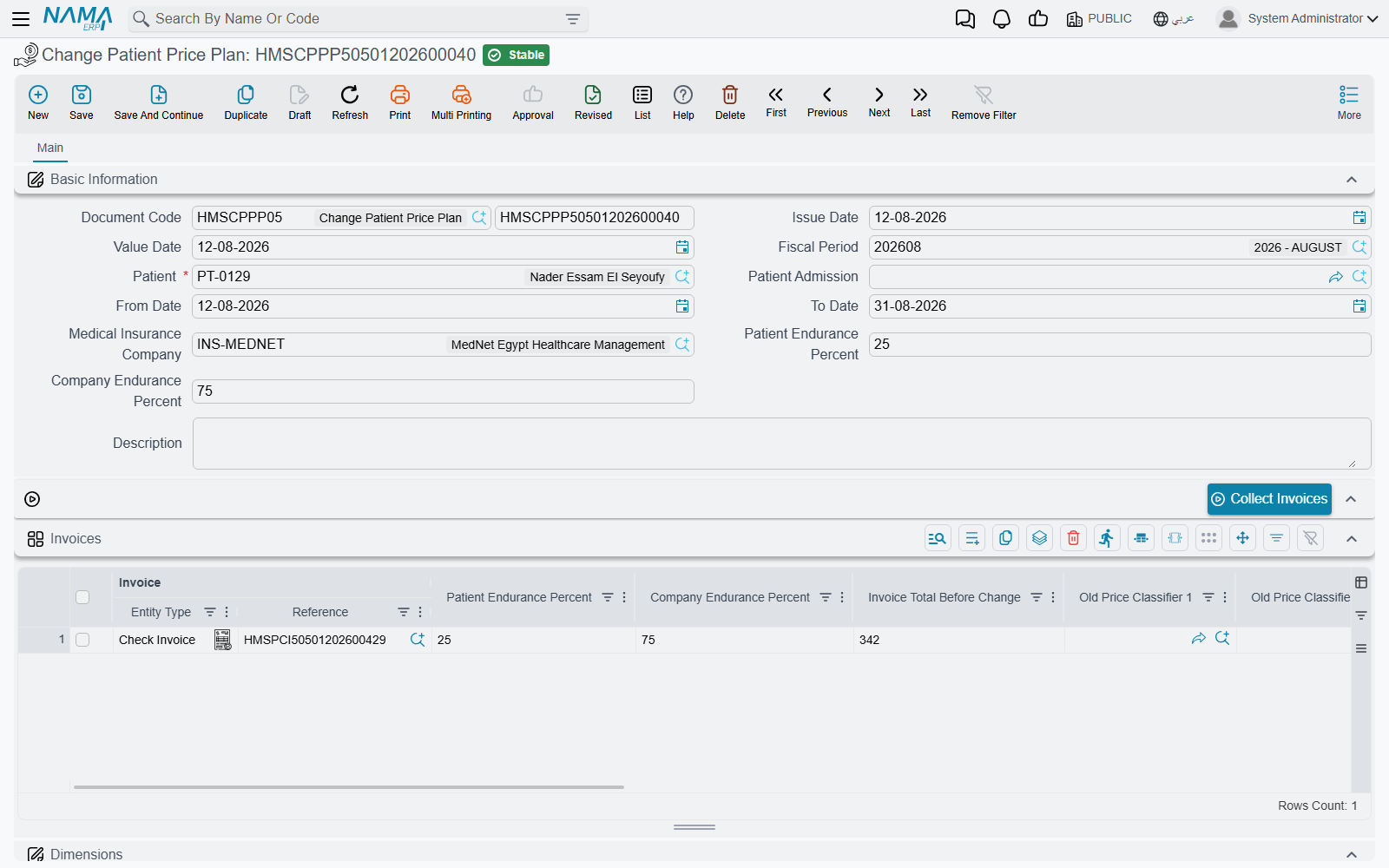
Sometimes insurance coverage is confirmed after a patient is admitted and their invoices have been issued. The Change Patient Price Plan document re-prices a patient's issued invoices retroactively. You pick the patient, their admission, the period, the insurance company and the new endurance percentages; the Collect Invoices button gathers their invoices in range, and the grid shows for each invoice the total before and after the change, with the old and new price classifiers.