
Change Employee State
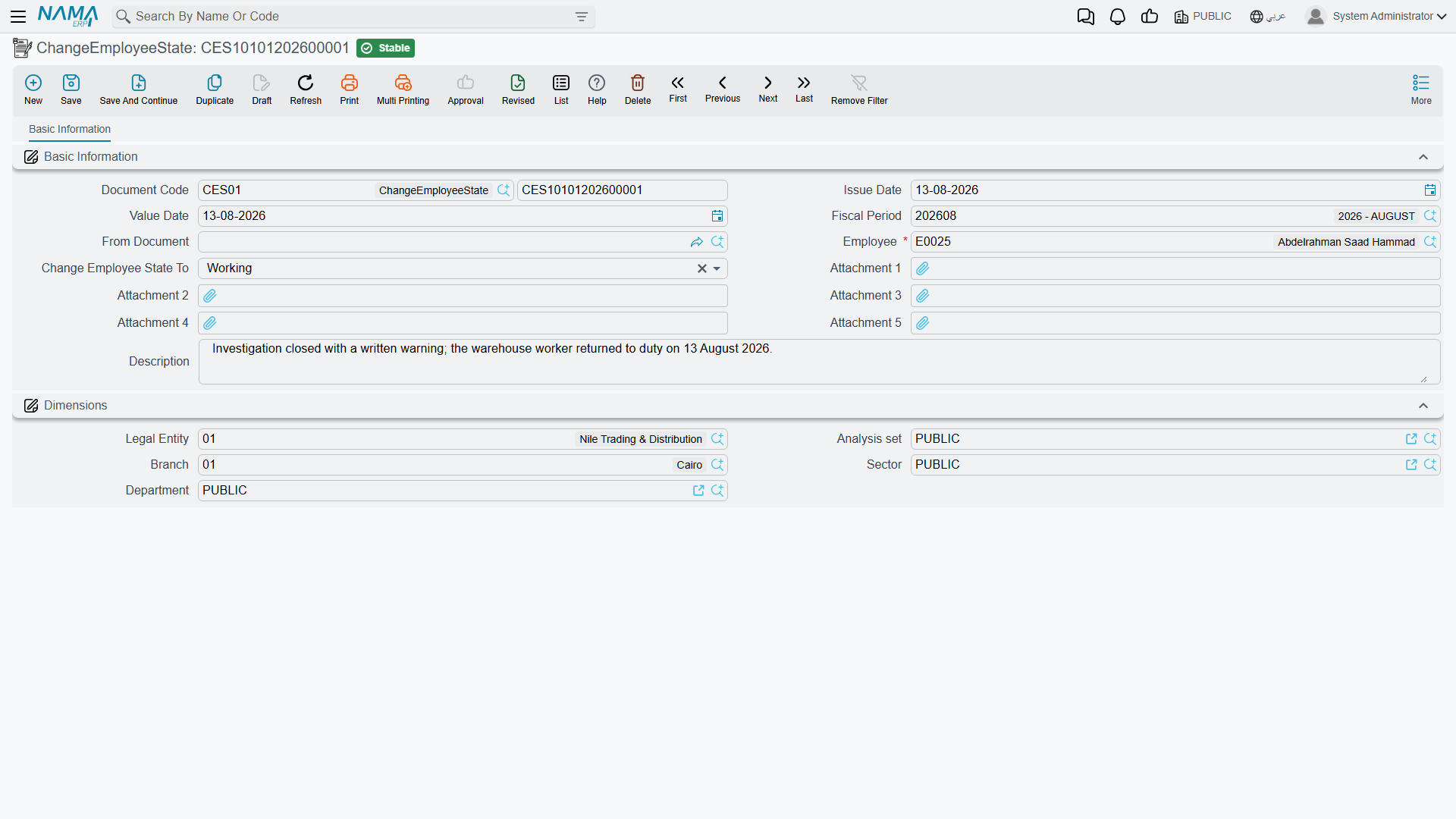
Every employee carries one working state at a time — Working, In Vacation, Suspended, Resigned, Dismissed, Pension, and a set of open-ended "Other" states a company can repurpose for its own needs. Change Employee State (تغير حالة موظف) is the one screen that records a change to that state directly, with the date it takes effect, independent of any other document.
Where to find it: Payroll > Vacations > Change Employee State.
| Field (English) | Arabic | Notes |
|---|---|---|
| Employee | الموظف | Whose state is changing. |
| Value Date | التاريخ الفعلي | The date the new state takes effect from. |
| Change Employee State To | تغير حالة الموظف إلى | The new state: Working (على رأس العمل), In Vacation (في أجازة), Suspended (موقوف), Resigned (مستقيل), Dismissed (تم فصله), Pension (على المعاش), Appointed (مُعين), Offered (بانتظار الموافقة), or one of ten free-form Other states a company can define its own meaning for. |
| From Document | بناءا على | Filled in automatically when this document is generated from a Vacation Document — see below. |
Committing this document does two things: it writes the employee's current state directly onto their record, and it adds a dated state-history entry, so the system always knows which state an employee was in on any given date in the past — not just their state today.
Two ways this document gets created
Most of the time you never open this screen directly: a Vacation Type can carry a Change Employee State To setting of its own (for example, flipping an employee to In Vacation or Suspended), and every Vacation Document of that type generates a matching Change Employee State entry automatically for its duration, flipping the state back again on return. The From Document field is how a generated entry points back at the vacation document that created it.
The rest of the time — ending an unpaid leave early, marking someone Resigned/Dismissed/Pension outside of the firing workflow, or reactivating someone whose state was set to Suspended via a manual Change Employee State entry (often recorded alongside a suspension document) — HR opens Change Employee State directly and records the change by hand.
No accounting effect
Change Employee State never touches the ledger. It exists purely to answer one question — "what was this employee's working state on this date?" — for everything else in HR and payroll to read.
What it does to payroll
That state history is not just informational — the salary sheet generation step reads it for every employee before it will issue a salary document for a period. An employee has to be Working for some part of the period (or have a firing date that falls inside it) for the period's salary to be generated at all; a period spent entirely Suspended, Resigned, Dismissed, Pension, or in one of the Other states is normally excluded, unless the employee also spent part of that same period In Vacation under a paid/partially-paid vacation type (in which case the salary engine still treats the period as partially worked).
In practice this means recording a suspension or a return to work through Change Employee State — whether entered directly or generated automatically from a vacation document — is what tells payroll whether to include that employee in the next salary run at all.
Actions on this screen
The Change Employee State document has no buttons of its own — you fill it in and save it.
Where this fits
- HR Suspension — the disciplinary suspension document; it's related but separate — recording it does not by itself change the employee's state. Putting someone into the
Suspendedworking state still takes a Change Employee State entry, recorded here. - Salary Documents — where the recorded state history is read to decide whether a salary document can be generated for an employee in a given period.