
Document Terms Basics
A document term (توجيه المستند) is the small configuration record that tells one document type how to behave — and, above everything else in Contracting, which accounts it records its entries on. The accounts are not on the document and not on the contract: they live on the term. So when a project extract debits the owner's receivable and credits contract revenue, it is because someone once set those two accounts on the extract's term.
The consequence is worth stating before anything else: a document whose term has no accounts on it creates no journal entry. It will save, it will commit, it will show correct totals on screen, and the ledger will stay silent. In a module where signing a contract books nothing and the extract books everything, a half-configured extract term is the single most common reason a support call begins with "the contract is signed, the extract is committed, and the accountant says nothing arrived".
Terms are also where a business keeps its variants. One project extract term for ordinary interim certificates, another that collects advances and fines automatically on save, a third for a joint venture that reports to a different revenue account — same document type, three terms, and the user picks one in the document's Document Term field. This page covers what every contracting term has in common; the pages after it take the terms document family by document family.
Where to find it
| Menu | Basic > Settings > Document Term |
| Kind | Master file |
| Reached from | The Document Term field on any contracting document, or the Document Term list screen |
| Licence | The term itself needs no licence beyond the one the target document needs |
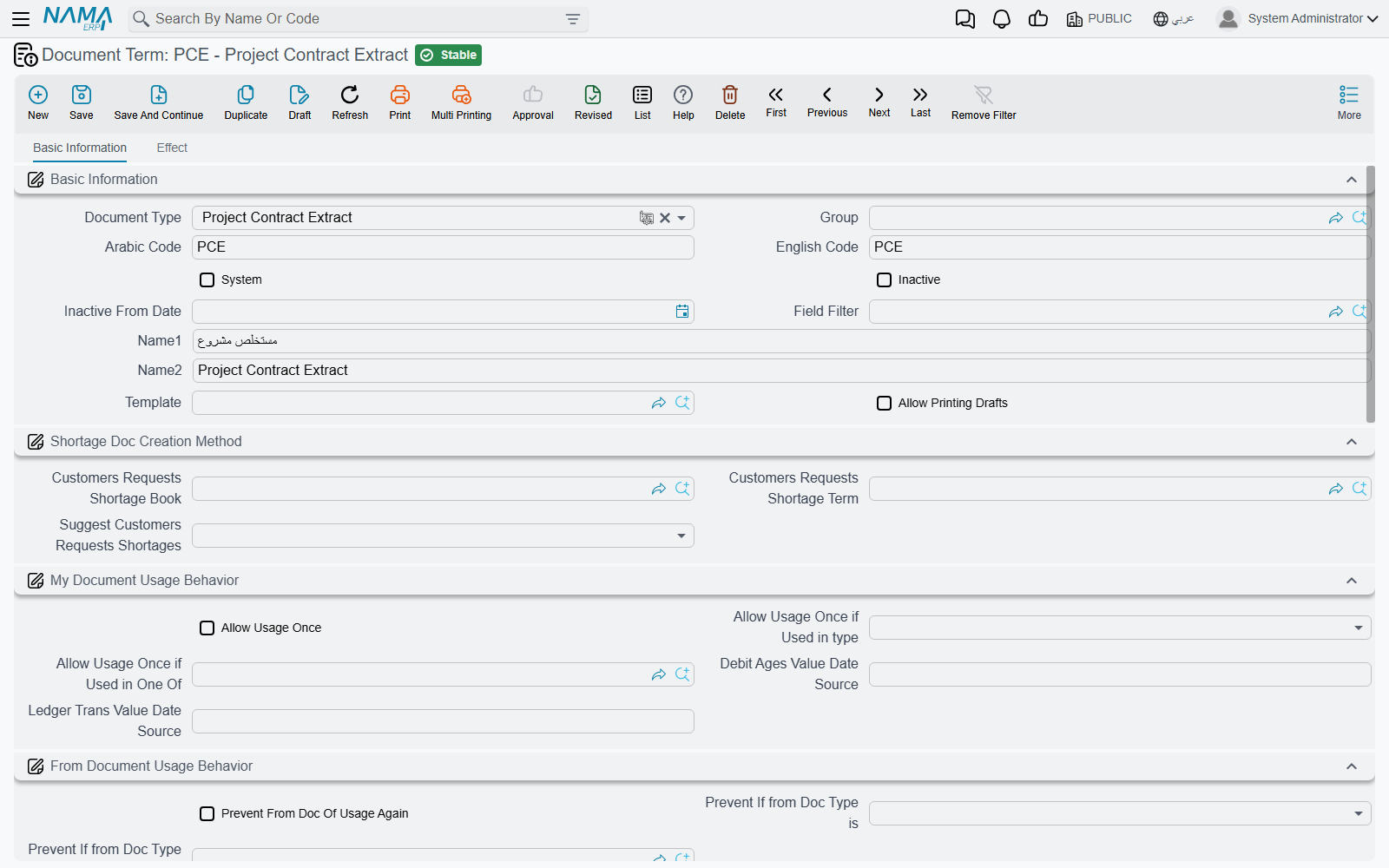
A term is created against one document type. Choose the document type first: the contracting option groups — Debit, Credit, Cost Effect, the tax effects and the rest — appear only once the term knows it is pointing at a contracting document. On a brand-new blank term you will see the generic shell and nothing else, which is expected rather than broken.
Debit and Credit — the pair every contracting term has
Every contracting document term carries a debit side and a credit side for its main entry. On screen they are captioned Debit 2 and Credit 2 (مدين 2 / دائن 2) — field ids termConfig.debit2 and termConfig.credit2 on the extract, assay, daily labour book and equipment statement terms; the fine and payment terms use termConfig.debit / termConfig.credit, and the miscellaneous-contracting terms termConfig.config.debit / termConfig.config.credit. Those are the primary pair — there is no "Debit 1" anywhere to hunt for, and the numbering is historical. Throughout these pages they are called simply the debit and the credit.
Each side is more than an account number. A side lets you say where the account comes from rather than naming one account for all time:
| What you set on a side | What it does |
|---|---|
The accounting side / account source — termConfig.debit2.sideConfig, termConfig.debit2.accountSource.type, termConfig.debit2.accountRef, termConfig.debit2.bagAccountId | Whether the account is typed in directly, taken from a reference on the document, or pulled from a bag of accounts |
The reference type and the field it comes from — termConfig.debit2.accountSource.entityType, termConfig.debit2.accountSource.fieldID | For example: take the account from the project, or from the contractor, or from the customer named on the document |
The subsidiary type and the account field — termConfig.debit2.subsidiaryAccountType | Which kind of subsidiary (customer, supplier, project…) the entry is filed under |
The narration templates — termConfig.debit2.narrationTemplate, termConfig.debit2.narration2Template | The wording that appears on the journal line |
The analysis set source — termConfig.debit2.analysisSetSource.type (shown only when the global configuration adds dimension sources to terms) | Where the dimensions on the journal line come from |
The ids above are written for the debit side; every other side has the same sub-fields under its own prefix (termConfig.credit2.…, termConfig.tax1Debit.… and so on).
That is why "credit the subcontractor" is not an account at all — it is a credit side whose subsidiary type is supplier and whose account is taken from the contractor named on the document. Register a new subcontractor and no term needs editing.
The standard term can override the accounts, line by line
This is the fact that surprises implementers most, and it makes contracting term configuration much less laborious than it looks.
On an extract, before Nama uses the term's debit and credit for a detail line, it looks at the line's standard term (بند قياسي). If that catalogue record carries its own debit or credit account, the standard term wins for that line. So a chart of accounts can be driven per work item — excavation to an earthworks revenue account, concrete to a concrete revenue account — from the standard-term catalogue, while the document term supplies only the fallback for terms that have nothing of their own.
Set the fallback on the term, the exceptions on the standard terms
Put the general-purpose accounts on the document term so that no amount is ever left without an account, then override only the handful of work items that genuinely need their own account. A term with a blank debit and a standard-term catalogue that is also blank in places is how lines go missing from a journal entry.
Conditions bring their own accounts
Retention, advance recovery and fines reach an extract through its conditions grid, and their accounts do not come from the document term. Each line takes its accounts from the condition master record it points at — including the accounts for the condition's own tax. If a condition carries no accounts of its own, the extract falls back to the term's main debit and credit and reverses the sign for deduction-type conditions, so the withheld amount lands as a negative on the main pair instead of on a dedicated retention account.
Both arrangements work. The choice is presentational: a dedicated retention payable account on the condition gives you a balance you can age and release, while the fallback keeps the journal short.
The effects are processed in the background
Nothing on a term takes effect synchronously. When a contracting document is committed it raises a business request (طلب أعمال) which is processed in the background, so the save returns immediately whether or not the accounts resolve. A term with an account that cannot be resolved therefore produces a failed business request, not a failed save.
Power users watch and retry these from the Business Requests list view: filter by processing status, select the failed rows, then More → Reprocess or Recommit. Fix the term first, then reprocess — the request is re-used rather than duplicated, so a document does not end up with two journal entries.
Which documents have contracting term options
Contracting documents fall into three groups, and knowing which group a document is in saves a lot of searching.
Group 1 — documents with their own contracting term screen. The two extracts, the assay, both fines, the advance and other-payment documents, the term analysis card, the cost execution, the daily labour book, the equipment statement, the employee-and-equipment cost distribution, and the three miscellaneous-contracting documents. These are the subject of the three pages that follow.
Group 2 — documents that borrow the supply chain term screen. These documents' terms are the standard inventory / purchase term screen you already know from supply chain, plus a small set of contracting-specific additions:
| Document | Accounting-effect groups on its term? |
|---|---|
| Contracting Material Issue | No |
| Contracting Material Issue Req | No |
| Contracting Material Return | No |
| Contractor Material Issue | Yes |
| Contractor Material Issue Request | Yes |
| Contractor Material Return | Yes |
| Contracting Purchase Order | Yes |
| Contracting Purchase Request | No |
| Executive Budget Item Request | No |
| Contracting Employee And Equipment Issue Invoice | Yes |
For everything shared, read the supply chain term reference: General, From-Document, Quantity Tracking, Pricing, Taxes & Discounts, Accounting Effects and Generation & Dimensions. The contracting-specific additions are covered on Material and Payment Document Terms and Other Contracting Document Terms.
Group 3 — documents with a term but no contracting options at all. A term is still required, and it still governs numbering, approval and dimensions like any Nama term, but there is nothing contracting-specific to configure:
- Project Contract, Project Contract Update, Contractor Contract, Contractor Contract Offer, Contracting Offer
- Project Contract Execution, Contractor Contract Execution, Contracting Budget Execution
- Contracting Estimated Budget, Contracting Executive Budget
- Term Sheet, Contracting Job Order, Customer Submittal, Measurements Request, Daily Engineering Doings, Project Deliver Letter
- Every document in the Quality family
That list is not an oversight. None of those documents reaches the ledger, so none of them needs accounts. It is also the reason the answer to "which term makes my contract create a journal entry?" is always the extract's.
Worked example — one term for the Tower A extracts
Tower A is a residential tower contracted with Al-Fanar Development at 230,000 on contract PC-2026-001, across four work items: excavation 1.01 (1,000 m³ at 50), reinforced concrete 2.01 (60 m³ at 900), blockwork 3.01 (2,000 m² at 46) and plastering 3.02 (1,000 m² at 34). The contract carries a 10% retention condition and the owner has paid a 46,000 advance.
One term, code EXT-STD, targeted at Project Contract Extract, is all that is needed to make every extract on that contract create its journal entry:
| On the term | Set to | Why |
|---|---|---|
| Debit | Trade receivable, subsidiary from the customer | The owner owes us the certified amount |
| Credit | Contract revenue | Revenue is earned as work is certified |
| Tax 1 debit / credit | Contract revenue / Output VAT payable | VAT on the certificate |
| Cost debit / credit | Cost of contract works / Contract work in progress | The planned cost of the certified work |
| Retention accounts | not here | They are on the retention condition record |
The concrete standard term 2.01 additionally carries its own credit account — Concrete works revenue — so the concrete line credits that instead of the general revenue account, without EXT-STD knowing anything about it.
The first extract certifies 400 m³ of excavation, 20 m³ of concrete and 500 m² of blockwork: 61,000 of works, 9,150 VAT, 70,150 gross, less 6,100 retention and 11,500 advance recovery, 52,550 net payable. The journal that arrives is exactly the shape of the table above, and the whole of it — the amounts, the sides, the subsidiaries — is traceable to EXT-STD and to two condition records. This is the example carried through Extract Document Terms.
Where to go next
- Extract Document Terms — the two extract screens, what each effect group is for, and the pricing modes
- Material and Payment Document Terms — material issues and returns on both sides, advances and fines
- Other Contracting Document Terms — cost execution, labour, equipment, purchasing, miscellaneous spend, the analysis card and the assay