
Salary Blocking & Partial Payment
Sometimes a salary shouldn't be paid out — at least not yet, and not in full. An employee is under investigation, hasn't returned company property, or has an unresolved clearance; the pay is earned and calculated, but it needs to be held until the situation resolves. Nama handles this with a small family of documents: a rule that decides automatically when to hold pay, a block document that does the holding, an unblock document that releases it, and a partial payment template for paying out only part of a held (or ordinary) salary.
The pieces
| Screen | Type | What it does |
|---|---|---|
| Salary Block Rule (قاعدة حجب مرتب) | Setup | Conditions that decide automatically whose pay to hold. |
| Salary Block (حجب راتب موظف) | Document | Holds a specific employee's pay for a period. |
| Salary UnBlock (إلغاء حجب راتب) | Document | Releases a hold, restoring normal payment. |
| Partial Salary Payment (ملف صرف راتب جزئي) | Setup | A reusable template selecting which components get paid out in a partial payment. |
Salary Block Rule — deciding automatically whom to hold
Rather than manually blocking employees one by one, a Salary Block Rule lets you express the conditions under which pay should be held, and have the system apply them. Found at Payroll > Settings > Salary Block Rule (الرواتب > الإعدادات > قاعدة حجب مرتب).
| Field (Arabic → English) | Purpose |
|---|---|
| الاسم العربي / الاسم الإنجليزي (Arabic Name / English Name) | Identifies the rule. |
| تفعيل (Activate) | Turns the rule on or off. |
| الحجب عند (Block on) | Whether Any Condition (أي شرط) or All Conditions (كل الشروط) must be met before pay is held. |
| إدارة موظف (Employee Department) / المجموعة (Group) / فترة الرواتب (HR Period) | Scope the rule to a department, a group, or a specific period. |
The conditions themselves live in the Block Rules grid (قواعد الحجب): each line attaches a Rule (قاعدة) — a calculation formula, the same condition-evaluating building block used elsewhere in payroll — that is evaluated against the employee. The Block on setting decides whether any matching condition is enough to hold the pay, or whether all of them must match.
Salary Block — holding an employee's pay
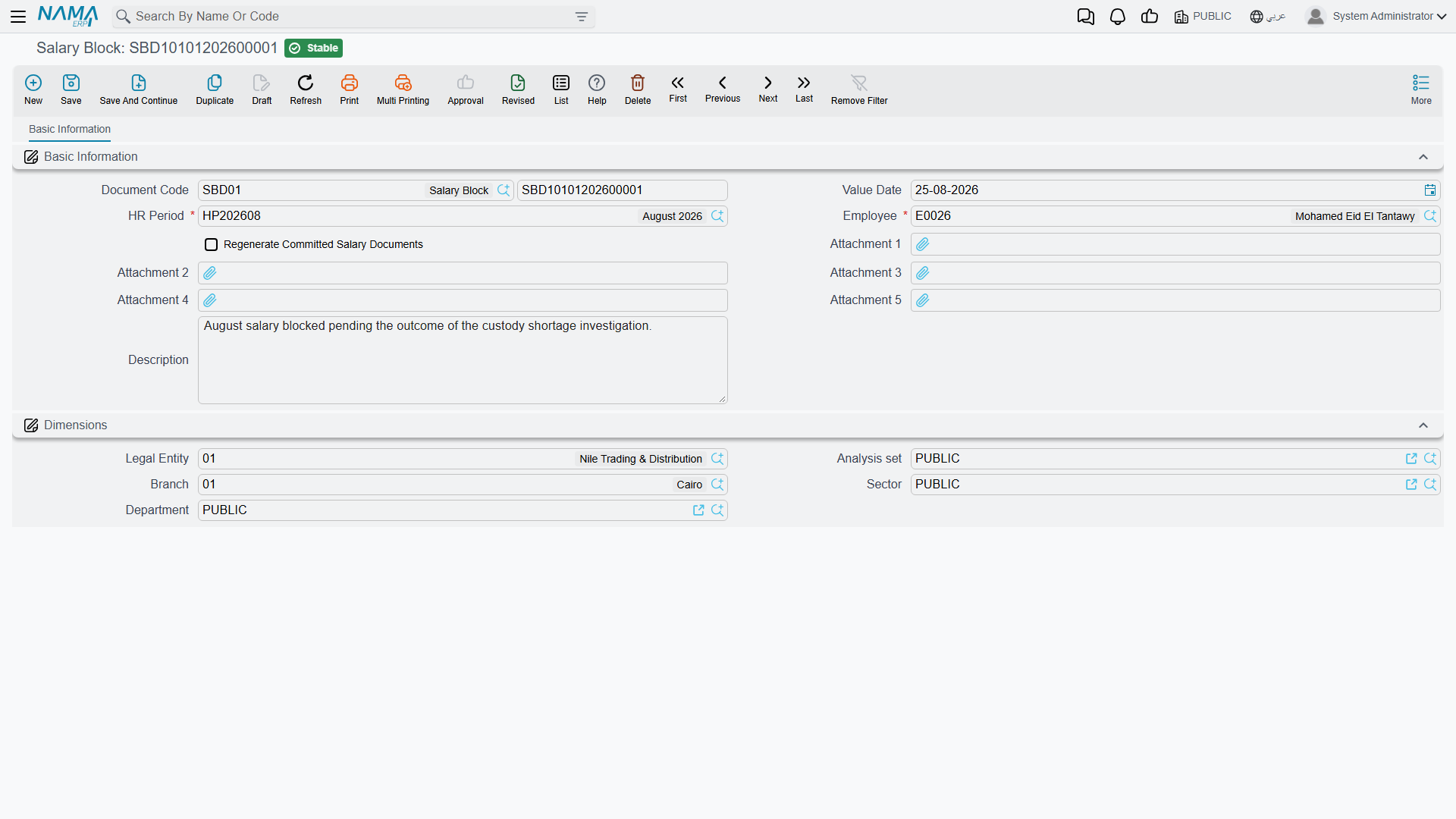
A Salary Block document (Payroll > Payroll > Salary Block — الرواتب > الرواتب > حجب راتب موظف) is the actual hold: it names an employee and a period, and while it stands, that employee's salary for that period is prevented from being paid. It can be raised by hand, or generated automatically from a block rule that matched.
| Field (Arabic → English) | Purpose |
|---|---|
| الموظف (Employee) | Whose pay is being held. |
| فترة الرواتب (HR Period) | The period the hold applies to. |
| بناءا على (From Document) | The source it was generated from — e.g. the rule evaluation that raised it. |
| تاريخ التحرير / التاريخ الفعلي (Issue Date / Value Date) | When it was written up, and the effective date. |
| إعادة إصدار سندات الرواتب المحفوظة (Regenerate Committed Salary Documents) | Whether to force-regenerate already-committed salary documents affected by this hold, so the block takes effect on pay that was already calculated. |
| توجيه المستند (Term) | The document term governing its numbering. |
Salary UnBlock — releasing the hold
When the situation clears, a Salary UnBlock document (Payroll > Payroll > Salary UnBlock — الرواتب > الرواتب > إلغاء حجب راتب) reverses the block, restoring the employee's ability to be paid for that period. It mirrors the block's fields (employee, period, dates, term), and its From Document (بناءا على) links back to the block it lifts — so the hold and its release stay paired and auditable. Like the block, it can force-regenerate the affected salary documents so the release takes effect immediately.
Partial Salary Payment — paying out only part
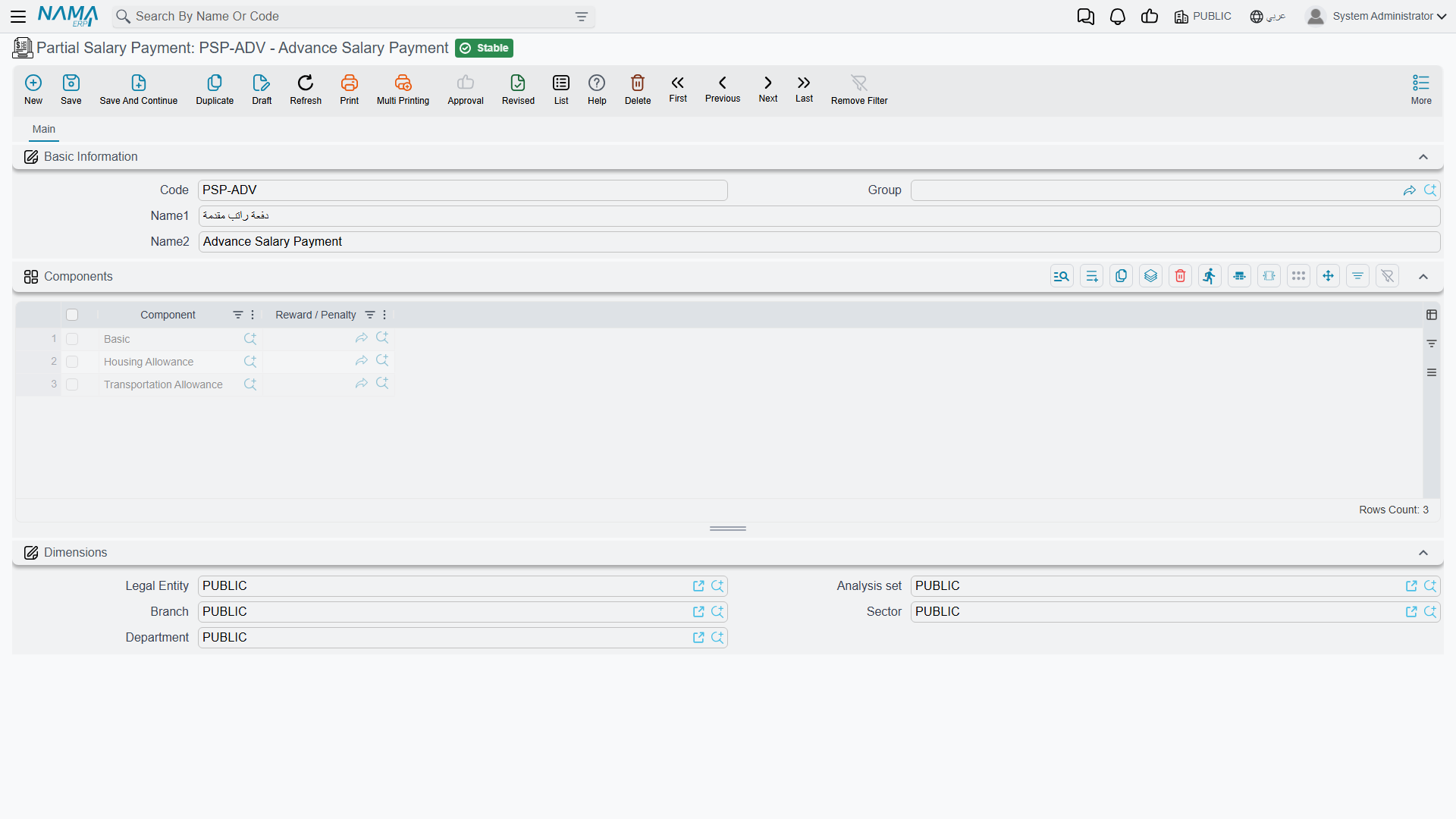
A held salary — or simply a salary a company chooses to pay in stages — sometimes needs to be paid out partially: this allowance now, the rest later. A Partial Salary Payment (Payroll > Salary Configurations > Partial Salary Payment — الرواتب > إعدادات الراتب > ملف صرف راتب جزئي) is the template that defines which parts get paid.
It is a reusable master record, not a payment itself. Beyond its Arabic/English name and group, its substance is the Components grid (المكونات):
| Field (Arabic → English) | Purpose |
|---|---|
| مكون (Component) | A salary component to include in the partial payment. |
| نوع مكافأة / جزاء (Reward / Penalty) | Optionally, a specific reward or penalty to include. |
Notice there is no amount on the template — it selects which components participate, not how much. The figure comes from the components themselves when the payment is actually made.
How it's processed / what it posts
The partial-payment template drives a Payment Voucher — and the voucher is what posts
This is the part worth getting right. Neither the block document, the unblock document, nor the partial-payment template posts anything to the general ledger by itself — the block/unblock documents are pure HR controls that gate whether salary can be paid, and the partial-payment record is only a component-selection template.
The real cash-out is a Payment Voucher (a standard accounting payment document): when an operator pays part of a salary, they issue a payment voucher and attach the Partial Salary Payment template to it, which tells the voucher which salary components (and rewards/penalties) are being paid out in this instalment. It is the payment voucher that posts the actual debit/credit to the ledger — crediting cash/bank and settling the salary payable for the selected components — as a background business request with a processing status, retryable from the Business Requests view. The partial-payment file supplies the what; the voucher does the paying and the posting.
Workflow
- (Optional) Define a block rule under Payroll > Settings > Salary Block Rule with the conditions that should automatically hold pay, and choose Any / All.
- Block the pay — either let a rule generate the Salary Block, or raise one by hand for the employee and period. Set Regenerate Committed Salary Documents if the pay was already calculated.
- Pay partially if needed — set up a Partial Salary Payment template listing the components to release, then issue a Payment Voucher referencing it to actually pay (and post) that portion.
- Release the hold — when the situation resolves, raise a Salary UnBlock from the block, restoring normal payment.
Actions on this screen
None of the four screens — Salary Block Rule, Salary Block, Salary UnBlock and Partial Salary Payment — has buttons of its own; each is filled in and saved.
Related pages
- Salary Documents — the payslips a block holds and an unblock releases.
- Salary Calculation Formulas — the condition-formulas a block rule evaluates.
- Salary Components — the components a partial payment selects to pay out.
- Rewards & Penalties — the reward/penalty a partial payment can include.