
Contractors and Consultants
Two parties stand beside the project owner on every construction job, and the module keeps a master file for each of them.
The subcontractor (مقاول باطن) is who you give work to: the blockwork gang, the electrical firm, the plant hire company. He is the party you pay, and he needs a full financial identity because his balance, his retention, his advances and his deductions all have to be tracked.
The consultant (إستشاري) is who supervises: the engineering office that inspects, approves and signs off on behalf of the owner. He is a name you record on the project so that reports, checklists and letters can say who is supervising. He is not a money-bearing party in this module.
Both live under Contracting > Master Files and both need only the contracting licence.
The Subcontractor File
- Where to find it: Contracting > Master Files > Contractor
- Licence:
contracting - A master file: code, group, names, no book and no document term.
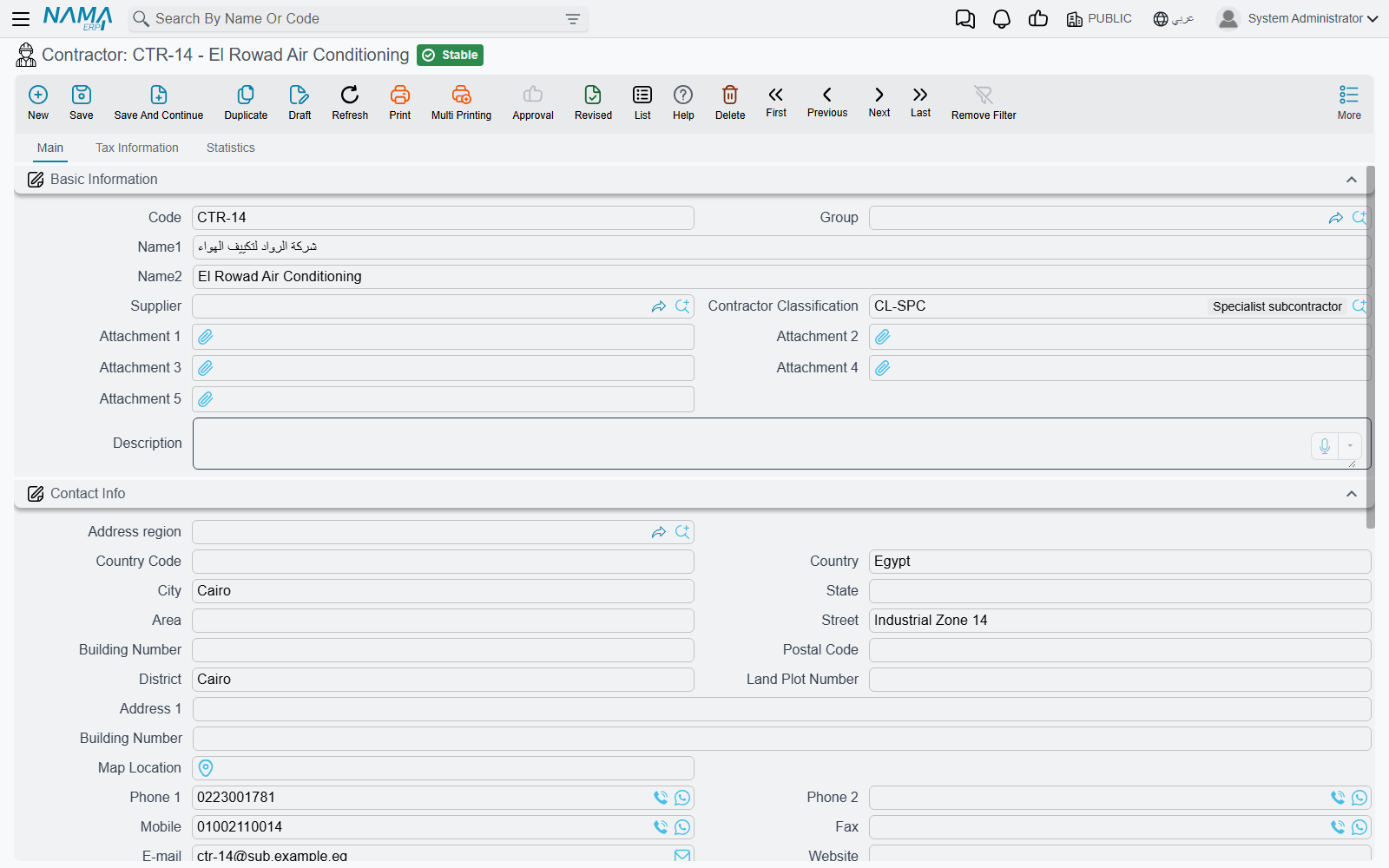
It Is Its Own File, and It Needs Its Own Subsidiary
A subcontractor is not a kind of supplier in this module. It is a standalone master file with a required accounting subsidiary (الذمة) of its own — the Accounts block on the Main page, with its accounts bag, main account, five numbered accounts and currency. The record will not save without it, and that is deliberate: without a subsidiary there is nowhere for his extract, his advance and his retention to land.
It may also point at a Supplier, and whether you fill that field is the one real decision on this screen:
- Link a supplier when the same firm also invoices you outside contracting — he sells you material as well as labour, say. The supplier then acts as the accounting parent of the contractor, so ledger lines can resolve to the supplier's accounts and his purchasing and contracting balances stay in one place. When an extract needs the payable side, it uses the contractor's own accounts if they are set up and falls back to the linked supplier's otherwise.
- Leave it empty for a pure subcontractor. His own accounts are used and his balance lives entirely inside contracting.
Picking the supplier fills the contact block for you
Choose a supplier and the whole contact section is copied down — telephones, mobile, fax, website, e-mail and every part of the address. Bank details, tax registration and accounts are not copied, so those still have to be filled in deliberately. That is the right split: the contact details are the same firm's, the bank account you pay and the tax number you report are decisions of their own.
What the Screen Carries
Main page
| Group | What is in it |
|---|---|
| Basic Information | Code, Group, Name1 (Arabic name), Name2 (English name), Supplier, Contractor Classification, Attachment 1 … 5, Description |
| Contact Info | the full address block — region, country, city, state, area, street, building number, postal code, district, land plot number, two address lines and a map location — plus two telephones, mobile, fax, e-mail and website |
| Bank Info | Bank, branch, bank address, country, SWIFT code, IBAN and the intermediary bank. This is what a payment run needs |
| Accounts | the required subsidiary block described above |
| Taxes | the four "not subject to tax" flags, for a subcontractor who is exempt or zero-rated |
| Dimensions | legal entity, analysis set, branch, sector, department |
Tax Information page — the registration data an e-invoice needs: the unified national number, the commercial registration number, the tax registration number, the distinguishing number, the legal form of the company, the file number, the ID card number, the buyer identity type used by the tax authority, and the two composite blocks for the specified tax office and the nature of the dealing. The subcontractor can be the counterparty on an electronic invoice, and this page is where that comes from.
Contractor Classification (فئة مقاول باطن) is its own tiny master file under the same menu — a code and a name, nothing more. Companies use it to band their subcontractors (Class A / Class B) or to group them by trade. It is a reporting and searching tag: nothing in the module restricts, prices, approves or blocks on the basis of a classification.
There is no licence-expiry or insurance field on the contractor card
Readers coming from a prequalification system look for the subcontractor's trade licence expiry, his insurance cover, his safety record. Those fields do not exist here. What you have is the five generic attachments — put the licence and the insurance certificate there — or a screen modifier if the company needs structured fields with dates. The module itself does no prequalification.
Nothing on the contractor record is validated beyond the required subsidiary. There is no uniqueness rule on the commercial registration, no mandatory bank account, no approval step.
What the Subcontractor Record Then Drives
The record is the entry point for the whole cost-side chain. His name is picked on the subcontractor offer, on the subcontract, and on every document raised against it, and the accounting sides on those documents resolve their subsidiary to him — or to his linked supplier:
- Subcontractor Offers — the tender he submits.
- Subcontracts — the agreement, which like the owner contract books nothing on signature.
- Subcontractor Extracts — his payment application, and the only document in that chain that creates a journal entry.
- Subcontractor Advances and Other Payments and Subcontractor Fines — the deductions and pre-payments that reach his extract.
- Selling Material to a Subcontractor — material out of your store, charged back against him.
The Consultant
- Where to find it: Contracting > Master Files > Advisory
- Licence:
contracting - A master file.
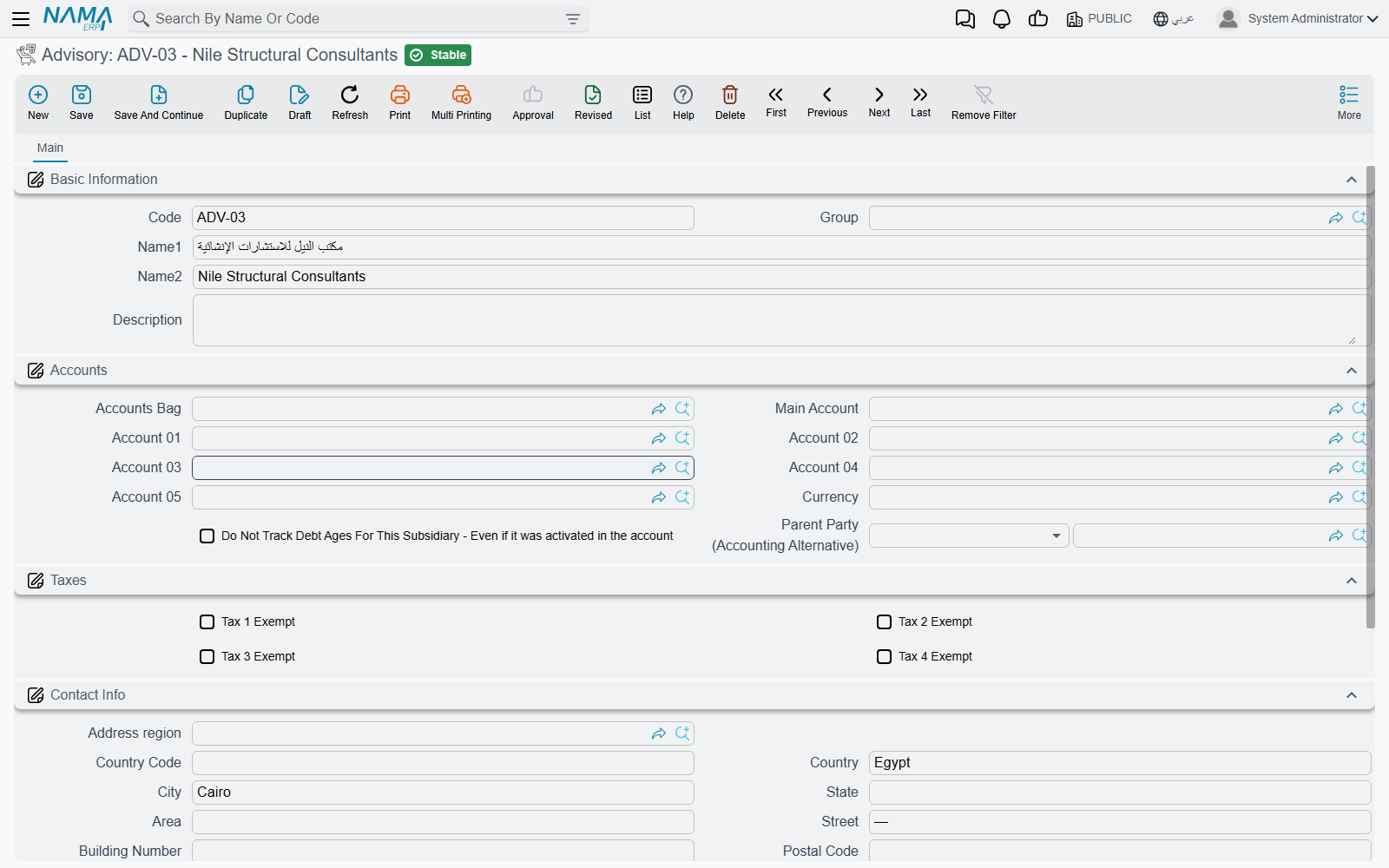
The English menu caption reads Advisory, which makes it sound like a document you raise. It is not. It is the consulting engineer's office (إستشاري) as a party record, and the whole file is three things: the master-file identity (code, Arabic name, English name, group, description, dimensions), a required accounting subsidiary so that the consultant can be an account holder if you ever pay him directly, and a contact block — address, telephones, e-mail.
That is genuinely all of it. There is no validation, no calculation, no accounting effect of its own, no status and no workflow. Describe it to a new user as a short list of the consultant offices you work with, kept so that documents can name the right one.
Where the name is then used:
| Where | Field |
|---|---|
| Contracting Project | Advisory |
| Project Contract | Advisory |
| Subcontract, Subcontractor Offer | Advisory |
| Estimated and Executive Budget | Advisory |
| Project Delivery Letter | Advisory |
| The site quality checklists | Consultant — same record, different caption |
Two of those are more than labels, and they are the two auto-fills worth knowing:
- Pick a project on a contract and the project's consultant is copied onto the contract. Fill the consultant on the project once and every contract on that site inherits it.
- Convert a subcontractor offer into a subcontract and the consultant is carried across with it.
Everywhere else the consultant is read only by people and reports: it names who signs off on the quality records, who the submittals are addressed to under Measurements, Submittals and Handover, and who countersigns the handover letter. It never affects an amount, never gates an approval and never blocks a save.
Tower A — a Blockwork Subcontractor and a Consultant
The consultant, registered once.
| Field | Value |
|---|---|
| Code | ADV-002 |
| Name1 / Name2 | مكتب الميزان الهندسي / Al-Mizan Engineering Consultants |
| Accounts | its own subsidiary, main account under professional fees |
| Contact | the office address, the supervising engineer's mobile, the e-mail submittals go to |
Named on project PRJ-TWR-A, so contract PC-2026-001 picked it up automatically when the project was chosen, and every concrete inspection and material submittal on the tower now shows Al-Mizan as the consultant.
The subcontractor, registered before his package is awarded.
| Field | Value |
|---|---|
| Code | CTR-0007 |
| Name1 / Name2 | مقاولات البنيان للمباني / Al-Bunyan Blockwork Contracting |
| Supplier | left empty — he does nothing for us but blockwork |
| Contractor Classification | Class B — masonry |
| Accounts | his own subsidiary, main account under subcontractors payable |
| Bank Info | the account the payment run will use, with its IBAN |
| Tax Information | commercial registration and tax registration number, for the e-invoice |
| Attachments | his trade licence and his insurance certificate, scanned |
Because the supplier field is empty, his subsidiary is the one the module records entries on. From here his package proceeds exactly as the owner side does but in the opposite direction: his 80,000 blockwork subcontract CC-0042 books nothing when signed; his first extract records the cost and the payable; retention is withheld and his 16,000 mobilisation advance is recovered through the conditions grid; and when we sell him cement out of our own store, the charge comes back as a deduction on his next extract.
Where to Go Next
- Modify Contractor Info Request — how a change to a subcontractor's file is requested and then applied.
- The Subcontractor Cycle — the whole cost-side chain, and every place it stops being a mirror of the owner side.
- Contracting Projects — where the consultant is named so that contracts inherit it.
- Units, Tasks and Other Lookups — fine reasons, which is the lookup behind every deduction raised against a subcontractor.