
Milestones and the Phase–Discipline Matrix
Required licence
ecpa — one code for the whole module. There are no sub-licences.
An engineering office never sells "a villa". It sells a concept design, then a schematic design, then a detailed design, then a set of tender documents — and it invoices as each one is delivered. Nor does it staff "a villa": the work is done by an architectural team, a structural team and an electrical team, each of which does a slice of every phase.
So the work of a project is cut two ways at once — by phase and by discipline — and the real unit of planning is neither of them on its own. It is the cell where they meet: the structural work of the detailed design phase. Project Management (ECPA) calls those cells the Details grid of the project, and this page is about how you get them there and what the numbers in them mean.
We will build one concrete example and carry it all the way through: project P-2026-014, Villa 27, Al Nakheel, with four milestones and three disciplines — twelve work packages.
Milestone and Project Stage are two different things
This page is about the Project Milestone (مرحلة) — a phase name belonging to one project. The module also has a Project Stage (مرحلة مشروع), which is a committed schedule-and-cost document that references milestones on its lines. The Arabic labels are nearly identical, so always say which one you mean. Project Stages have their own page.
Part 1 — Milestones, the phases you bill against
A milestone is one phase of one project, held as a record in its own right so that other things can point at it: tasks are grouped under milestones, project invoice lines can be raised against a milestone, and project stage documents and their extensions build their date chains from milestones.
You will find the file at Project Management → Projects → Project Milestone (ادارة المشاريع ← مشاريع ← مرحلة), and it holds the project it belongs to, a responsible employee, a start and an end date, its % Of Project and its % of Finishing.
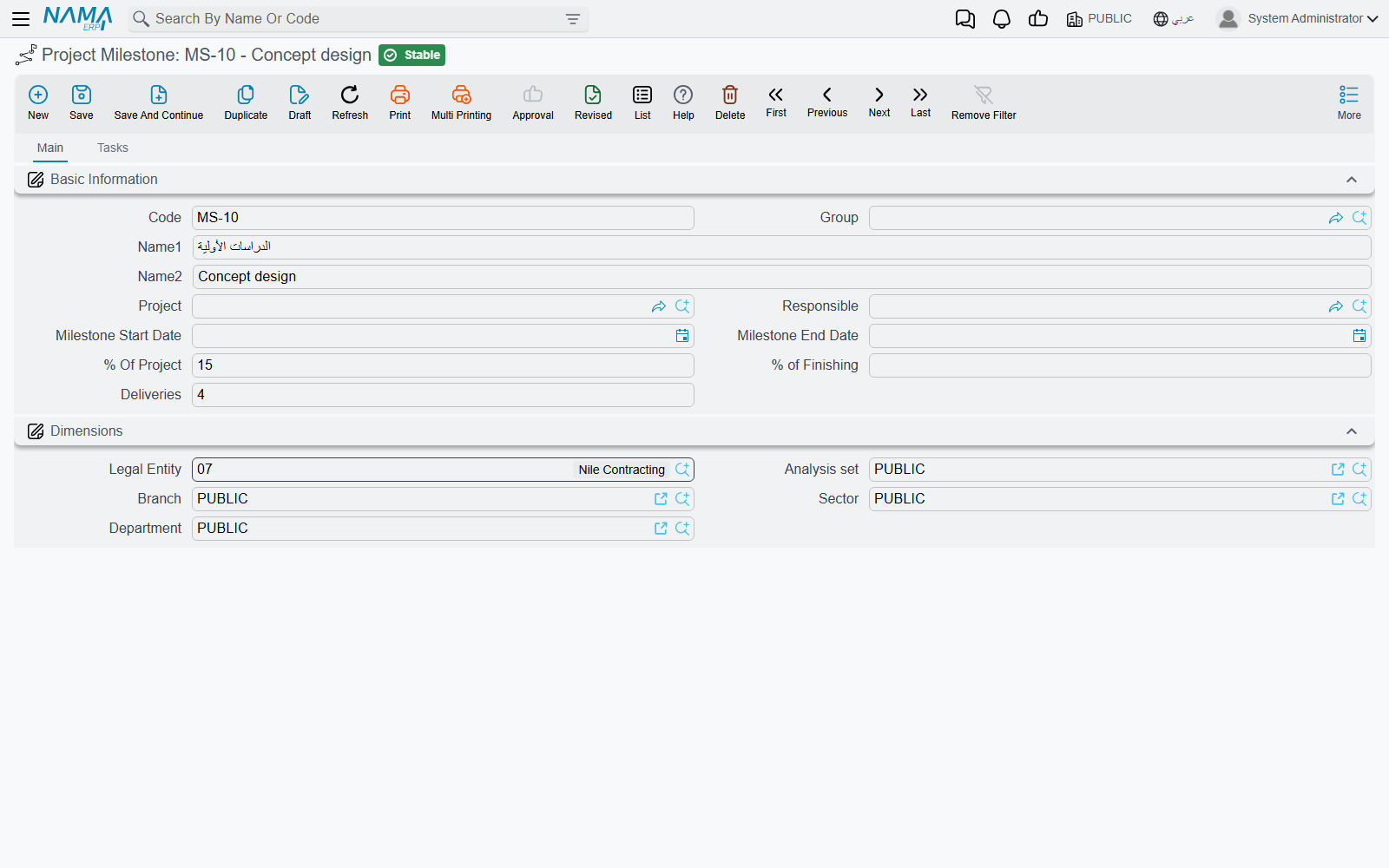
Read the milestone file, do not type into it
You normally never create a milestone here. Milestones are generated from the project's own Milestones page: each line of that grid becomes a milestone record when the project is saved, lines you delete take their milestone record with them, and deleting the project removes them all. Creating one by hand produces a record the project's grid knows nothing about.
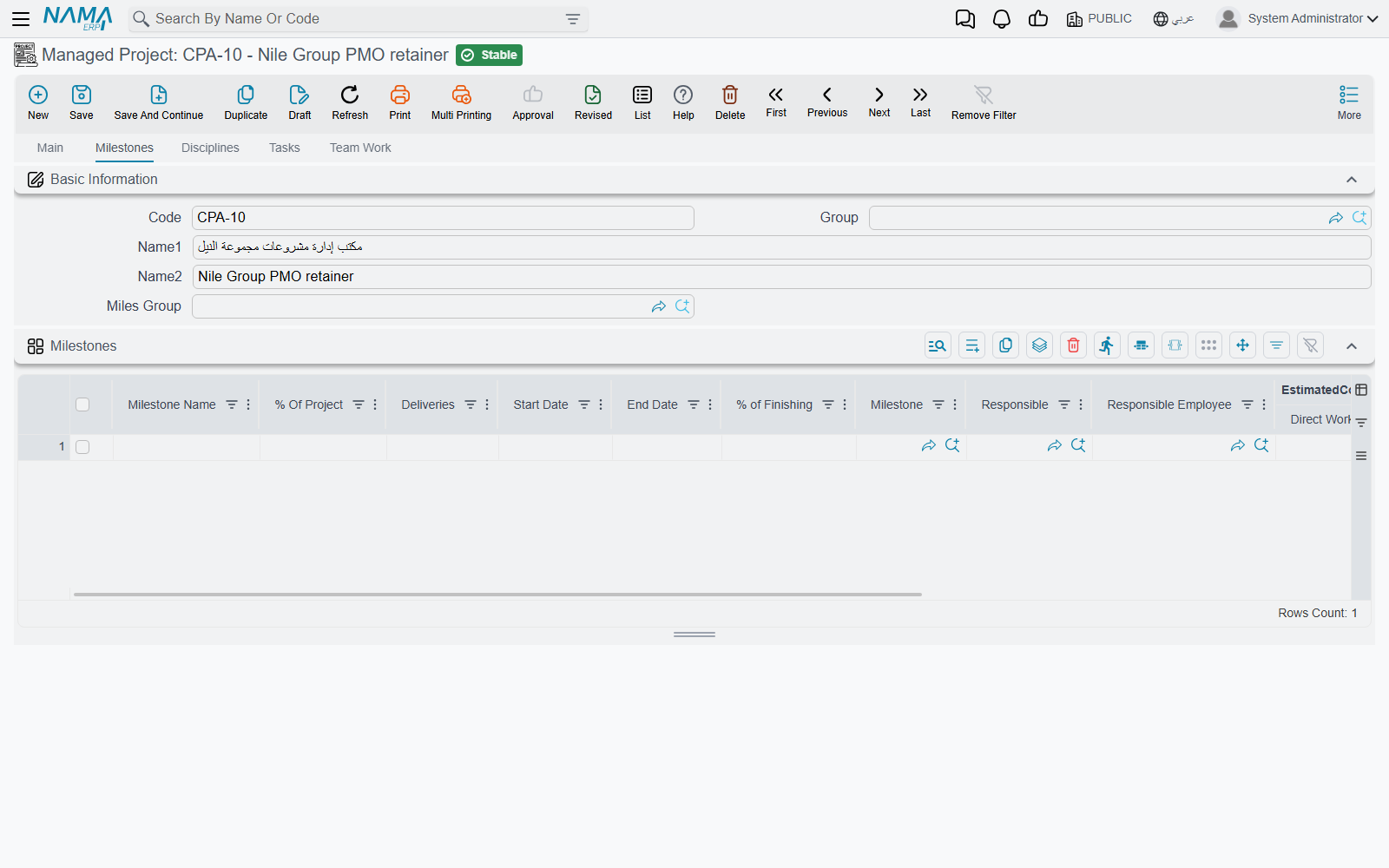
The project's Milestones page
Open project P-2026-014 and go to its Milestones page. Each row names a phase and says how big a share of the whole project it is:
| Milestone Name | % Of Project |
|---|---|
| Concept | 10 |
| Schematic | 20 |
| Detailed Design | 55 |
| Tender Documents | 15 |
The row also carries start and end dates, a responsible employee, a % of Finishing which you type yourself as the phase progresses, and a set of estimated-cost columns we will come back to in Part 3 — those are filled in for you, not typed.
Above the grid sits Miles Group, the coding group used to number the milestone records this page generates. Set it once and the generated milestones get tidy codes; leave it and they are coded from the project's own code plus the line number.
Part 2 — The Phases Discipline Group, a reusable template
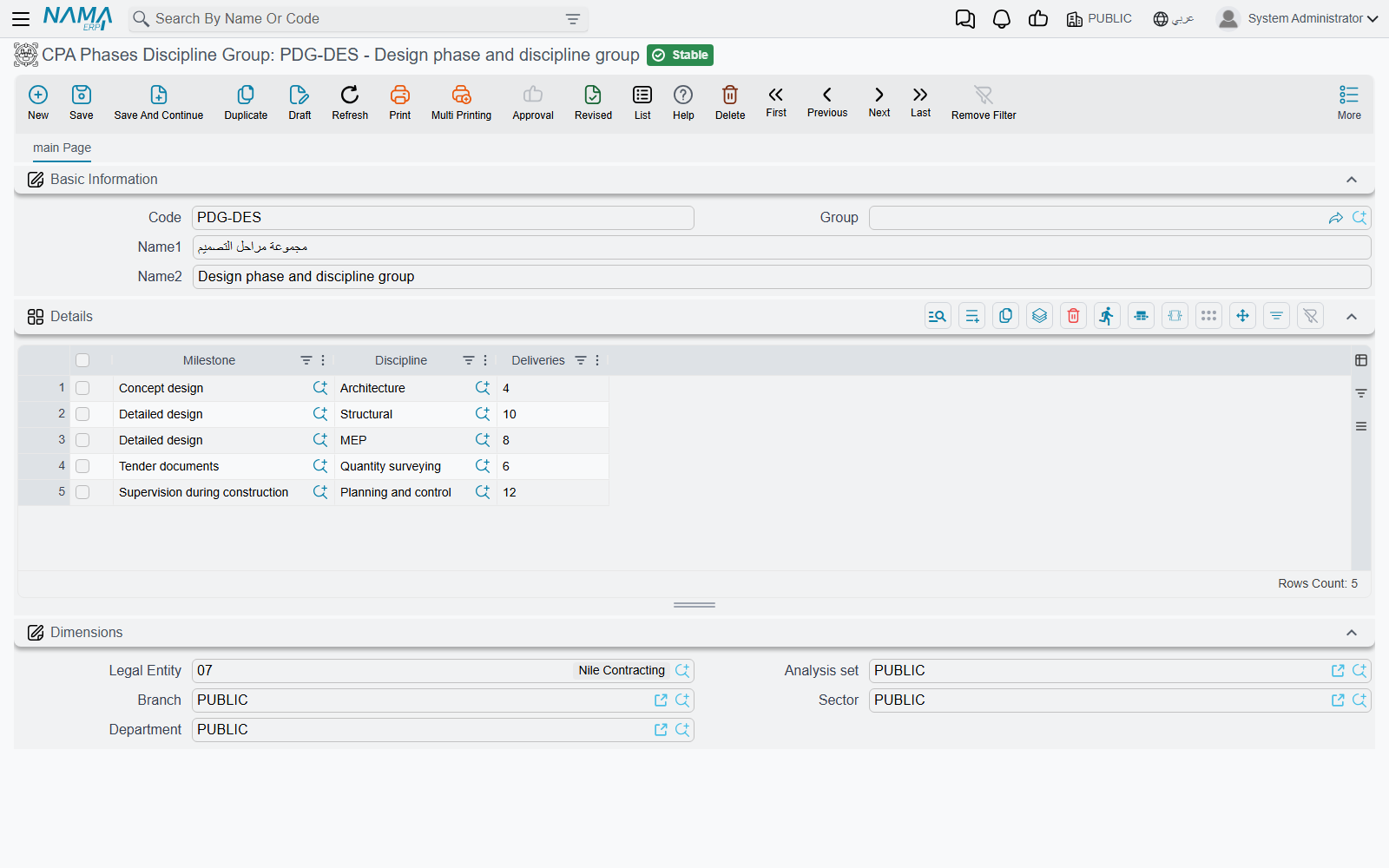
A firm that designs villas does it the same way every time. Re-typing the same phase-and-discipline breakdown on every new project is exactly the sort of work an ERP should remove, and the Phases Discipline Group (ادارة المشاريع ← مشاريع ← مجموعة المراحل والتخصصات) is what removes it.
The thing to understand about this file — and it surprises almost everyone — is that it is not a two-dimensional grid. It is a header and one flat list, and each line of that list is a single (milestone, discipline) pair. The matrix is implied by which pairs you chose to create; the combinations you leave out are the ones that discipline does not work on in that phase.
Nakheel Engineering records one group, PDG-VILLA "Villa design breakdown", with twelve lines:
| Milestone | Discipline |
|---|---|
| Concept | Architectural |
| Concept | Structural |
| Concept | Electrical |
| Schematic | Architectural |
| Schematic | Structural |
| Schematic | Electrical |
| Detailed Design | Architectural |
| Detailed Design | Structural |
| Detailed Design | Electrical |
| Tender Documents | Architectural |
| Tender Documents | Structural |
| Tender Documents | Electrical |
Twelve lines, twelve work packages. A second group for interior fit-out work might have only seven lines, because structural is not involved in the early phases — and that is the whole point of a hand-built template: it captures the shape of a job, including the gaps.
There are no percentages, no hours and no costs anywhere on this file. It carries names only. Every number is entered per project, because every project is worth a different amount.
What happens when you pick a group on a project
On the project's Main page there is a Phases Discipline Group field sitting just above the matrix. Choose PDG-VILLA and Nama fills three grids at once, from that one list of twelve pairs:
| Grid | What it receives |
|---|---|
| Details (the matrix, on the Main page) | one row per group line — twelve rows, each with its milestone and discipline already set |
| Milestones page | one row per distinct milestone in the group — four rows: Concept, Schematic, Detailed Design, Tender Documents |
| Disciplines page | one row per distinct discipline in the group — three rows: Architectural, Structural, Electrical |
Everything else on those rows — the percentages, hours, costs, dates and responsibles — is left blank for you to fill in. The template gives you the skeleton; the numbers are yours.
Choosing a group replaces the three grids
The three grids are replaced, not added to. If you have already typed milestone percentages, discipline hours or matrix percentages and you then pick a group, that work is gone. Pick the group first, on a fresh project, and fill in the numbers afterwards.
Part 3 — The project's own grids are the real matrix
The template got twelve empty cells onto the project. Now they have to be given money, and this is where the module's one genuinely clever mechanism lives: you cost a project by discipline, and Nama distributes that cost across the phases.
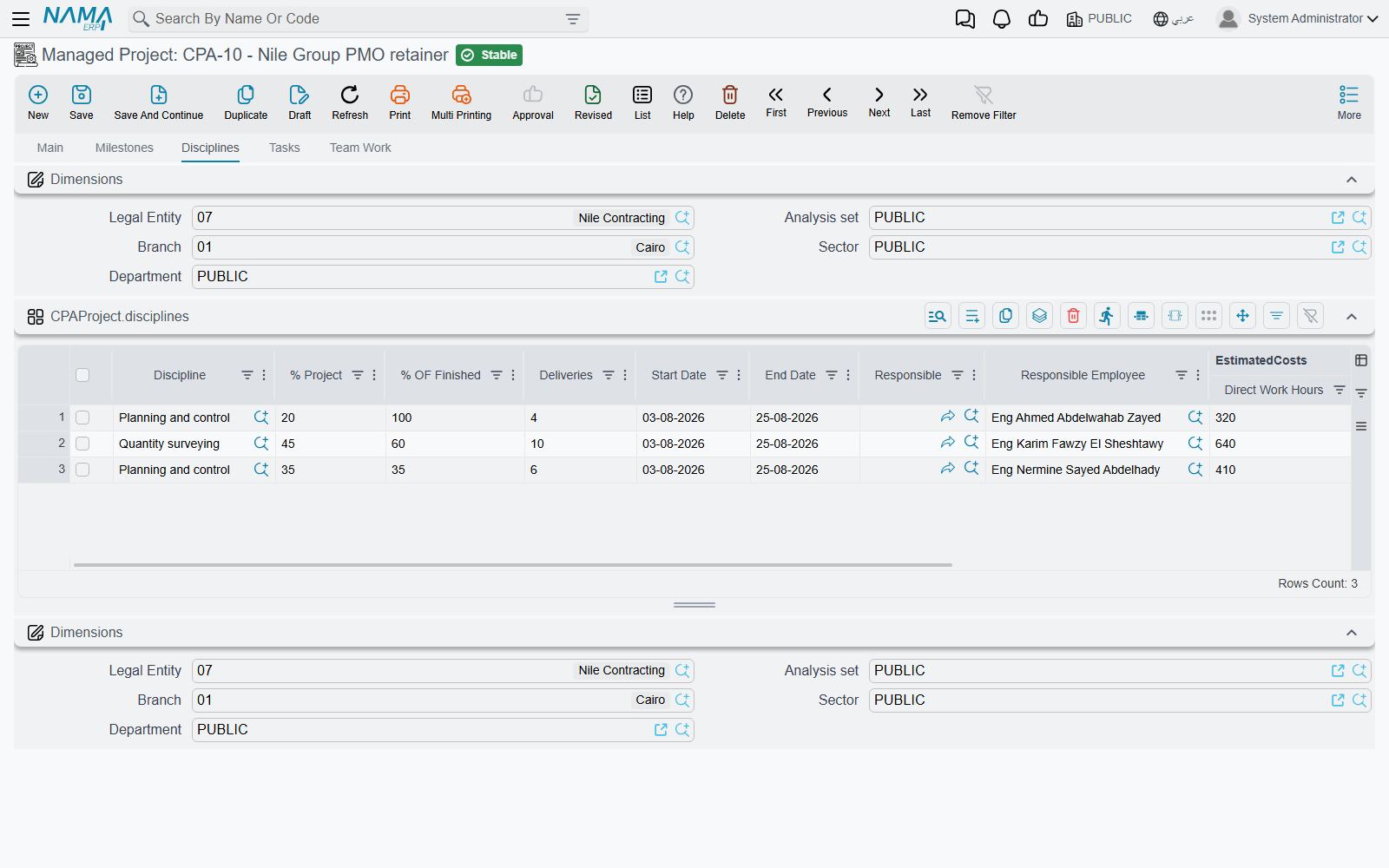
The Disciplines page is the input
Go to the project's Disciplines page. Each discipline gets a share of the project and an estimate of what it will take:
| Discipline | % Project | Direct Work Hours | Avg Cost of Hour | Indirect Costs |
|---|---|---|---|---|
| Architectural | 50 | 800 | 60 | 12 000 |
| Structural | 30 | 400 | 65 | 6 000 |
| Electrical | 20 | 200 | 55 | 3 000 |
Two columns on this grid fill themselves in as soon as you save: Direct Work Hours Cost is hours × average cost of hour, and Total adds the indirect costs on top.
| Discipline | Direct Work Hours Cost | Total |
|---|---|---|
| Architectural | 800 × 60 = 48 000 | 60 000 |
| Structural | 400 × 65 = 26 000 | 32 000 |
| Electrical | 200 × 55 = 11 000 | 14 000 |
| Project | 85 000 | 106 000 |
So Villa 27 is estimated at 1 400 hours and 106 000 of cost — and not one of those numbers has been attached to a phase yet.
The matrix distributes it
Now open the Details grid on the project's Main page. On each of the twelve rows you type exactly one number: Discipline Percentage On Milestones — what share of this discipline's own work falls in this phase.
Read that definition twice, because it is the one thing people get wrong. It is not the share of the phase, and it is not the share of the project. It is the share of that discipline's work. The architectural team's percentages must therefore add up across the four phases to 100, and so must the structural team's and the electrical team's — each column of the matrix sums to 100 on its own.
Nakheel Engineering knows its own trades well enough to spread them differently:
| Discipline | Concept | Schematic | Detailed Design | Tender Documents |
|---|---|---|---|---|
| Architectural | 8 % | 18 % | 60 % | 14 % |
| Structural | 10 % | 20 % | 50 % | 20 % |
| Electrical | 15 % | 25 % | 50 % | 10 % |
The architects do most of their work in detailed design; the electrical team is busier early, when loads and routes are being agreed.
The moment you save, Nama walks every matrix row, finds the discipline row for the same discipline, and scales it down:
% Project              = the discipline's % Project     × Discipline Percentage
Direct Work Hours      = the discipline's hours         × Discipline Percentage
Avg Cost of Hour       = the discipline's average       (copied unchanged, not scaled)
Indirect Costs         = the discipline's indirect      × Discipline Percentage
Direct Work Hours Cost = this row's hours × this row's average cost of hour
Total                  = Direct Work Hours Cost + Indirect Costs
Which gives Villa 27's twelve work packages:
| Milestone | Discipline | Discipline % | % Project | Direct Hours | Avg Cost/Hour | Direct Cost | Indirect | Total |
|---|---|---|---|---|---|---|---|---|
| Concept | Architectural | 8 | 4.00 | 64 | 60 | 3 840 | 960 | 4 800 |
| Concept | Structural | 10 | 3.00 | 40 | 65 | 2 600 | 600 | 3 200 |
| Concept | Electrical | 15 | 3.00 | 30 | 55 | 1 650 | 450 | 2 100 |
| Schematic | Architectural | 18 | 9.00 | 144 | 60 | 8 640 | 2 160 | 10 800 |
| Schematic | Structural | 20 | 6.00 | 80 | 65 | 5 200 | 1 200 | 6 400 |
| Schematic | Electrical | 25 | 5.00 | 50 | 55 | 2 750 | 750 | 3 500 |
| Detailed Design | Architectural | 60 | 30.00 | 480 | 60 | 28 800 | 7 200 | 36 000 |
| Detailed Design | Structural | 50 | 15.00 | 200 | 65 | 13 000 | 3 000 | 16 000 |
| Detailed Design | Electrical | 50 | 10.00 | 100 | 55 | 5 500 | 1 500 | 7 000 |
| Tender Documents | Architectural | 14 | 7.00 | 112 | 60 | 6 720 | 1 680 | 8 400 |
| Tender Documents | Structural | 20 | 6.00 | 80 | 65 | 5 200 | 1 200 | 6 400 |
| Tender Documents | Electrical | 10 | 2.00 | 20 | 55 | 1 100 | 300 | 1 400 |
Read the Architectural rows downwards and you get 64 + 144 + 480 + 112 = 800 hours, and 3 840 + 8 640 + 28 800 + 6 720 = 48 000 of direct cost — exactly what was entered on the Disciplines page. Nothing was created or lost; the discipline's estimate was simply cut into four pieces.
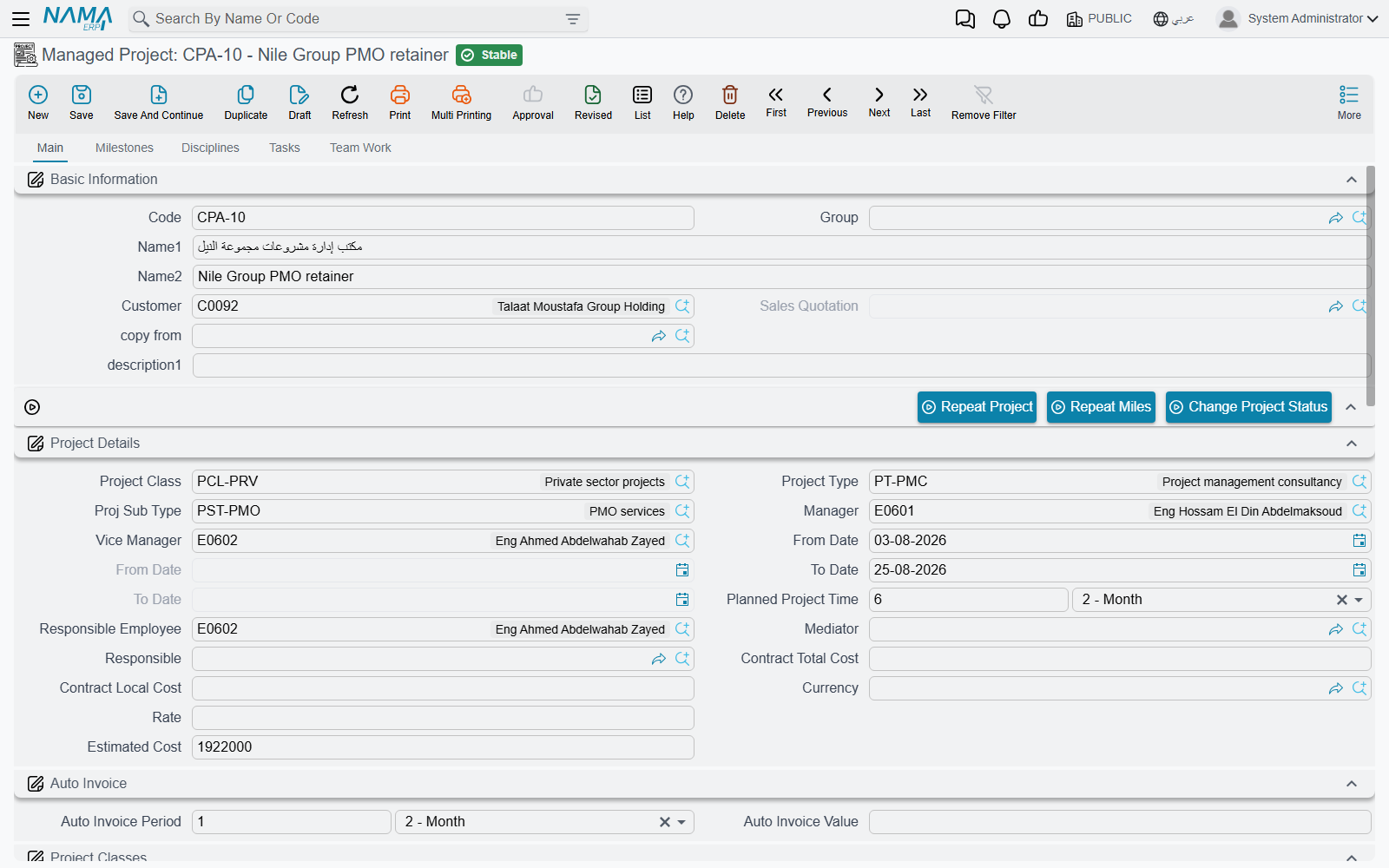
You type two references and one percentage — nothing else
Every cost column on the matrix is recalculated from the Disciplines page on every save, so a figure typed straight into one of them is discarded the next time the project is saved. If a work package's cost is wrong, the fix is on the Disciplines page or in the percentage, never in the cell.
And it rolls back up per milestone
Having cut the estimate by discipline, Nama immediately adds it back up by phase and writes the result onto the Milestones page. Each milestone gets the sum of its own matrix rows, and an average hourly cost derived from the two totals:
| Milestone | % Of Project | Direct Hours | Direct Work Hours Cost | Avg Cost of Hour |
|---|---|---|---|---|
| Concept | 10 | 134 | 8 090 | 60.37 |
| Schematic | 20 | 274 | 16 590 | 60.55 |
| Detailed Design | 55 | 780 | 47 300 | 60.64 |
| Tender Documents | 15 | 212 | 13 020 | 61.42 |
| Project | 100 | 1 400 | 85 000 |
The average hourly cost of a phase is not an average of the three disciplines' rates — it is cost ÷ hours for that phase, so a phase where the expensive structural team does proportionally more work comes out dearer. Tender Documents at 61.42 is the priciest hour on this project for exactly that reason.
Indirect costs do not roll up
The milestone's own Indirect Costs column stays exactly as you typed it — the 21 000 of indirect cost distributed across the matrix is not summed into the milestone rows, and a milestone's Total is its direct work hours cost plus whatever indirect figure sits on the milestone row itself. If you want phase totals that include overhead, enter the indirect cost per phase on the Milestones page as well.
Like the matrix, the milestone estimated-cost columns are recomputed on every save for any milestone that appears in the matrix, so treat them as read-outs rather than as fields you fill in.
What Nama checks when you save
Four rules keep the three grids consistent, and they are the reason a template is worth using — a group-built project satisfies the first two automatically.
- Every discipline in the matrix must exist on the Disciplines page. Otherwise the save is refused, naming the discipline it could not find.
- Every milestone in the matrix must exist on the Milestones page. Same treatment.
- One discipline's percentages may not add up to more than 100. The architectural column of our matrix sums to exactly 100; push any of its rows up and the save is refused.
- A milestone's rows may not claim more of the project than the milestone does. The three Detailed Design rows come to 55 % of the project, which is precisely the 55 % on that milestone's row. Raise the row percentages without raising the milestone and the save is refused.
Nama does not insist that the milestone percentages add up to 100, nor the discipline ones. A project whose breakdown only covers 70 % of the work saves happily, so a quick look at the totals before you hand the project over is worth the ten seconds.
Building the matrix without a template
If a project does not follow any of the firm's standard shapes, fill the Milestones and Disciplines pages by hand and then use the buttons above the matrix on the Main page:
- Create Matrix From Disciplines and Milestones — builds every possible combination: four milestones × three disciplines = twelve rows, whether or not all twelve are real work.
- Copy Milestones To Details — one matrix row per milestone, discipline left blank.
- Copy Disciplines To Details — one matrix row per discipline, milestone left blank.
All three buttons replace the matrix
They do not append. Pressing one wipes the Details grid and rebuilds it, taking every discipline percentage you have typed with it. Use them at the start, then edit; never as a way of "adding the missing rows" to a matrix you have already costed.
The choice between a template and the Create Matrix button is really a choice between a hand-picked subset and every combination. A group is the better tool when some cells are genuinely empty — the interior fit-out job with no structural work in the early phases. The button is the faster tool when every discipline really does touch every phase, as it does on Villa 27.
What the matrix is for, and what it is not
The estimated hours and costs on the matrix are informational. Nothing in the module compares them with what actually happens: no warning fires when the architectural team passes 800 hours, and no document is blocked for exceeding an estimate. They are a plan you can report against, not a budget the system enforces. Where actual cost really comes from is set out in Where Project Cost and Revenue Come From.
The milestones themselves, though, are used all over the module:
- Tasks are grouped under a milestone, so hours recorded against a task land in a phase — see Project Tasks.
- Project invoice lines can be raised against a specific milestone, which is how a firm bills "concept design, 10 % of the contract" — see Project Invoice. There is no automation that bills a milestone when it reaches a percentage; the decision to invoice stays with a person.
- Project stage documents and their extensions use milestones to build the date chain and to book delay days — see Project Stages.
And the % of Finishing on a milestone is typed by hand. The only progress figure the module calculates for itself is the project's own completion percentage, which is actual task hours divided by planned task hours — nothing weights it by milestone. Say so plainly to anyone who expects the matrix to produce a progress report.