
Assembly & Packaging
Not everything you sell is bought as-is; some items are assembled from components, or transformed and packaged before sale. Assembly is the "light manufacturing" within the supply chain: you issue components and receive an assembled product, without the complexity of full production orders in the Manufacturing module.
When Assembly, When Manufacturing?
Use assembly for simple cases: kitting, building custom configurations, or packaging. Complex production with its stages, labor, and overhead belongs in the Manufacturing module.
The Bill of Materials: The Recipe (AssemblyBOM)
The Assembly BOM is the "recipe" of the assembled product: it defines the main item, its components and their quantities, plus co-products and dimension specifiers (size, color, revision), and the issue and receipt warehouses and locators for the assembly operation. It also allows linking alternative materials when source flexibility is needed.
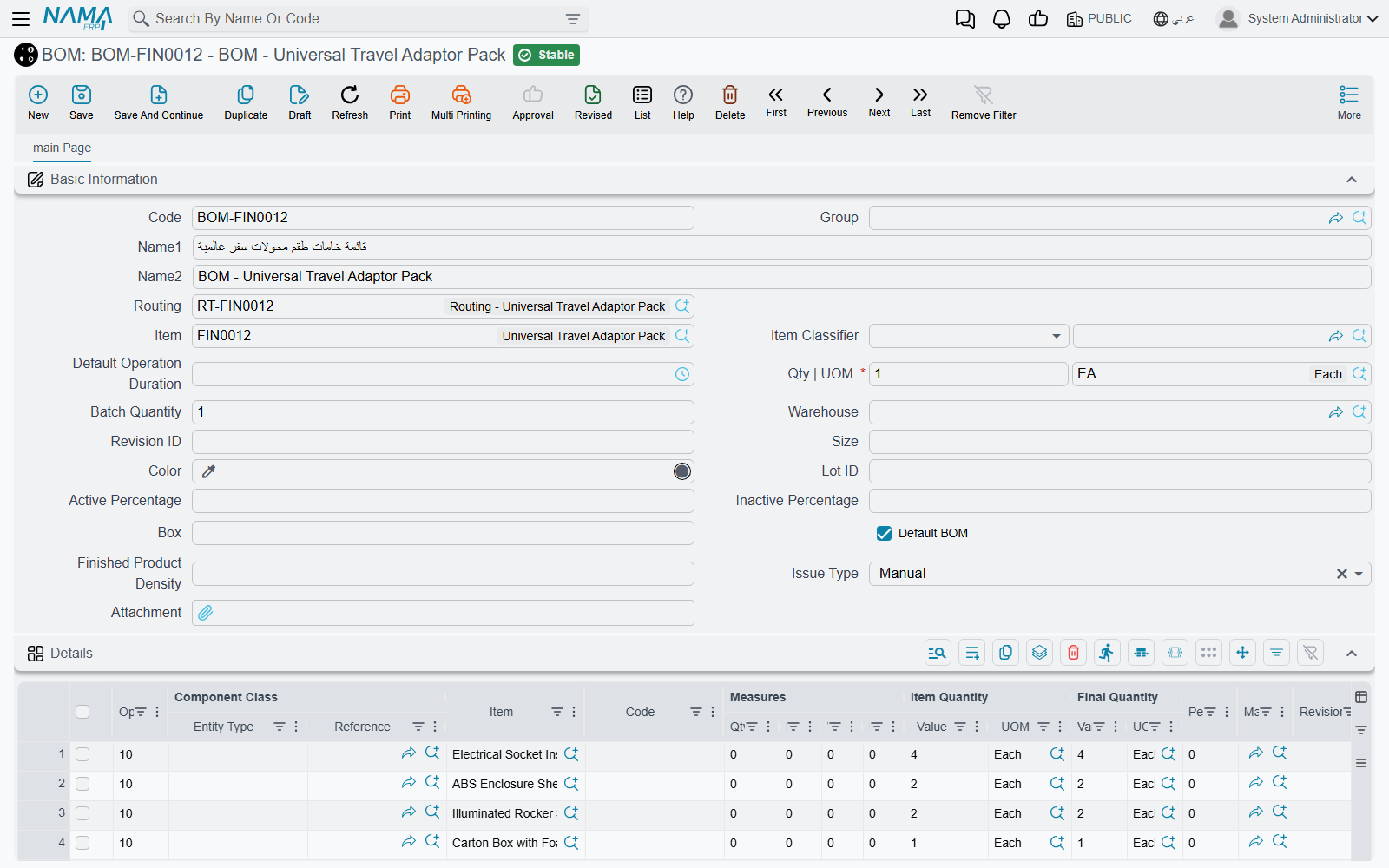
To reduce repetitive entry, the Partial Assembly BOM (PartialAssemblyBOM) lets you define an assembly rule at the item-classification level (not per item), so similar items inherit their component structure. The Assembly Component (AssemblyComponent) is available as a registry of reusable component sets.
The Assembly Document: Executing the Recipe (AssemblyDocument)
The Assembly Document actually executes the operation: it issues components from inventory and receives the assembled item, allocating costs from components to the finished product and co-products, with the ability to track processing stages and quality control.
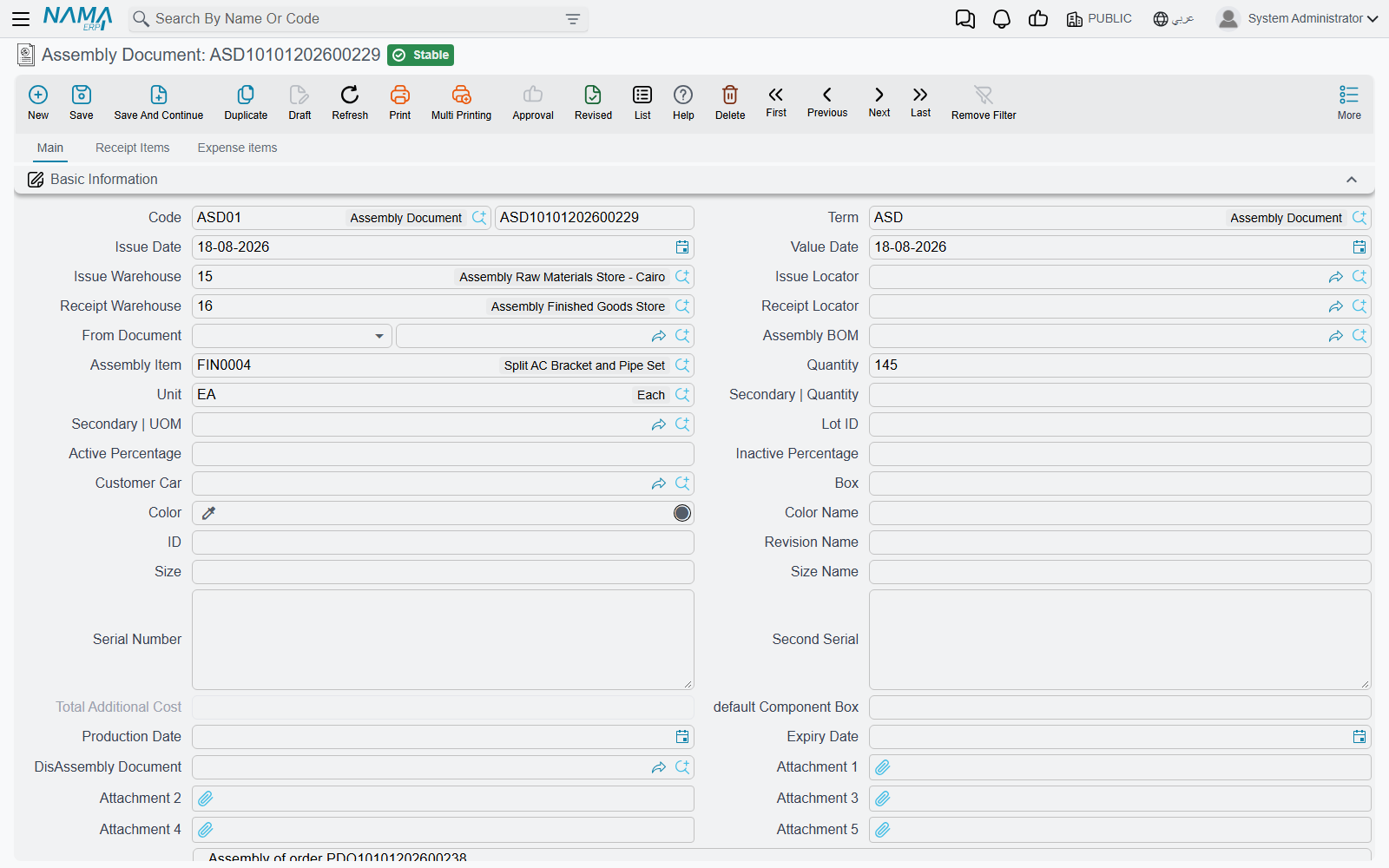
Example - assembling computer systems: a customer orders 20 complete systems. The document issues 20 base units, 20 monitors, 20 keyboards, and 20 mice, and receives 20 integrated systems. Component stock decreases, system stock rises, and value moves from components to systems (a system's cost = the sum of its components). The system also supports de-assembly to reverse the operation: breaking an unsold kit back into its components to restock them.
Assembly Types and Tools
- Aggregated Assembly Document (AggrAssemblyDocument): a batch assembly document for multiple items/days with accumulated materials and costs, separating staging and final warehouses and generating the linked issue and receipt documents.
- Multi-Assembly Document (MultiAssemblyDoc): assembles a main item from multiple materials and components in a single document.
- Assembly Request (AssemblyRequest): starts the assembly path as a request (with its components and quantities) and converts to an assembly document after approval.
- Alternative Materials (AssemblyAltMaterial): a register of approved alternative materials per BOM, with quantity ranges and substitution rules that maintain component compatibility with source flexibility.
Supporting Configuration Files
- Assembly Process File (AssemblyProcessFile): defines the assembly process steps (process routing) for quality control and batch tracking.
- Assembly Machine (AssemblyMachine): defines the machine used and its raw and indirect material warehouses, outputs, and costs.
Processing (ProcessingDoc)
The Processing Document records intermediate processing operations: it manages raw and indirect materials and outputs with warehouse and locator assignment, and generates the linked inventory documents with direct-labor tracking and batch date/time for traceability.
Packaging (PackagingMethodFile)
The Packaging Method File defines the standard packaging units for the finished product and its packaging components (the quantity per package), used in costing and delivery consolidation. This links the product's form as sold (pack, carton, pallet) to its actual components in inventory.
Actions on these screens
On the Assembly Document and the Assembly Request: Calculate Values From Expense Items — works out each expense line's value from the assembly quantity and the assembled item, and writes it back onto the lines, so the overhead carried into the assembled item is not typed by hand.
On the Aggregated Assembly Document:
- Calc Materials — the document must be saved; it works out the materials the whole aggregation needs and fills the materials grid.
- Calculate Main Materials Dependent Data — also needs the document saved, and fills in everything that follows from the main materials once they are known.
- Collect Material Lots and Collect Material Boxs — fill the batch and the box on each material line from what is available in the header warehouse. Both ask first whether to clear what is already entered.
On the Multi Assembly Document:
- Spread Main Items — expands the main-items grid into the detail lines, so one row per finished product becomes the full set of lines.
- Change Details Status To Create Assembly Documents By Level — flips the line statuses so the assembly documents are generated level by level, which is what a multi-level build needs.
- Delete Generated Assembly Documents — removes the assembly documents this one produced. It asks for confirmation first and does nothing until you give it.
On the Processing Document, the direct-labour grid carries Start and End: standing on a labour line, they stamp its start and its end date and time, so the time spent is recorded as the work happens rather than estimated afterwards.
Assembly and Cost
Assembling a product means rolling up its cost. Finished Product Pricing captures this roll-up from the BOM or the assembly document to arrive at the final cost - you'll find the details in Inventory Costing & Revaluation.
Next Steps
- Inventory Costing & Revaluation - rolling up the costs of assembled products
- Quality Control - quality checks within assembly stages
- Manufacturing module - complex production with full orders