
Ignoring Specific Warehouses/Locators in Reservation Quantity Check by Date
Description
This feature allows you to exclude specific warehouses or locators from the overdraft-by-date check calculation when performing Reservation operations only. When this option is enabled on a warehouse or locator, the quantities held in that warehouse/locator will not be included in the available balance calculation when performing the overdraft-by-date check for reservations.
Note
This feature only affects Reservation operations and has no impact on regular issue or receipt operations.
Settings in Supply Chain Configurations
| Name | Field ID |
|---|---|
| Enable ignore in reservation quantity check by date for warehouses | enableIgnoreInReservationQtyCheckByDateForWarehouses |
| Enable ignore in reservation quantity check by date for locators | enableIgnoreInReservationQtyCheckByDateForLocators |
Note
These options must be enabled first for the ignore flag to be read from the warehouse or locator. If you attempt to enable the option on a warehouse or locator without enabling the corresponding setting in Supply Chain Configurations, an error message will appear with a direct link to the required setting.
Settings in Warehouse
| Name | Field ID |
|---|---|
| Ignore in reservation quantity check by date | ignoreInReservationQtyCheckByDate |
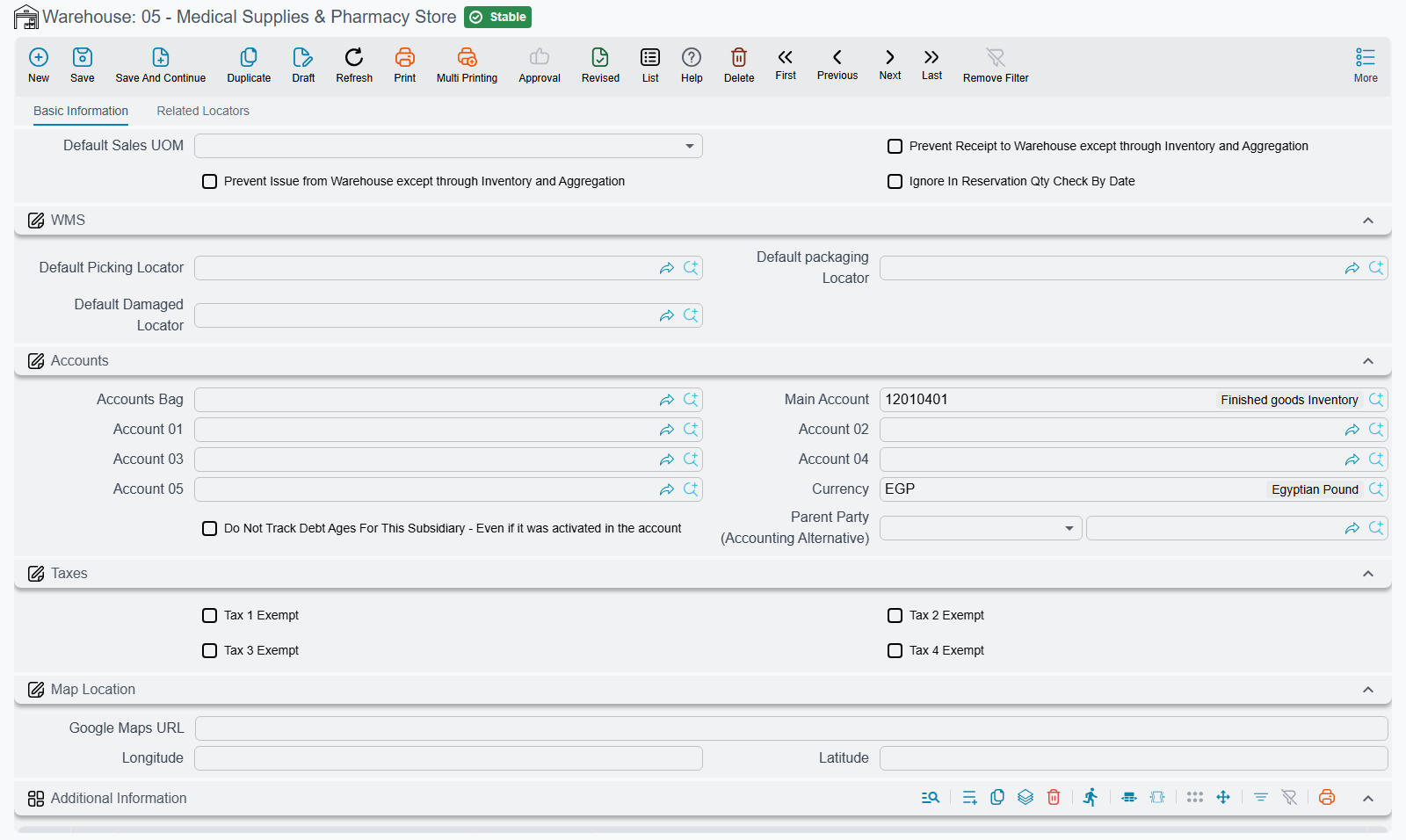
Settings in Locator
| Name | Field ID |
|---|---|
| Ignore in reservation quantity check by date | ignoreInReservationQtyCheckByDate |
How to Use
Enable the feature: Go to Supply Chain Configurations and enable the appropriate option:
enableIgnoreInReservationQtyCheckByDateForWarehousesfor warehousesenableIgnoreInReservationQtyCheckByDateForLocatorsfor locators
Specify the excluded warehouses/locators: Go to the warehouse or locator to be excluded and enable the option:
ignoreInReservationQtyCheckByDate
When a reservation operation is performed, the quantities from the warehouse/locator transactions where this option is enabled will not be included in the available balance by date calculation, meaning the system will ignore the balances of those warehouses/locators when determining whether an overdraft exists.
Messages you may see
| Message | Why | What to do |
|---|---|---|
| You can not enable the option {0} unless you enable the matching option in supply chain configuration | The Ignore In Reservation Qty Check By Date option was ticked on a warehouse or a locator while the matching master switch in supply chain configuration is still off. The refusal names the field it refused, and points you at the configuration entry. | Switch the matching option on in supply chain configuration first — one for warehouses, one for locators — then tick the option on the warehouse or locator. |
This message has no Arabic translation in the product, so it appears in English even on an Arabic screen.