
The Sales Journey
The sales journey is the mirror image of purchasing - instead of bringing items in, you're selling and delivering them to customers. But the principles are similar: Quote → Order → Fulfill → Invoice → Collect. Let's walk through this journey and understand when to use each document.
The Full Picture
Inquiry → Quotation → Order → Reservation → Picking → Delivery → Invoice → CollectionNot every sale passes through all these steps (cash sales skip most of them!), but understanding the full path helps you design the right process for each kind of sale.
Before the journey starts: the customer file
Every document below points at a customer, and inherits that customer's price list, tax plan, accounts, salesman and payment terms — so the file is worth getting right before the first quotation. It is documented under Customers, Suppliers and Other Parties.
Credit control is a rule you build. The customer file carries a credit limit and a payment period. Saving an order or an invoice does not compare it with them, so a customer over their limit is not stopped on its own. If your implementation needs that brake, it is built with Criteria Based Validation, where the query is written out in full.
Step One: The Customer Inquiry (SalesQuotationRequest)
Every sale begins with interest. The Sales Quotation Request records the customer's inquiry: "We're interested in 100 office chairs, can you give us a price?" It captures the customer's details, the requested items and quantities, delivery requirements, and any special requirements.
Why formalize inquiries? To track potential opportunities (pipeline visibility), measure quote-to-order conversion rates, ensure timely follow-up, and assign sales reps. And before presenting the quote, the system helps you by showing available stock, lead times for unavailable items, cost information (for profitable pricing), and the customer's history (past purchases, payment behavior, special terms).
Step Two: The Quotation (SalesQuotation)
The Sales Quotation is your formal price proposal to the customer. It includes the quote number, date, and validity period, the customer's details and delivery and payment terms and the sales rep, item lines with descriptions, quantities, prices, discounts, and taxes, and the totals.
The pricing and discount details - price lists, automatic margin pricing, discount layers, and minimum price - have their own dedicated page: Pricing, Offers & Coupons.
Quote lifecycle: after creation, the sales manager reviews it (especially for special pricing), then it's sent to the customer, and the response is tracked. Possible outcomes: conversion to an order (customer accepts), revision (negotiation, so you create an amended quote), expiry (validity ends), or loss (they chose someone else).
Validity is enforced. A sales document created from a quotation must have a value date inside the quotation's Valid from / Valid to range (an empty end is open). Otherwise the save is refused with:
Value date must be within the range of sales quotation valid from and valid to. — «التاريخ الفعلي يجب ان يكون في المدي المحدد في صالح من و صالح إلي في عرض الأسعار»
To accept an expired quotation anyway, tick Allow Creating Document From Expired Quotation on the term of the document being created (see From-Document Configuration).
Step Three: The Sales Order (SalesOrder)
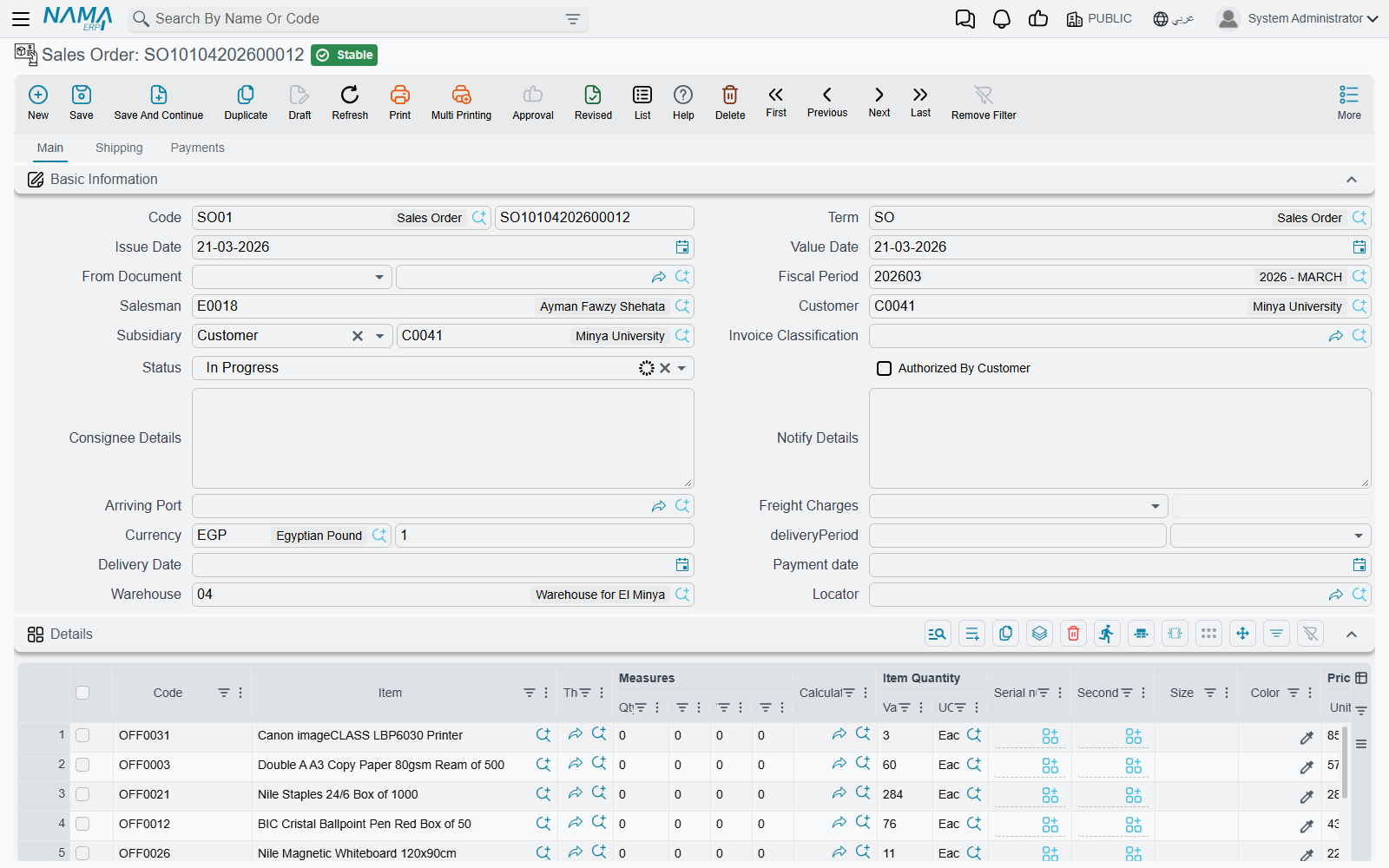
The customer accepted your quote! Time for the formal commitment. The Sales Order says: "We'll sell you these items on these terms."
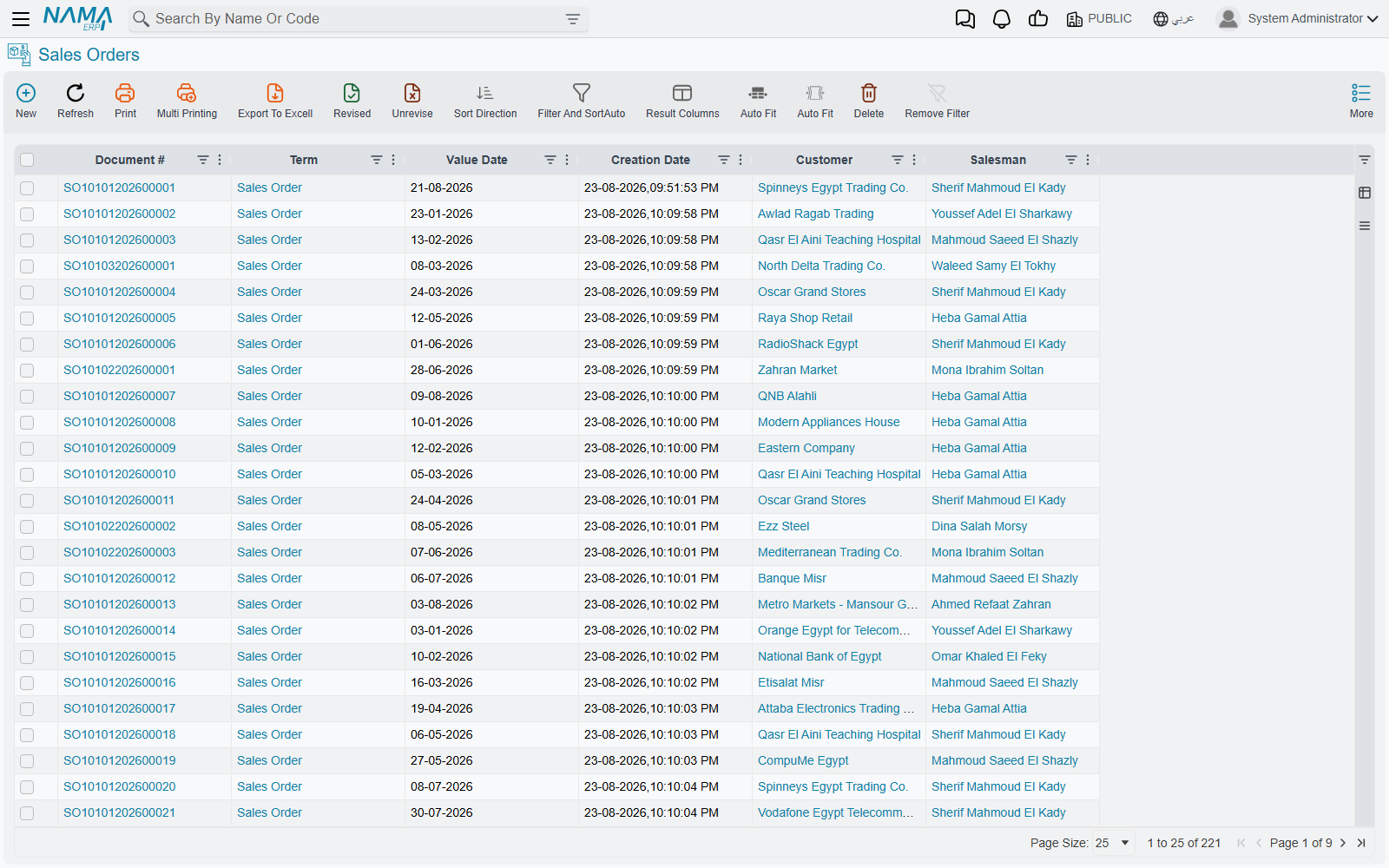
Conversion from the quotation is easiest: the system copies all the information from the quote, links the order to it (audit trail), changes the status from "quote" to "order," and starts fulfillment. For existing customers with standard items, you can skip the quote and create the order directly.
The order carries everything in the quote, plus fulfillment details (requested delivery date, delivery address that may differ from the billing address, shipping method), inventory allocation (which warehouse will fulfill, and whether items are available), and financial terms (final prices, payment terms whether cash, credit, or installments, and credit-limit verification for credit customers).
The Proforma Invoice (ProformaSalesInvoice)
The Proforma Sales Invoice is a midway point: it looks like an invoice and works like a quote, used for the customer's budget approval, customs, or advance payment. Once the customer pays or approves, it converts to an actual order.
Step Four: Reservation, Preparation, and Delivery
After the order is confirmed comes physical fulfillment, which has two dedicated pages:
- Reservation: the system reserves stock for the order so it isn't sold to others, ensuring you can fulfill. Full details in the Reservation System Guide.
- Preparation, loading, and delivery: from the pick list in the warehouse, to the loading document, to the delivery document and proof of receipt. You'll find this in Delivery & Loading.
Step Five: The Sales Invoice (SalesInvoice)
The Sales Invoice is at once the invoice (the customer owes you an amount) and an inventory movement (the items leave your stock). It includes its number, date, customer details, billing and shipping addresses, the sales rep, the order reference, payment terms, sold-item lines with quantities, prices, discounts, and taxes, and the financial summary and total.
What the System Does
When the invoice is saved (not as a draft):
- Inventory movement: the system automatically generates the issue of sold items, so inventory quantities decrease, they're removed from their locations, sold serials/batches are tracked, and the cost of goods sold is recorded.
- Accounting entries: debit receivables (or cash on immediate payment), credit sales revenue, credit collected tax, debit cost of goods sold, credit inventory.
- Customer account: the balance rises, credit-limit usage updates, and the due date is created.
Electronic Invoicing
In countries that adopt electronic invoicing, the system creates the invoice in the approved tax format, sends it to the authority's system, and receives its unique identifier and QR code. Details are in the Invoicing module.
Step Six: Collecting Payments
The last step is collecting what's due. In a cash sale, it's paid immediately so the invoice closes with no receivable (or it's settled at once). In a credit sale, the invoice creates a receivable with a due date per terms (net 30, net 60), so the system tracks aging and alerts near the due date. In installment sales, the value is split into scheduled payments tracked individually. When a payment is recorded, the customer's balance is reduced, aging is updated, and the invoice closes if fully paid. (Payment and scheduling details are in the Invoicing and Accounting modules.)
Returns and Replacements
Sometimes sales don't stick. The Sales Return is used when the customer wants to return (a defective item, a wrong shipment, a change of mind within the return window, or damage in shipping). The path often starts with a Sales Return Request (SalesReturnRequest) for authorization, then the actual return is created, the goods are received, and their value is processed.
Returning against a specific invoice: each return line has an Invoice column. Its list shows only the customer's invoices that contain the line's item and are not yet fully returned. Choosing one fills the line's price and discounts from that invoice, so the customer is credited what they actually paid. The Sales Return then cannot take back more than that invoice line sold, counting what earlier returns already took; saving refuses with You can not return {0} because returned qty will be {1} and allowed qty {2} only. The same column works in the Sales Return Request and in the Service Center's sales return.
Accounting effect of a return: debit sales returns (a contra-revenue account), debit inventory (goods coming back), debit tax (reversing it), credit receivables (the customer owes less).
The Sales Replacement (SalesReplacement), on the other hand, handles a swap in a single transaction: the customer bought a medium and wants a large, so the system returns the medium, issues the large, and handles the price difference. Useful for size/color swaps, warranty, and upgrades or downgrades.
Sales Forecasting
The Sales Forecast (SalesForecast) helps you plan future sales based on historical patterns, seasonal trends, and the open pipeline, feeding inventory planning, production scheduling, and purchase forecasting.
Retail Selling at the Point of Sale
Fast cash selling at the register now has its own module. See the Point of Sale module.
Actions on this screen
The sales documents carry more buttons than any other family in Supply Chain, and nearly all of them exist to save re-keying: either they pull lines in from something that already exists, or they push the document forward into the next one.
On the Sales Invoice:
- Collect — asks for a from date and a to date, then fills the invoice's stock-documents grid with the stock issues already made to this customer, from the same warehouse, that have been committed at least once, are not flagged Do Not Auto Collect In Invoices, and have not been invoiced yet. Contact and subsidiary narrow the search as well, but only when the term has Consider Contact In Collecting Stock Documents Inside Invoices / Consider Subsidiary In Collecting Stock Documents Inside Invoices switched on. This is how a month of deliveries becomes one invoice.
- Apply Receipts — reads the issues sitting in that grid and turns them into priced invoice lines, applying the invoice's price classifiers, salesman, tax settings, classification and term. Collect fills the grid; Apply Receipts turns it into the invoice. When the term has Instantly Apply On Stock Doc Selection switched on, picking an issue in the grid fires this for you.
- Create Inventory Doc. — the opposite direction: for an invoice typed by hand, it generates the Stock Issue and opens it.
- Collect Lots and Collect Locators — fill the batch and the locator on every detail line from what is actually available in the header warehouse, instead of picking them line by line. Both ask first whether to clear what you already entered.
- GeneratePayments — splits the remaining value into an instalment schedule. It asks for the number of payments, the period between them and its unit, the date the payments start, a grace period, an optional day of the week to land on, down / first / second / last payment values, and a rounding mode. It refuses if the net value is zero.
- Generate Receipt Voucher — creates a receipt voucher for the invoice's whole remaining value against the customer. Generate Receipt Voucher For Selected Payments does the same for only the instalment lines you ticked, and refuses if you selected none or if the ones you selected have nothing remaining. Collect Receipt Vouchers works the other way, bringing existing vouchers onto the invoice.
- Request Redeem Customer Amount — spends the customer's loyalty balance against this invoice. It shows the invoice net value, the points owner and the reward balance still available, and asks how much to redeem and against which reward code.
- Pay Invoice, Pay Part Of Invoice and Fetch Last Terminal Payment Transaction — the card-terminal buttons, which need the payment-gateway sub-module. Pay Part Of Invoice asks for an amount and rejects anything larger than the remaining value, or any amount at all once the invoice is fully paid. Fetch Last Terminal Payment Transaction recovers a payment that went through on the terminal but whose confirmation never made it back to the invoice.
On the quotation request, the quotation, the order and the proforma:
- Generate Invoice — builds the Sales Invoice from the document and opens it.
- GeneratePayments — the same scheduling dialog as on the invoice, available on the Sales Quotation Request, Sales Quotation, Sales Order, Coupons Sales Order, Proforma Sales Invoice and Coupons Sales Order Return.
- The Sales Quotation also carries Request Redeem Customer Amount on its billing page.
On the Sales Return and the Sales Return Request:
- Collect and Apply Receipts — the same pair as on the invoice, but pointed at stock receipts, since a return brings goods back in.
- collect Installments By From Doc — rebuilds the return's instalment grid from the unpaid instalments of the invoice it was built on, consuming the return value from the earliest instalment onward until it runs out.
- Distribute Return Value On All Unpaid installments — fills the same grid, but spreads the return value evenly across the unpaid instalments rather than settling them in order. Both need a based on document; neither does anything without one.
On the Sales Replacement: Sales Collect Lots and GeneratePayments. The Sales Replacement Request adds Generate Receipt Voucher and Collect Receipt Vouchers.
On the Order Delivery: Generate Invoice — the delivery must be saved first; it builds the sales invoice for the delivery and opens it.
On the Salesman Update Document: Collect Customers — you give ranges (from/to customer, salesman, responsible for customer, branch, sector, department, analysis set) and it fills the grid with every customer that matches, ready to be moved to another salesman in one document. At least one range must be filled in.
On the Sales Forecast: Calculate Cost, Calculate Values and Calculate Current Year Values work the detail lines; the aggregated page carries its own Calculate Cost, Calculate Aggregate Values and Calculate Aggregate Current Year Values.
Tips for Effective Sales Management
Best Practices
Respond to quotes quickly: Customers are impatient; response speed correlates with higher conversion rates.
Follow up methodically: Don't let quotes die silently; follow up after a few days and before expiry, and track win/loss reasons.
Reserve stock wisely: Reserve for confirmed orders, not speculative inquiries; tying stock to a "maybe" prevents selling to a "yes."
Invoice promptly: The faster you invoice, the faster you collect; invoice what's delivered without waiting for all deliveries to complete.
Track returns: A high return rate for an item signals a quality problem, and a high rate from a customer signals a training or fit need; analyze the patterns.
Frequently Asked Questions
Q: Can we invoice before delivery?
A: Yes, called advance invoicing - common for custom orders (pay before manufacturing), large orders (a deposit), or high-credit-risk customers. The system can invoice before issuing stock.
Q: What if the customer wants a partial delivery?
A: Create multiple invoices for the same order; invoice and deliver what's available now and the rest later, and the system tracks fulfilled vs. pending.
Q: Can prices change after the order is created?
A: It depends on your controls; some organizations lock prices at order confirmation, while others allow changes up to the invoice.
Q: What happens if we can't fulfill an order?
A: Options: create a backorder (fulfill when stock is available), offer an alternative, cancel and refund, or partial fulfillment. Best practice is immediate communication with the customer to decide together.
Next Steps
- Pricing, Offers & Coupons - how prices and discounts are computed
- Reservation System Guide - reserving stock for customers
- Delivery & Loading - fulfilling and delivering orders
- The Purchasing Journey - the mirror process