
Weight Scale
In facilities that handle bulk materials sold or received by weight - grains, concrete, aggregates, metals - the scale becomes part of the workflow. NaMa ERP connects electronic weight scales to receiving and loading stations, capturing weights directly and turning them into inventory movements without manual entry.
Scale Configuration (WeightScaleConfig)
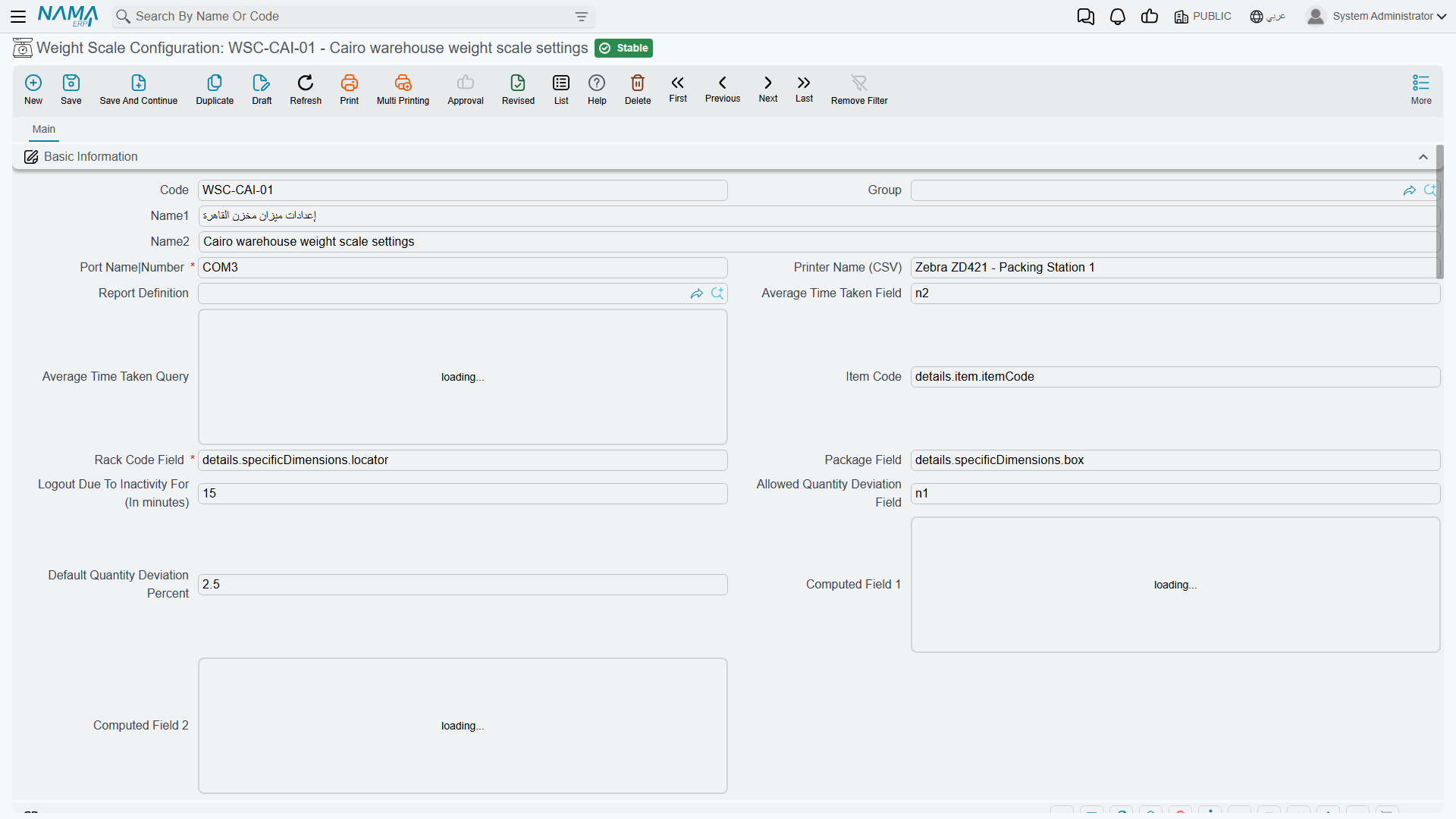
The Weight Scale Configuration is the central file that sets up scale terminals at receiving and loading stations. It configures:
- Barcode formats: up to five formats, each with its specifications and component parts, to read the item code, package, racks, and weight from the scale label.
- Field mapping: assigning field IDs for item code, package, racks, average time, and computed values.
- Permissions: a permissions matrix for scale operations and user roles.
- Printing and connection: the linked report definition, printer and port setup, and an inactivity logout timer.
- Issue control: stock-issue-request ordering methods and allowed quantity-deviation tolerance.
Issue Preparation Document (WeightScalePreparationDoc)
The Weight Scale Preparation Document links the weight reading to the actual issue operation: it captures the weight from the scale and prepares the net quantity to be issued, so the data flows into the inventory movement without manual-entry errors. To generate these documents in quantities or batches, the Preparation Generator (WeightScalePrepGenerator) helps create them according to defined rules.
How the Process Works
Imagine receiving a truck of grain:
- The truck is weighed loaded (gross weight).
- The load is unloaded.
- The truck is weighed empty (tare weight).
- The system computes the net weight automatically.
- The Preparation Document captures the net value, and the corresponding inventory movement is created per the configuration.
This eliminates manual weight-entry errors and speeds up receiving and issuing at high-traffic locations.
Actions on this screen
On the Weight Scale Preparation Generator:
- Documents To Prepare — reads the document you are on and fills its grid with the documents that are waiting to be prepared on the scale, so you pick from a real list rather than searching for them.
- Generate Weight Scale Preparation Documents — the generator must be saved; it then creates the preparation documents for what the grid holds.
Next Steps
- Receiving Stock - receiving weighed bulk materials
- Issuing Stock - issuing materials by net weight
- Understanding Inventory Items - items with weight measurement