
Document Terms in Service Center
Two workshops running the same Nama installation can behave completely differently. One closes a job order and a stock issue comes out of it; the other closes an identical job order and nothing leaves the store. One car receipt brings the chassis into stock; the next branch's car receipt is a piece of paper. Nobody wrote any code to make that happen — the difference lives entirely in the document term (توجيه المستند).
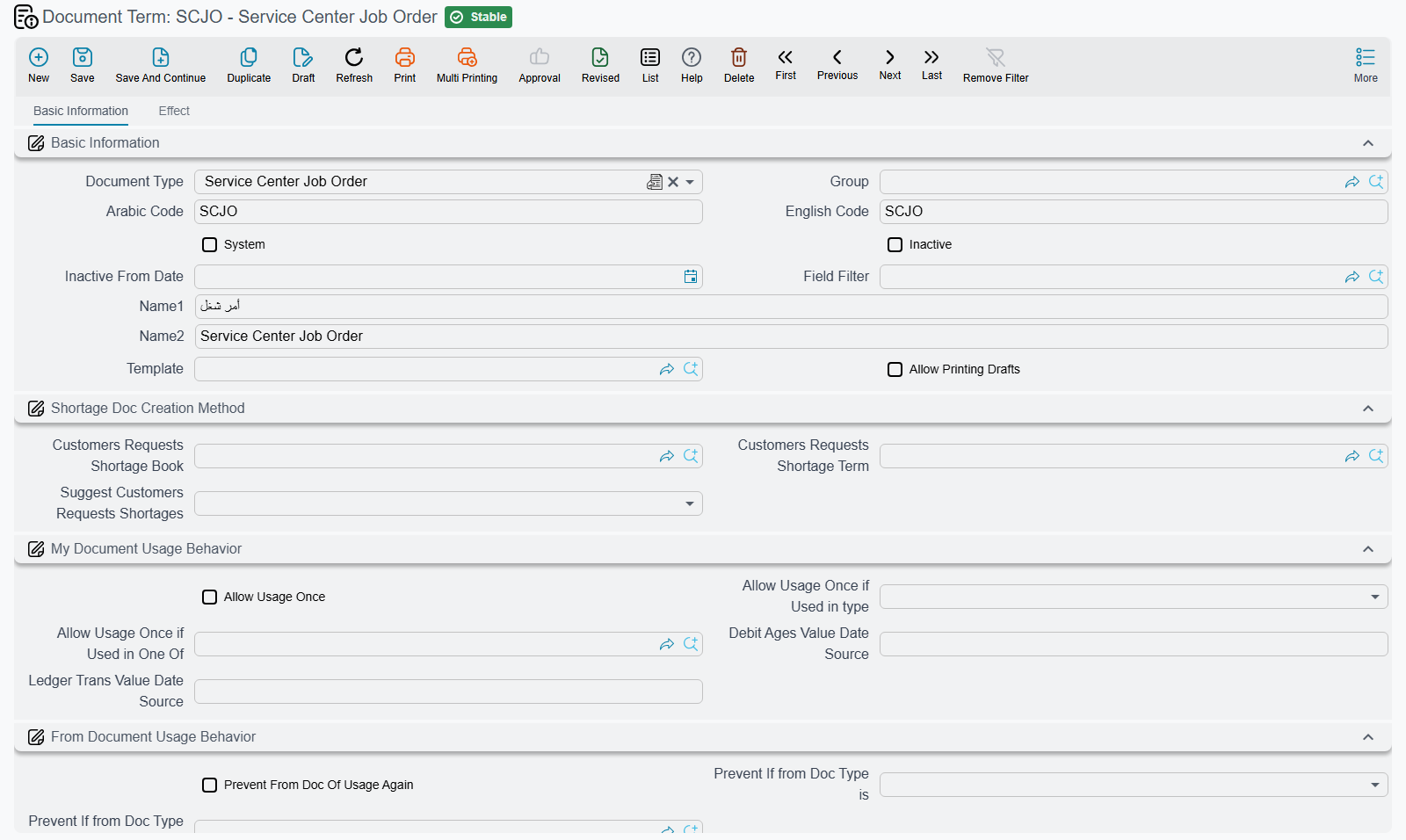
Every Service Center document you save carries two things at the top of the screen: a book, which decides how it is numbered, and a term, which decides how it behaves. The book is bookkeeping hygiene. The term is the configuration — and, alongside the module configuration screen, it is where most Service Center behaviour is decided.
Required licence
srvcenter for the workshop documents. The car documents also need srvcenter-subitems, the policy documents srvcenter-insurance-and-installments, the rental documents srvcenter-rental-assets, and the courier documents srvcenter-mobile-delivery.
What a term actually decides
A term is a saved rulebook for one document type. You can have as many as you like — a term per branch, a term per workflow, a term for the cash counter and another for the credit counter — and you choose which one applies each time you raise a document.
Across Service Center, the settings on a term fall into four families. Learn these four and every term screen in the module becomes readable, whichever document it belongs to.
Accounts. Most terms carry one or more pairs of accounting sides — a debit and a credit — which say where the document's money lands in the ledger. Al-Sahra Motors' job-order closing term, for instance, names the pair that receives the customer share of a finished repair.
Generation settings. Several documents do their real work by creating a second document: a job order closing creates the stock issue for the consumed parts; a car receipt creates the stock receipt that brings the chassis into the showroom store. The term names the book and term of the document to be generated. This is the single most consequential block in the module, and the one this documentation warns about most.
Stamping settings. Service Center terms are unusually chatty with master files. A workshop term can move the vehicle's status when the document commits, and fire a notification when it does. A car term can stamp a dozen back-references onto the car record — which invoice sold it, which traffic letter was issued, which salesperson handled it.
Behaviour switches. The rest are plain rules: refuse the gate pass until the customer invoice is paid, refuse the closing until every part has been issued, copy the job order's planned parts onto the issue, split a quantity of six into six separate car records.
Which documents share which term
A term is written against a family of documents, not always against one. Where two documents share a family, one term record serves both — and a setting you make for one silently applies to the other, which is worth knowing before you tune anything.
| Term family | Documents that use it |
|---|---|
| Common workshop documents | Service Request, Job Estimation, Estimation Update, Add Task To Job Order, Pending Operation, Resume Operation, Product Inspection Document |
| Job Order | Job Order |
| Job Order Closing | Job Order Closing |
| Gate Pass | Gate Pass |
| Job Order Execution | Job Order Execution (the menu reads Production Review) |
| External Repair | External Repair |
| Spare Parts Issue | Spare Parts Issue |
| Spare Parts Issue Request | Spare Parts Issue Request |
| Spare Parts Return | Spare Parts Return |
| Car sales documents | Sales Quotation Request, Sales Quotation, Sales Approval, Sales Order, Sales Order Cancel, Allocation, Allocation Cancel, Pro-forma Sales Invoice, Final Delivery, Final Delivery Cancel, Traffic Letter Request, Traffic Letter Request Cancel, Traffic Letter, Traffic Letter Cancel |
| Car receipt documents | Car Receipt, Car Receipt Cancel |
| Car Sales Invoice | Car Sales Invoice |
| Car Sales Return | Car Sales Return |
| Car Purchase Order | Car Purchase Order |
| Car Pro-forma Purchase Invoice | Car Pro-forma Purchase Invoice |
| Car Purchase Invoice | Car Purchase Invoice |
| Car Purchase Return | Car Purchase Return |
| Sub Item Assembly Document | Sub Item Assembly Document — the only document in the module that needs the supplychain-assembly licence on top of srvcenter-subitems |
| Insurance Policy Order | Insurance Policy Order, Insurance Policy Renewal |
| Insurance Policy Receipt | Insurance Policy Receipt |
| Insurance Policy Receipt Cancellation | Insurance Policy Receipt Cancellation |
| Insurance Policy Delivery | Insurance Policy Delivery |
| Insurance Policy Delivery Cancellation | Insurance Policy Delivery Cancellation |
| Insurance Policy Purchase Invoice | Insurance Policy Purchase Invoice |
| Insurance Policy Purchase Return | Insurance Policy Purchase Return |
| Rental | Rental Request, Rental Invoice |
| Reservation Cancel | Reservation Cancel |
| Delivery Document | Delivery Document |
| Batch Delivery Document | Batch Delivery Document |
| Invoice Receipt Document | Invoice Receipt Document |
Thirty families for eighty-odd documents — which means most of your configuration effort goes into a handful of screens. The two that repay attention first are the Job Order term and the Car sales term, because between them they cover the whole of both halves of the business.
Eight documents have no term at all
Some documents in this module have nothing to configure. Their document book still shows a توجيه tab, but there is no term class behind it, so there is no rulebook to write and nothing you can tune per book:
- Attendance
- Odometer Reading Log
- Product Task Opening
- Customer Insurance Policy
- Insurance Policy Cancellation
- Insurance Policy Period Adjustment
- Insurance Policy Value Adjustment
- Instalment Quotation
Four of those eight are insurance-policy documents: the policy record itself, the cancellation and the two adjustments. None of them books anything, so there is nothing to configure.
The rule that governs the other two pages
Not every Service Center document creates a journal entry. The car, insurance and rental terms page lists which car documents do; the four traffic letter documents and the Car Pro-forma Purchase Invoice do not. Before you rely on a term's accounts, commit one document and look for its entry.
Generation: the book, the term, and the two that double
The generation block is where terms cause real damage, and always in the same two ways.
The book and the term decide generation
On the Car Receipt, the Car Final Delivery, the Spare Parts Issue and the Spare Parts Return, generation is decided by the Generation Book and Generation Term (termConfig.generationConfigurations.generationBook, termConfig.generationConfigurations.generationTerm): fill both and the document generates its stock document. To stop these documents generating, clear the generation book or the generation term.
And then the two symmetric traps. They are the reason this page exists at all, because a document term is the only place a reader can act on them.
Stock in — the car can be received twice
Both the Car Receipt and the Car Purchase Invoice are able to generate a Stock Receipt for the same chassis, and neither can see the other's stock document. Configure both and the car arrives in stock twice, at double cost, with no error at all.
The safe rule: fill the generation Book and Term on exactly one of the two terms. Al-Sahra Motors generates on the purchase invoice (SIPI-2026-021 produced stock receipt STR-2026-0552) and leaves the car receipt's generation book and term empty, so car receipt SIR-2026-0088 records the physical arrival, the accessory checklist and the parking slots and moves nothing.
Treat the two documents as alternatives, never as a sequence.
Stock out — the car can be issued twice
The mirror image. Both the Car Sales Invoice and the Car Final Delivery are able to generate a Stock Issue for the same chassis, and again neither sees the other's document. Configure both and the car leaves stock twice, its cost is relieved twice, and on-hand goes negative — silently, or with a shortage error that names a stock document nobody created by hand.
Same rule: fill the generation Book and Term on exactly one of the two terms. Al-Sahra issues from the sales invoice (SISI-2026-0498 produced stock issue STI-2026-1201) and leaves the final delivery's generation book and term empty, so SIFD-2026-0357 is purely the hand-over record.
Where to go next
- Workshop Document Terms — the job order, the closing, the gate pass, the material documents and the shared workshop term.
- Car, Insurance and Rental Document Terms — the car creation and stamping block, the generation settings, and the insurance, rental and courier terms.