
The Car Purchase Invoice
فاتورة شراء سيارة / Car Purchase Invoice — سيارات > مشتريات السيارات > فاتورة شراء سيارة.
This is the document that turns an order into a purchase. It always books to the ledger, it brings the cars into the warehouse, it is the only document in the chain that can carry landed cost, and in most dealerships it is where the individual car records are born. Four responsibilities on one screen — worth taking slowly.
Required licence
srvcenter-subitems.
The worked example
Al-Sahra raises SIPI-2026-021 on 10 February 2026, against SUP-77 NAWA Motors Import Co., built بناءا على purchase order SIPO-2026-014. Six lines, one chassis per line:
| Car | Chassis | Engine | Key | Slot | Price |
|---|---|---|---|---|---|
CAR-000318 | NWA7R24C26K000318 | R24-360318 | K-318 | A-14 | 74,000 |
CAR-000319 | NWA7R24C26K000319 | R24-360319 | K-319 | A-15 | 74,000 |
CAR-000320 … CAR-000323 | …000320 … …000323 | 74,000 each | |||
| Total | 444,000 |
Three service lines on the same invoice carry the import charges — 9,000 sea freight, 4,200 customs clearance, 1,800 inland transport — which is the subject of Freight, Customs and Landed Cost.
The four tabs
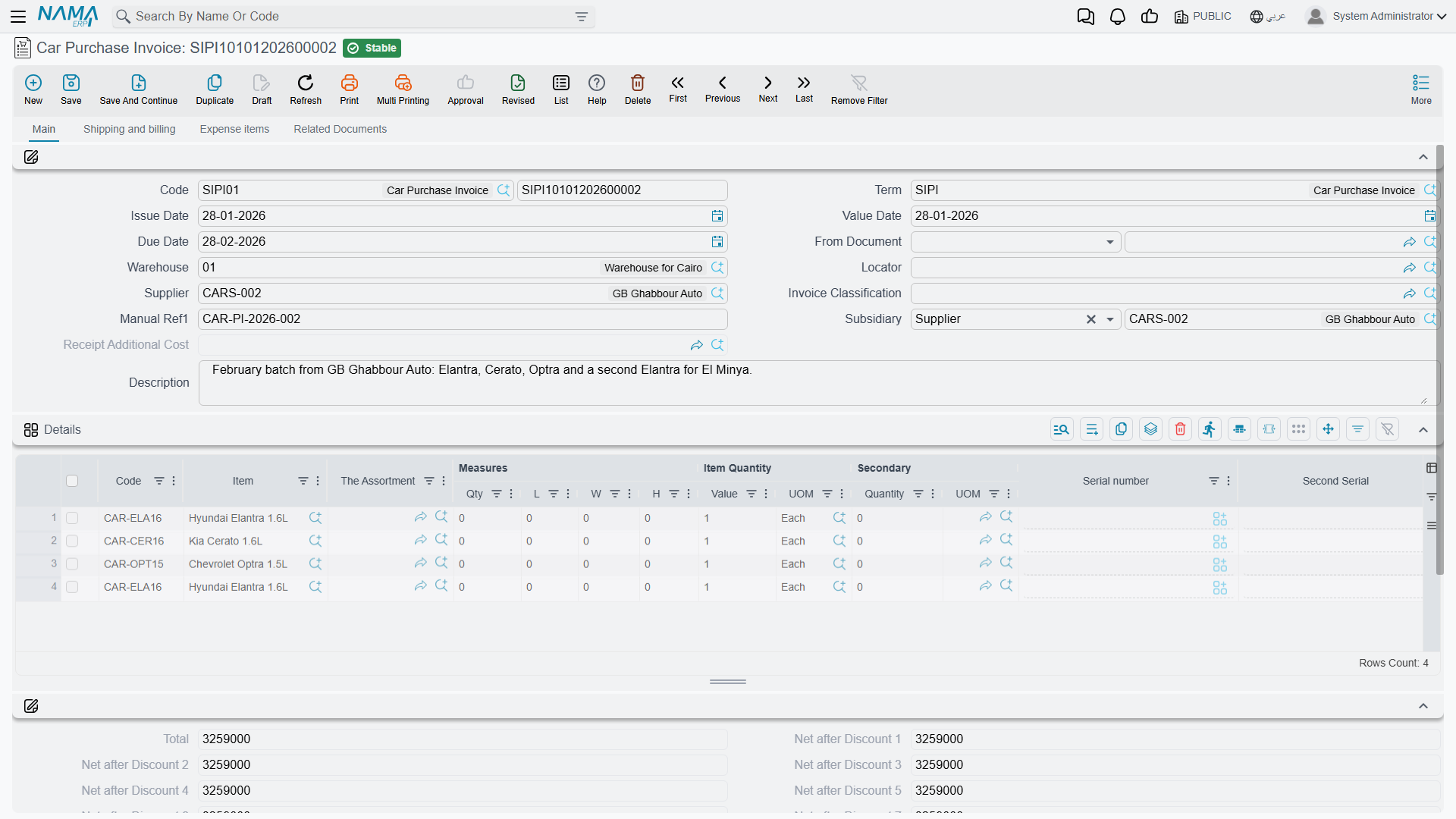
الرئيسية / Main
The header: book and code, توجيه المستند (document term), issue date, value date, due date, بناءا على (From Document), warehouse and locator, supplier, invoice classification, manual reference, الذمة (subsidiary), remarks — and a read-only سند التكاليف الإضافية (Receipt Additional Cost) reference, which fills itself in when the invoice spins off a landed-cost document.
The line grid is the standard purchase-invoice grid: item, assortment and measures, prime and secondary quantity, serial numbers, unit price and total price, the free-item flag, eight discount blocks, four tax blocks, net value, box / revision / size / colour / lot, the السياره (Customer Car) column, production and expiry dates, warehouse and locator, generic dimensions, attachment, remarks, line type — and four read-only columns that are the point of the whole landed-cost exercise: قيمة التكلفة الإضافية (Additional Cost Value), unit cost, total cost, plus returned quantity and remaining.
Then the totals: the money block with the eight discount stages, header discount, taxes 3 and 4, net value, cash amount, total paid, remaining, currency and rate.
الشحن و الدفع / Shipping and billing
The purchasing agent, contact, payment period, shipping and billing addresses, and the payment machinery — a payment template with Generate Payments, the الدفعات (payments) schedule grid, the سندات الدفع (external payments) grid, and buttons to generate a payment voucher, generate one for selected payments, or collect existing vouchers. Two read-only figures here, executed and remaining stock quantity, tell you how much of the invoice has actually been received.
بنود مصروفات / Expense items
Two read-only lists — تكاليف إستلام إضافية (receipt additional costs) and بنود المصروفات (expense item totals). This is the landed-cost read-out.
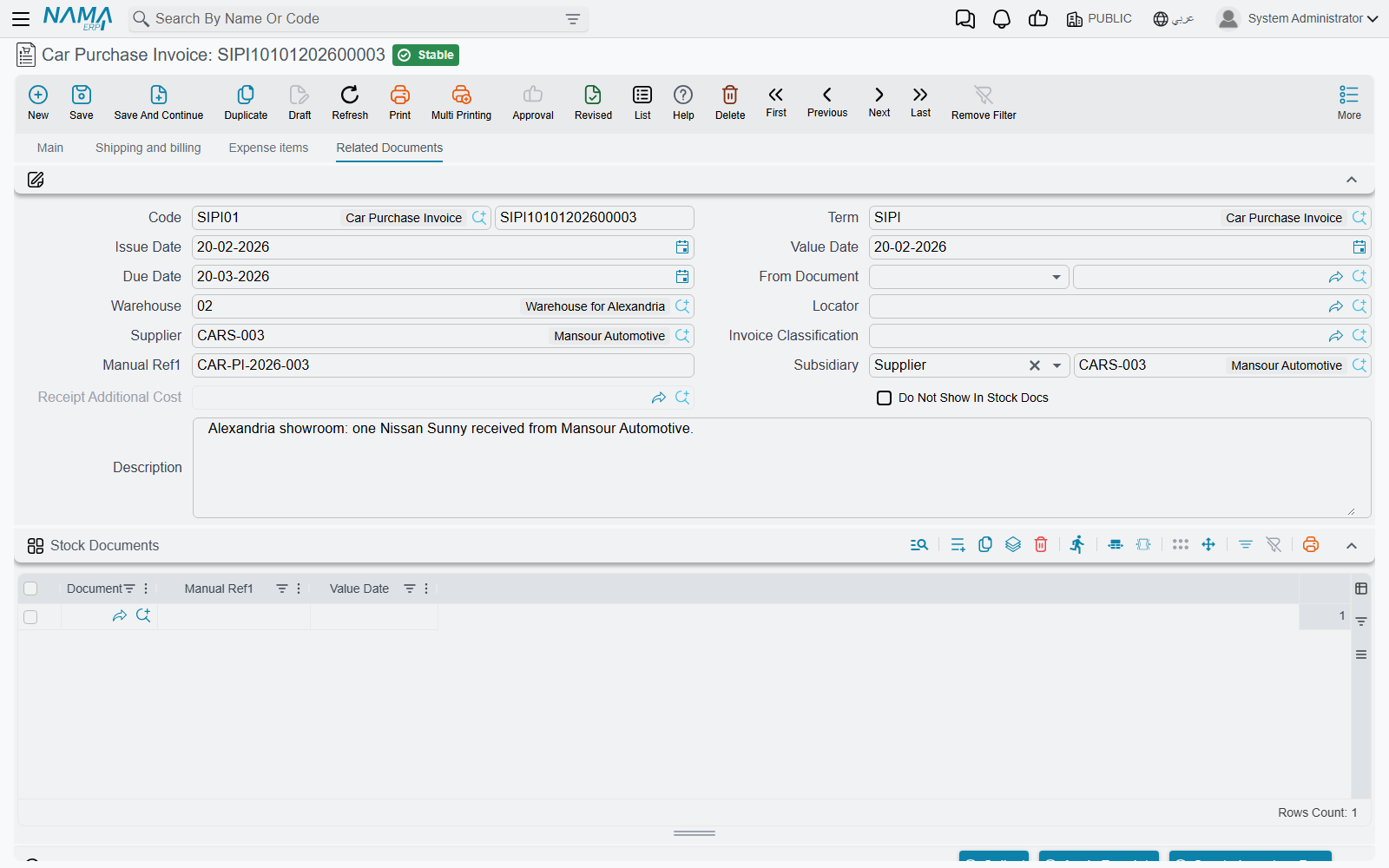
المستندات المرتبطة / Related Documents
The السندات المخزنية (stock documents) grid — every stock receipt attached to this invoice, generated or collected — plus three buttons: تجميع (Collect) to pull existing receipts in, تطبيق (Apply Receipts) to match them against the lines, and إنشاء سند مخزني (Create Inventory Doc.).
What it does on commit
- Accounting: always. The invoice books unconditionally — the inventory or expense side against the supplier, plus taxes, the discount stages, the additional-cost side and any service-fee sides the term configures. There is no "only if the term fills the accounts" behaviour here, unlike the purchase order.
- Stock: yes — through a generated Stock Receipt. The invoice generates the stock receipts listed in its stock-documents grid, following the term's generation configuration. The inventory movement and its accounting entries belong to that generated receipt, under its own book and term.
- Car records, when the term's Create Sub Item From Line Information is on.
- Status entries on each car, and the reference stamps — purchase invoice, stock receipt, purchase order — for whichever Update … In Sub Item options the term switches on.
All of these effects are created as business requests processed in the background, so the invoice itself saves immediately. If an effect fails, retry it from the Business Requests list view: filter by failed, select the rows, and use More → Reprocess / Recommit.
Setting it up so car records are actually created
Most dealerships make this the document where cars are born. Doing that needs four things in place, and skipping any one of them produces a different confusing symptom.
- The Sub Items feature must not be in the Config Group's Prevented Features list — a migrator puts it there, so on an upgraded database it starts switched off and the car column is simply not on any screen.
- The item must have Has Sub Item ticked and must carry a Car Status Configurations record at Item ▸ Configurations. Without the configuration the commit fails with "Item … does not have Car Status Configurations" — and the message is reported against the item column of the line, so look at the item's configuration, not at the line.
- The configuration's Created SubItem Master Group must be filled, or the commit fails complaining that the group is empty.
- The document term'sإنشاء صنف فرعي من السطر (Create Sub Item From Line Information) must be on — and on for this document only.
The chassis-number column does not exist on this screen out of the box
The default line grid of the Car Purchase Invoice — and of the Proforma Purchase Invoice, the Purchase Order and the Purchase Return — carries the السياره (Customer Car) picker and no car property columns at all: no chassis number, no engine number, no gearbox, no key number, no slot number.
Automatic car creation reads the chassis number from the line. As shipped, there is nowhere on this screen to type it. Add the car-property columns to the line grid through a screen modification before you rely on automatic creation — otherwise you will get six correctly-created car records with six empty chassis numbers, and only notice weeks later.
Switch Create Sub Item From Line Information on for exactly one document type
The option behaves identically on the purchase order, the proforma purchase invoice, this invoice and the purchase return. If two documents in the same chain have it on:
- built from each other — the later document finds the existing car and re-edits it, re-deriving its master group, re-applying the coding rule, resetting the status default and overwriting warehouse, locator, classes and price classifiers from the new line;
- typed fresh — a duplicate car record is created. Nothing validates chassis-number uniqueness anywhere, so you end up with two records for one physical car, each carrying its own stock and its own cost.
One line per chassis
The whole model rests on it. A car record is created per line, never per unit of quantity, so a line of six cars produces one car record. The Spread Sub Item Lines If Qty Greater Than One option splits lines when a document is built from another document; a hand-typed line stays as you typed it.
Type six lines of one. And tick Prime Quantity Must Be One on the item's status configuration so that anything else is refused.
The stock-in rule
The car can be received into stock twice
This invoice generates a stock receipt. So can the Car Receipt. Neither document can see the other's — each looks only for a stock receipt raised from itself — and nothing anywhere checks whether a car is already on hand.
Follow the natural-looking path order → receipt → purchase invoice with both terms configured to generate, and the same chassis is received twice: on-hand quantity 2 for a car that exists once, and the cost row carrying both values. It happens silently, with no error, and the later sale relieves only one of the two.
The rule: fill the Generation Book and Generation Term on exactly one of the two document terms. Treat the Car Receipt and the Car Purchase Invoice as alternatives for moving stock, never as a sequence.
- If the invoice is your stock-in document — Al-Sahra's choice — leave the Car Receipt term's generation book and term empty, and use the receipt purely as the physical-arrival record.
- If the receipt is your stock-in document, leave the invoice's generation off and use تجميع (Collect) and تطبيق (Apply) on the Related Documents tab to link the receipt's stock document to the invoice.
Whichever term does generate, switch عدم إنشاء مستندات إذا وجدت مستندات يدوية (Do Not Generate Documents If Manual Documents Found) on, so a collected receipt suppresses a second generation.
To stop the Car Receipt generating, clear the Generation Book or the Generation Term on its term.
Actions on this screen
More menu:
- Create Sub Item From Line Information (إنشاء صنف فرعي من السطر) — runs the car-creation routine against the grid on demand: for every line whose item has sub items it creates the car record (or refreshes the one already on the line) and writes it back onto the line. The car record is saved straight away. It runs only when the term's Create Sub Item From Line Info option is on.
- Reverse Document (عكس المستند) — the invoice must be saved; opens a new, unsaved Car Purchase Return with this invoice's lines copied in.
- Generate Doc (إنشاء مستند بناءا على) — asks which kind of document to create (stock issue, stock receipt, stock transfer, purchase invoice, purchase return, car purchase return, sales invoice or car sales invoice) and opens a new, unsaved one built from this invoice.
- Remove Taxes (حذف الضرائب) and Restore Taxes (احتساب الضرائب) — the first asks which taxes to clear and empties them on every line; the second recalculates them. Both are refused when the invoice is not taxable.
- Reset discounts (حذف الخصومات) — clears all eight discounts on every line.
- Installment Payments (سندات سداد الدفعات) — opens a list of the vouchers that paid this invoice's instalments.
Shipping and billing page:
- GeneratePayments (إنشاء الدفعات) — splits the remaining value into an instalment schedule, asking for the number of payments, the period between them and its unit, the start date, a grace period, down / first / second / last payment values and a rounding mode. The English label ships as the raw name shown here.
- Generate payment voucher (إنشاء سند صرف) — the invoice must be saved; creates a payment voucher for the whole remaining value against the supplier and opens it.
- Generate Payment Voucher For Selected Payments (إنشاء سند صرف للسطور المختارة) — the same, for only the instalment lines you ticked that still have something remaining.
- Collect Payment Vouchers (تجميع سندات الصرف) — brings existing payment vouchers onto the invoice.
Related Documents page:
- Collect (تجميع) — asks for a from date and a to date and fills the stock documents grid with the stock receipts already taken from this supplier into the same warehouse that have not been invoiced yet.
- Apply Receipts (تطبيق) — turns the receipts in that grid into priced invoice lines.
- Create Inventory Doc. (إنشاء سند مخزني) — for an invoice typed by hand, generates the stock receipt and opens it.
On the list screen, Reset documents discounts with saving (حذف الخصومات من السجلات المختارة مع الحفظ, More menu) clears the line discounts of every selected invoice and saves it.
After the invoice
Once SIPI-2026-021 is processed:
- the six cars exist, each at whatever status your updater rows give the purchase invoice — Customs in the Al-Sahra configuration;
- stock receipt
STR-2026-0552has brought them intoWH-SHOW; - the invoice is on each car's Statistics tab, along with the stock receipt;
- receipt additional cost document
RAC-2026-009has spread the 15,000 of import charges across the six, giving each a landed cost of 76,500.
The customs paperwork — list number, release number and date, vessel, carrier — is typed on the car file's Document Control Data tab afterwards. It is descriptive text and has no connection to the 15,000.