
Service Charge, Minimum Charge, Delivery & Return Reasons
Restaurants and cafés often add something to the bill that is not a dish: a service charge, a delivery fee, or a top-up when a table spends less than the minimum. The register handles all three the same way — it adds a special item line to the invoice and prices it for you. This page explains how to set those up on the server, plus the two lists cashiers pick from when goods come back: return reasons and depreciation reasons.
How the three charges work
Each charge needs two things:
- An item. A service item for each charge — for example
SRV"Service charge",DLV"Delivery",MIN"Minimum charge top-up". The item is what appears as a line on the invoice and what the sales accounts see. Pick it in Service Charge Item, Delivery Item and Minimum Charge Item. - A settings record that says when the charge applies — between which dates and for which invoice classification. These are the three settings screens below.
Both are chosen on POS Settings (Point of sale → Settings → POS Settings) for every register, and can be chosen again on an individual Register, which then wins for that register.
A register adds each special item once; scanning it again is refused (Service item is already added — «تمت إضافة صنف الخدمة السياحية بالفعل», Delivery item is already added — «تمت إضافة صنف التوصيل بالفعل»).
Service charge
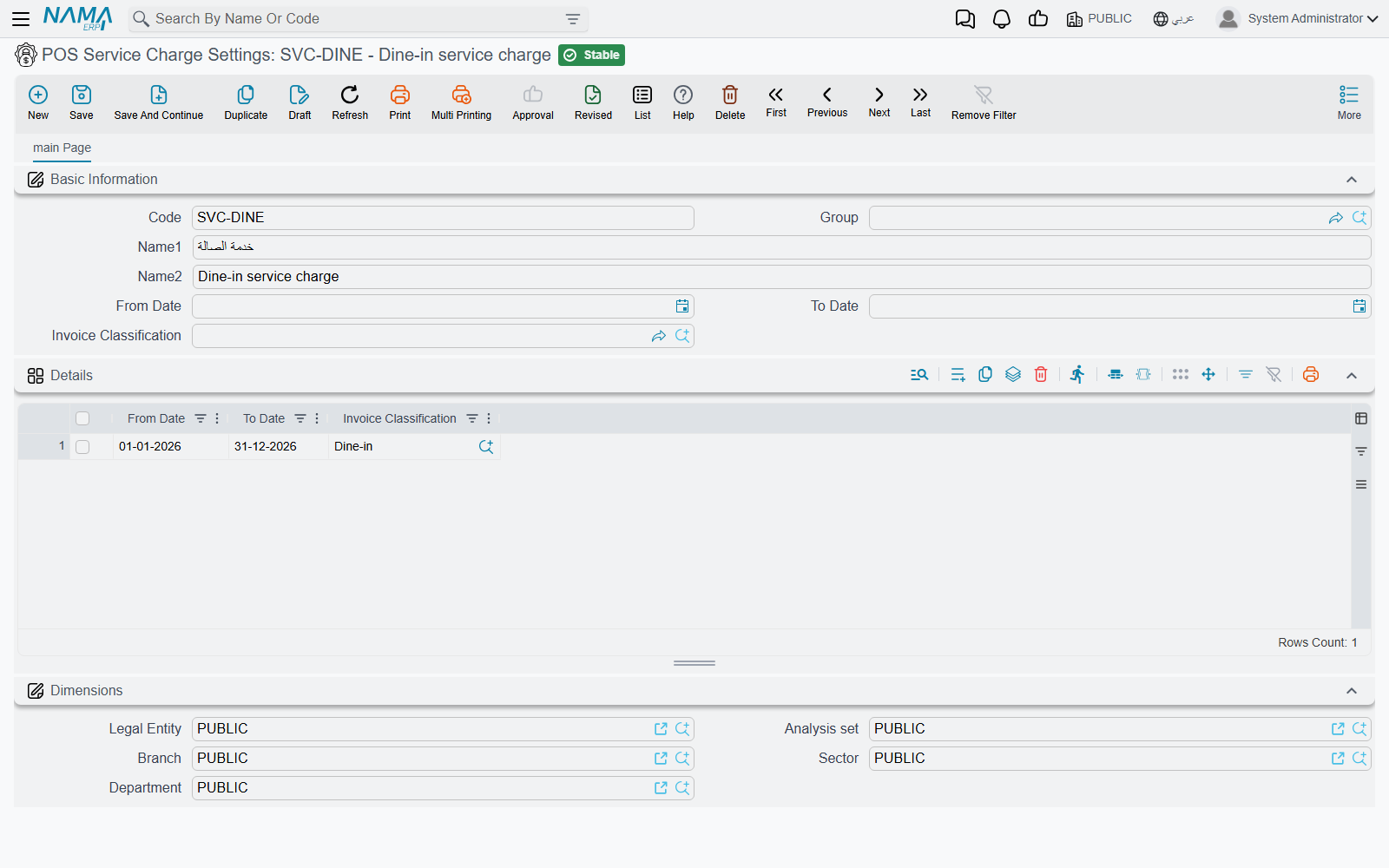
POS Service Charge Settings (Point of sale → Settings → POS Service Charge Settings) has a grid of lines, each with From Date, To Date and Invoice Classification. A line matches when the invoice's date falls in its range and its classification is the invoice's (an empty cell matches anything).
The amount is a percentage, set with the item:
- Service Charge Percentage (نسبة الخدمة السياحية) — e.g. 12%.
- Service Charge Calculated From (الخدمة السياحية تحسب من) — which figure of the other lines the percentage is applied to: Base Price, After Discount 1 … After Discount 8, after tax 1 or 2, or Net Value. Empty means after discount 8.
Example. A table orders two mains at 100 each and a dessert at 50, with no discounts: 250 in total. With 12% calculated from Base Price, the service line is priced at 30. If the waiter later adds a 40 drink, the register recalculates the line to 34.80 (Service charge recalculated — «تم اعادة احتساب تكلفة الخدمة السياحية»).
When the service item is added depends on three options (each on POS Settings, and on the register with an extra Inherited choice that follows POS Settings):
| Option | On screen (Arabic) | Effect |
|---|---|---|
| Add Service Item Automatically In Invoice | إضافة صنف الخدمة السياحية تِلْقائيًا في الفاتورة | Every new invoice starts with the service line. |
| Automatically Add Service Item When Selecting Table | إضافة صنف الخدمة السياحية تلقائياً عند اختيار طاولة | The line is added when the cashier picks a table — dine-in pays service, take-away does not. |
| Automatically Add Service Item When Selecting Invoice Classification | إضافة صنف الخدمة السياحية تلقائياً عند اختيار تصنيف الفاتورة | When the classification changes, the line is added if a settings line matches and removed if none does. |
Delivery charge
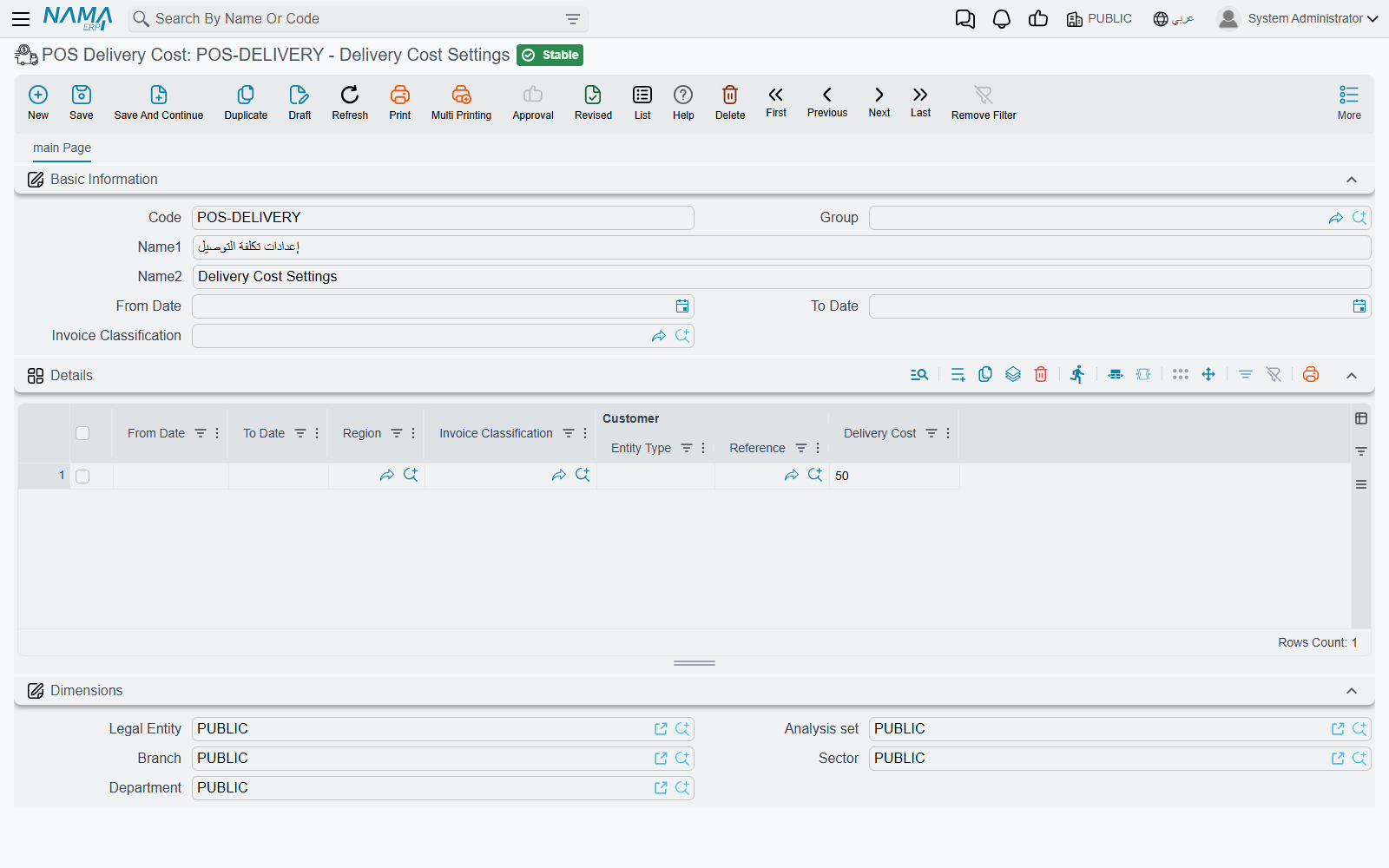
POS Delivery Cost (Point of sale → Settings → POS Delivery Cost) is a price list for delivery. Each line has From Date, To Date, Region, Invoice Classification, Customer (a customer or a customer class) and Delivery Cost. The register takes the first line that matches the invoice's date, classification, delivery region and customer, so put specific lines (a VIP customer, a far region) above general ones.
Example. Lines: Region "Downtown" → 15; Region "Suburbs" → 30; customer class "Corporate" → 0. A customer from the Suburbs gets a 30 delivery line; change the region on the invoice to Downtown and the line is re-priced to 15.
The delivery line is added:
| Option | On screen (Arabic) | Effect |
|---|---|---|
| Add Delivery Item Automatically In Invoice | إضافة صنف خدمة التوصيل تِلْقائيًا في الفاتورة | Every new invoice starts with the delivery line. |
| Add Delivery Item When Selecting Customer | إضافة صنف خدمة التوصيل مع اختيار عميل | Selecting a customer adds the line if a cost line matches, removes it if none does. |
| Automatically Add Delivery Item When Selecting Invoice Classification | إضافة صنف التوصيل تلقائياً عند اختيار تصنيف الفاتورة | The same, triggered by the invoice classification — e.g. a "Delivery" classification. |
Changing the invoice's region always re-checks the delivery line.
Minimum charge
Pos Minimum Charge Settings (Point of sale → Settings → Pos Minimum Charge Settings) has lines with From Date, To Date, Invoice Classification and Minimum Charge Value. When a line matches, the register adds the minimum-charge item priced at the minimum minus what the table has ordered (measured at Minimum Charge Calculation Type — الحد الأدنى للطلب يحسب من — after discount 8 if empty).
Example. A lounge has a 300 minimum on Friday nights. A table orders 220; the register adds a top-up line of 80. Before the invoice is saved the register checks the top-up is still right; if the table has ordered more since, it recalculates the line and stops the save so the cashier sees the new figure (Minimum charge item has been recalculated).
Automatically Add Minimum Charge Item When Selecting Invoice Classification (إضافة صنف الحد الأدنى تلقائياً عند اختيار تصنيف الفاتورة) adds or removes the line as the classification changes.
Reservations
By default none of the three charges is added to an order reservation or its cancellation. Turn them on separately on POS Settings: Enable Service Charge In POS Reservation Document, Enable Delivery Cost In POS Reservation Document, Enable Minimum Charge In POS Reservation Document.
Return reasons
Nama POS Return Reason (سبب الإرجاع, Point of sale → Settings → Nama POS Return Reason) is a simple list — code and name — that the cashier picks from on a sales return ("Wrong size", "Damaged", "Changed mind"). It carries no calculation; it is there so returns can be reported by reason. To force cashiers to explain every return in words as well, turn on Remarks Required In Sales Return (الملحوظه مطلوبه في مردود نقاط البيع) on POS Settings.
Depreciation reasons
A POS Depreciation Reason (سبب الهالك, Point of sale → Master Files → POS Depreciation Reason) is a preset deduction a cashier applies to a sales line with the line's Depreciate button (تحويل إلى هالك) — see Returns & Replacements for the cashier's side. The button appears when the register has screen settings and Do Not Add Sales Line Depreciate Button is not ticked.
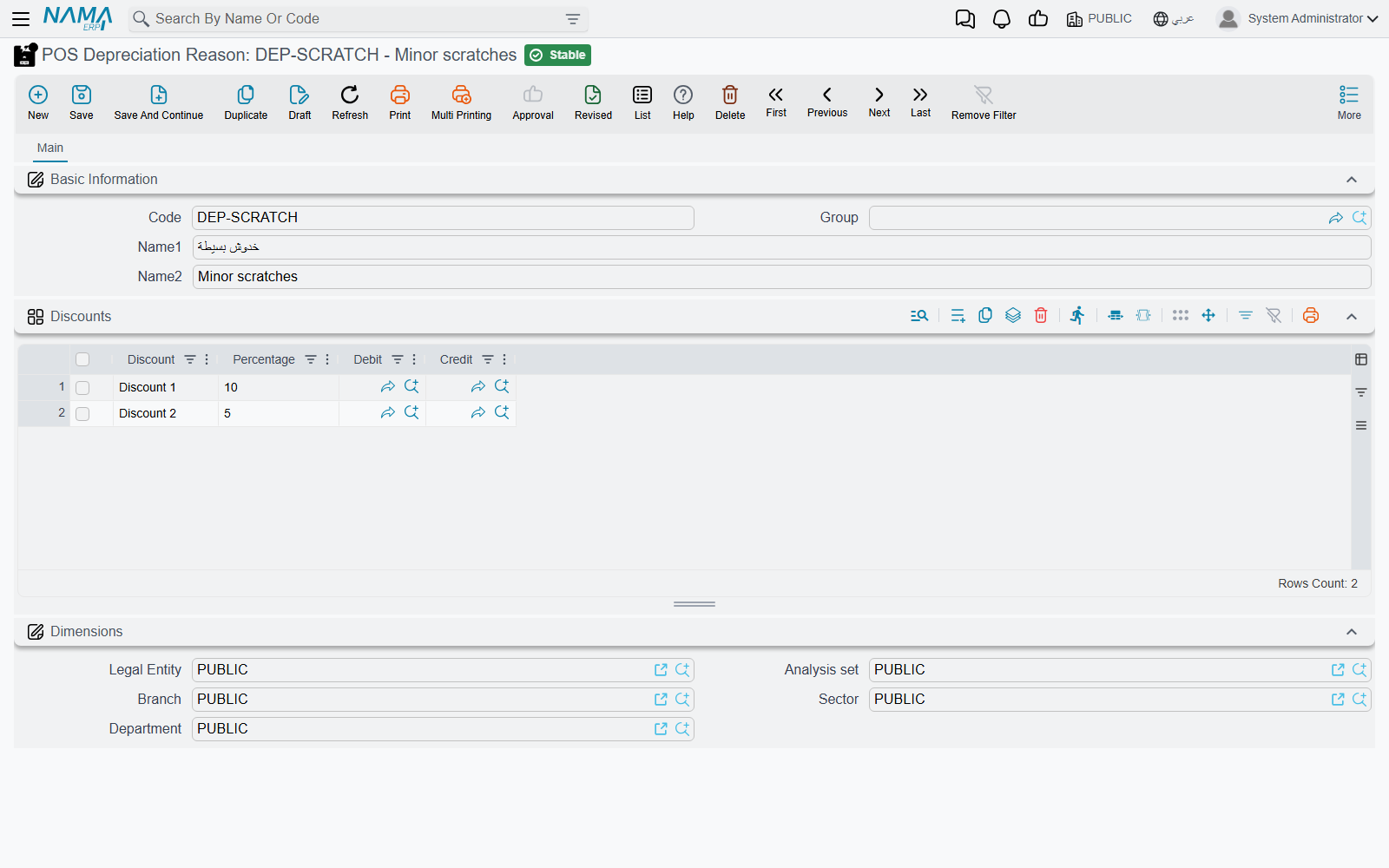
The reason's Discounts grid says which of the line's eight discount slots receive the deduction:
| Column | Arabic on screen | Meaning |
|---|---|---|
| Discount | التخفيض | Which discount slot (Discount 1 … Discount 8). |
| Percentage | النسبة | The deduction, as a percentage of the original price. |
| Debit / Credit | مدين / دائن | Optional accounting sides for this deduction. |
The percentages add up: a reason with 10% in Discount 1 and 5% in Discount 2 takes 15% off the original price in total (the register converts the second slot so it is 5% of the original, not of what remains). The total cannot exceed 100%: Total of Discounts percentages {0} must be less than or equal to 100% — «المجموع الكلي لنسب التخفيضات {0} يجب أن يكون أقل من أو يساوي 100%».
When both Debit and Credit are filled on a line, a POS sales invoice carrying that depreciation gets an extra pair of ledger lines for the deducted value — useful for moving the loss to a "damaged goods" account instead of leaving it as an ordinary discount.
Messages you may see
| Message | Why | What to do |
|---|---|---|
| No service item defined | A service line was due but no Service Charge Item is set on the register or POS Settings. Shown in English on Arabic screens too. | Choose the item. |
| No delivery item defined | The same for Delivery Item. Shown in English on Arabic screens too. | Choose the item. |
| No min charge item defined | The same for Minimum Charge Item. Shown in English on Arabic screens too. | Choose the item. |
| Service item is already added — «تمت إضافة صنف الخدمة السياحية بالفعل» | The cashier tried to add the service item a second time. | Leave the existing line; the register prices it. |
| Delivery item is already added — «تمت إضافة صنف التوصيل بالفعل» | The same for the delivery item. | None. |
| Minimum charge item has been recalculated | The order changed after the top-up line was priced. Shown in English on Arabic screens too. | Check the new amount and save again. |
| Total of Discounts percentages {0} must be less than or equal to 100% — «المجموع الكلي لنسب التخفيضات {0} يجب أن يكون أقل من أو يساوي 100%» | A depreciation reason's percentages add up to more than 100%. | Lower the percentages. |