
Allocating a Chassis
A sales order says "Layla is buying a Rimal 2.4". It does not say which Rimal 2.4. The showroom has six of them lined up in the yard, and at some point somebody has to walk out with a clipboard, pick chassis NWA7R24C26K000318, and write her name against it.
The Car Allocation document is where that decision is recorded. It is at cars > Car Sales > Car Allocation (سيارات > مبيعات السيارات > تخصيص سيارة).
Required licence
srvcenter-subitems.
What it writes
One line is one car. On the line you name the chassis in the السياره (Customer Car) column, and fill five allocation columns that exist on this document and on no other:
| Column | Meaning |
|---|---|
| مُخصصة لعميل (Allocated To Customer) | The buyer this car is set aside for |
| مُخصصة لفرع (Allocated To Branch) | The branch that owns the deal |
| مُخصصة لقسم (Allocated To Department) | The department |
| مُخصصة لمندوب مبيعات (Allocated To Sales Man) | The salesperson credited with it |
| مُخصصة لمخزن (Allocated To Warehouse) | Where the car is being held for the customer |
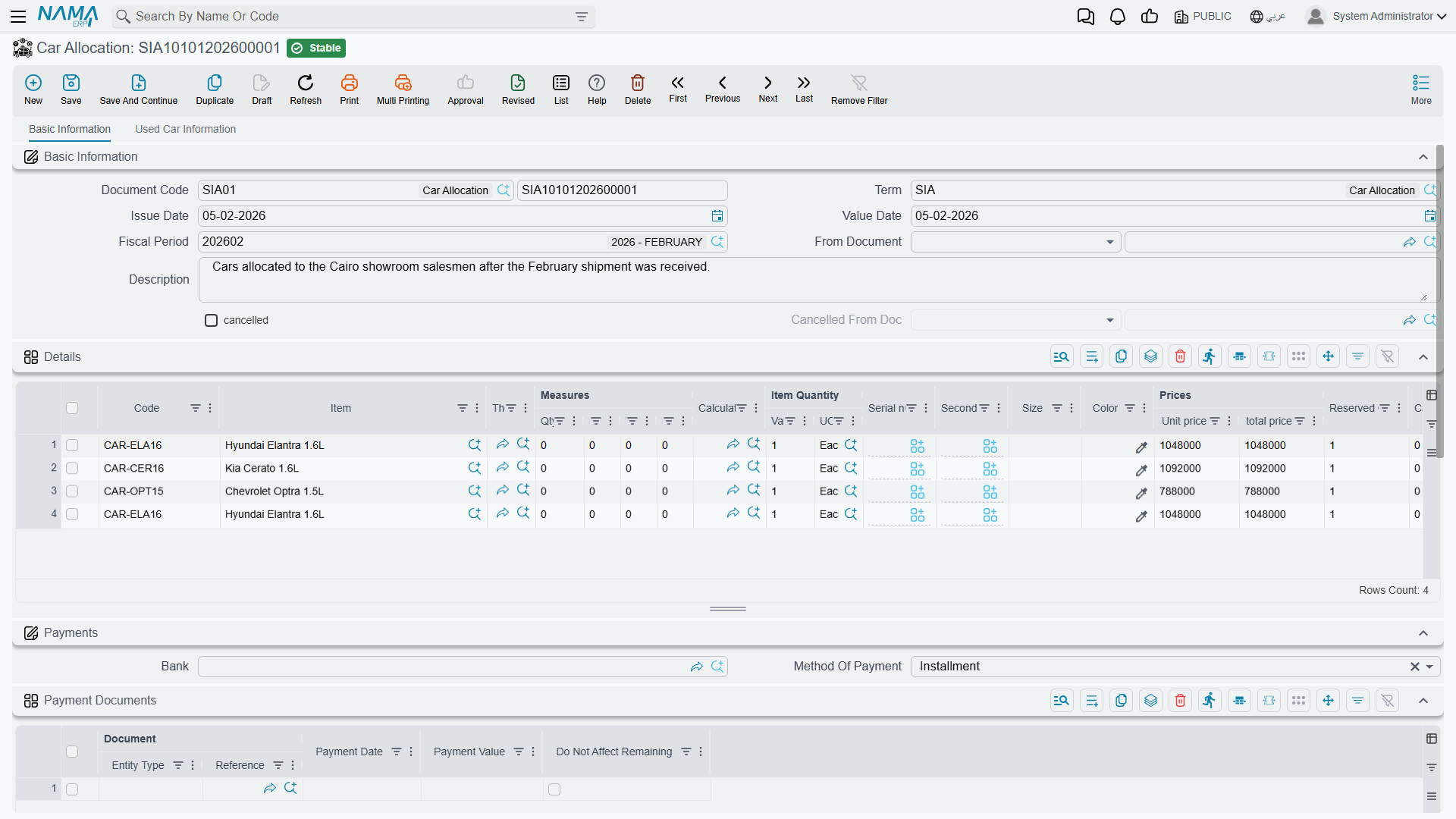
On commit those five values are copied onto the car record itself, where they appear on its Sales Data tab. They are read-only there: the allocation document is the only thing that writes them, and the allocation cancel document is the only thing that clears them.
The document also writes a status line on the car — typically moving it to مخصص (Allocated) — if the configuration has a status updater line targeting the allocation.
The allocation fields are a stamp, not a lock
The five fields answer "who is this car promised to?" on the car's screen and in reports. They do not hold the car: a car allocated to Layla Al-Harbi can still be invoiced to another customer. The next section shows what does stop a second sale.
What actually stops a second salesman selling the same car
If the allocation fields are not the guard, what is? Three things, and all three are things you configure:
- The car status state machine. If your status updater line moves an allocated car to Allocated, then a second allocation of the same car would be an Allocated → Allocated transition. Unless the configuration explicitly permits that move, the second document refuses to commit. This is the mechanism that does the real work — and note it is a side effect of the lifecycle you drew, not an "already allocated" check that somebody wrote for this purpose.
- The car picker filter. The configuration can say which car statuses are selectable on which document. Exclude Allocated from the allocation document's filter and the second salesman cannot even find the car in the list.
- منع البيع (Prevent Sales) on the car record. A car flagged this way is refused on any car sales document and disappears from the picker.
With no status configuration, allocation writes nothing at all
The allocation fields are copied onto the car through the status machine. If no status updater line matches the allocation document, the machine writes no history line — and the hook that copies the five fields is never reached.
The result is a document that commits cleanly, shows the five values on its own lines, and leaves the car's Sales Data tab completely blank. Nothing tells you. If allocation appears to "not work", this is almost always why.
What it does not do
| Accounting | None. The allocation and the allocation cancel create no journal entry |
| Inventory | None, unless the term's Reserve switch is on — which creates an ordinary quantity reservation, entirely separate from the allocation fields |
| Documents generated | None |
The worked example
On 25 February 2026, the day after Layla's order, Sara Al-Dosari raises allocation SIA-2026-0311 built on sales order SISO-2026-0233. Because the order is named in From Document, the car picker offers only the cars on that order.
| Line | Value |
|---|---|
| Car | CAR-000318, chassis NWA7R24C26K000318 |
| مُخصصة لعميل | CUS-1105 Layla Al-Harbi |
| مُخصصة لفرع | Riyadh |
| مُخصصة لمندوب مبيعات | EMP-131 Sara Al-Dosari |
The car moves to مخصص (Allocated), the five values appear on its Sales Data tab, and — because Al-Sahra's configuration has no Allocated → Allocated movement line — no second allocation of CAR-000318 can be committed while it stays in that status.
Undoing an allocation
The Car Allocation Cancel document lives with the other sales cancellations, at cars > Cars Sales Cancellation > Car Allocation Cancel (سيارات > الغاء مبيعات سيارات > إلغاء تخصيص سيارة). Link it to the original allocation through From Document, put the car on a line, and commit.
It does two things: it stamps the original allocation as cancelled, and it clears all five allocation fields on the car. It writes its own status line, so the car can be moved back to a saleable status — again, only if the configuration has a movement line for that transition.
Always fill From Document
An allocation cancel saved with From Document empty commits cleanly and still clears the allocation fields of whatever car is on its lines, and still moves that car's status. The original allocation is simply never marked cancelled — so the two documents drift apart with no error anywhere.
Note also that the cancel clears the five fields unconditionally. It does not check that the car was allocated by the allocation it names, so a cancel pointed at the wrong document will still wipe the fields of the car on its own lines.
Everything else stays exactly where it was: no accounting is reversed (neither document creates an entry to reverse), no stock moves, no reservation is released. For the broader pattern, see Cancellation Documents.
Actions on these screens
The Car Allocation and the Car Allocation Cancel carry one action each, in the More menu:
- Create Sub Item From Line Information (إنشاء صنف فرعي من السطر) — for every line whose item has sub items, creates the car record (or refreshes the one already on the line) from the line's data and writes it back onto the line. The car record is saved straight away, even before you save the document. It runs only when the term's Create Sub Item From Line Info option is on.